Operator manual · General
10 Workflow Automation Examples Teams Use in 2026
In short
10 practical workflow automation examples across sales, finance, support and ops, with trade-offs, setup tips and how to pick the right first workflow.
DBotMaker research desk · Updated November 18, 2026 · 15 min read
Most automation programmes stall on scope, not on software. McKinsey's 2018 survey of 1,303 respondents found that 57% worked at organizations piloting automation in at least one business unit or function, while 38% had not begun automating business processes at all (McKinsey, 2018).
Pilots are common. Redesigned workflows are not. The same survey found that 40% of respondents at large companies reported automation across the organization or fully automated processes in at least one function, against 25% at smaller organizations.
The DBotMaker research desk's pick for most small and mid-size sales teams is lead capture and CRM routing. The inputs are structured, the payoff lands in minutes to first contact, and every major platform ships a template for it. The nine examples after it cover finance, HR, support, marketing, data operations, community management and engineering, and each is judged the same way: documented features, published vendor documentation, and the trade-offs that decide whether the build is worth doing. Nothing here claims hands-on testing.
Pricing gets the same treatment. No figure is presented as today's price, because vendors change plans and tiers without notice. Confirm every number on the seller's own page and note the date checked before committing a budget.
Table of Contents
- 1. Lead Capture and CRM Routing (DBotMaker Pick)
- 2. Invoice Capture and Accounts Payable Approval
- 3. Expense Report Approval Routing
- 4. Employee Onboarding and Offboarding
- 5. Support Ticket Triage and Routing
- 6. Social Media Scheduling and Cross-Posting
- 7. Data Sync Between Spreadsheets, Databases and Apps
- 8. Discord Community Moderation and Onboarding
- 9. Uptime Monitoring and Incident Alerting
- 10. Meeting Notes to Tasks
- 10 workflow automation examples at a glance
- Pick One Workflow, Ship It, Then Measure
1. Lead Capture and CRM Routing (DBotMaker Pick)
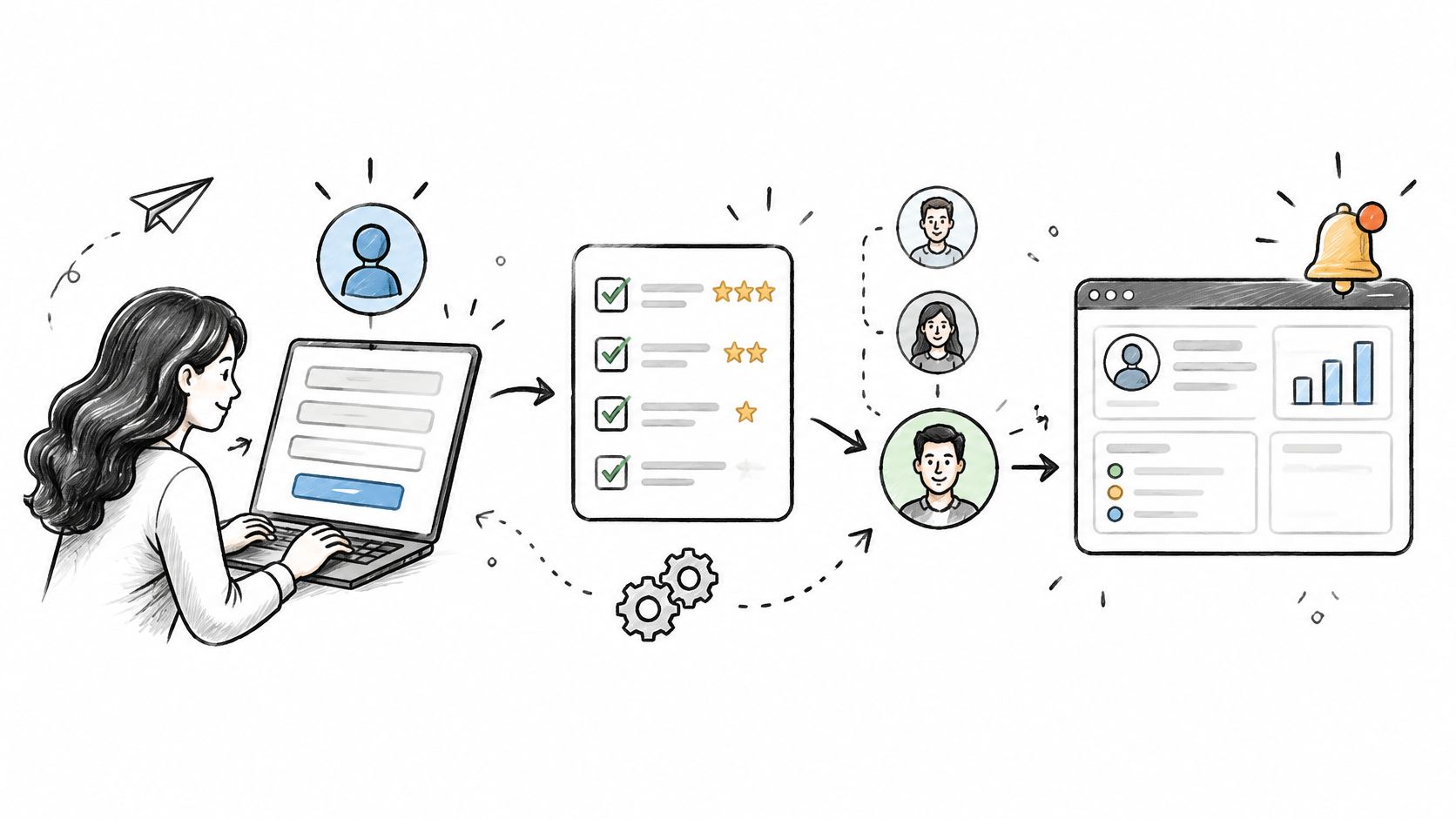
A sales team of two to fifty reps should automate lead capture and CRM routing before anything else on the list. A form, chat widget or ad platform fires the trigger, the workflow enriches the contact, scores it against fixed rules, and assigns it to a named rep with a notification. Four moves: trigger, enrich, score, assign. Each one is a documented feature in the tools covered below, and this pick rests on that documentation rather than on a hands-on build.
Two Builds That Already Work
HubSpot's native workflows assign leads by country and deal size without external tooling, which keeps ownership and audit inside one product. Zapier's Typeform-to-Salesforce templates do the same job across vendors, and they're the faster route when the form and the CRM belong to different companies. Pick the single-vendor build when you can. Pick the connector when you can't.
The licence fee is rarely the deciding cost. A 2015 Forrester economic-impact study commissioned by Nintex, reported by CMSWire, modelled a 176% three-year return, a net present value just over $1 million and a 10.5-month payback, against $300,000 in professional services and $137,000 in IT work. Services dominate the budget, so scope them before signing anything.
- Write the scoring rules in a spreadsheet first. A rule that can't survive a column of test rows won't survive a live queue.
- Log every failed run to a shared channel. Silent failures drop leads, and nobody notices for a week.
- Test with real submissions from a sandbox account. Form fields behave differently once a browser extension is involved.
Treat the build as configuration if the CRM is the system of record. Map every form field to its CRM property and sync a handful of test records before launch, because field mismatches are the failure most likely to slip through testing. For the platform-by-platform view, see DBotMaker's page on workflow automation and CRM.
2. Invoice Capture and Accounts Payable Approval
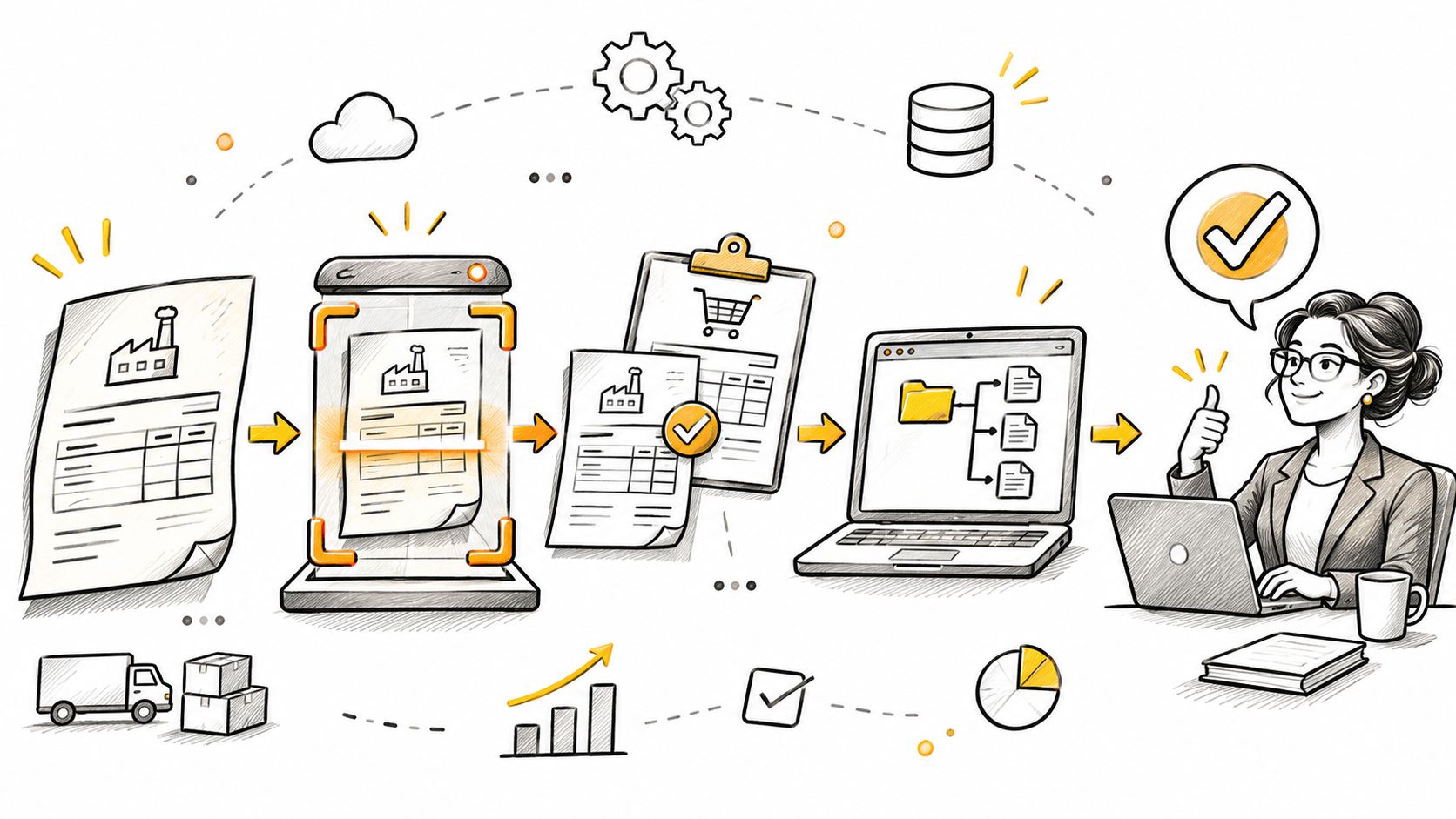
Finance teams processing several hundred supplier invoices a month get the clearest payback from this one. Below that volume, inbox rules inside Bill.com or Xero usually beat an RPA licence. The workflow reads invoices from a shared mailbox or upload folder, extracts vendor, amount, date and line items, matches them against purchase orders, and routes exceptions to an approver.
Why OCR and RPA Travel Together
Deloitte's 2022 Global Intelligent Automation Survey of 479 executives, as compiled by Good Work Labs, found 74% already implementing RPA and 50% implementing OCR alongside it. The pairing is logical: RPA is strongest on structured inputs, and OCR turns a scanned document into the fields a bot can act on. Document-heavy work such as invoice handling, claims processing and compliance checks is where the combination earns its keep.
Extraction is the easy half. Purchase order matching is where these projects die, because supplier numbering rarely matches your own. A vendor's invoice reference has to resolve to your internal PO before the bot can approve anything, so plan a lookup table per supplier rather than per document format.
- Start with the top ten suppliers by invoice count. They carry most of the volume and the most predictable layouts.
- Set a confidence threshold below which a human reviews the field. A wrong amount posted cleanly is worse than a slow approval.
- Keep approval limits in the workflow, not in individual inboxes. Rules that live in email threads can't be audited.
UiPath and Automation Anywhere both publish invoice templates aimed at exactly this shape of work. DBotMaker's ranking of RPA software scores each platform on capabilities, ease of setup and value, which is the fastest route to a shortlist before you price licences.
3. Expense Report Approval Routing
Build this workflow yourself only when your policy logic is unusual: per-project caps, multi-currency teams, or delegated approvals that shift by quarter. For a standard 50-person company, Expensify and Ramp already ship the routing rules, and a custom build adds maintenance for no gain.
Where custom builds pay is validation. A Wiley-published study of a university student-service center automated request validation, checking submissions, reading attachments, confirming formats, converting files to PDF and comparing form data against attachments, and cut the processing of 100 requests from 1,000 minutes to 135, an 86.5% reduction at roughly 7.4 times the throughput, with annual manual processing costs of about $564.52 against a five-year automated cost of about $38.
Receipts follow the same pattern. Break each claim into deterministic checks and measure them one by one. Two or three checks will carry most of the savings, and those are the ones worth automating first.
Practical rule: if a validation step needs judgement, it belongs in the approval queue, not the workflow.
- Add a delegate approver for every manager. Claims stall for a week the first time someone takes leave.
- Set automatic escalation after a fixed number of days. Approvals that wait on a human need a timer behind them.
- Publish the policy limits inside the form. Employees who see the cap before typing rarely exceed it.
Whatever builds the routing, finish by connecting approved claims to the accounting system. An approval that never reaches the ledger still leaves someone keying it in by hand.
4. Employee Onboarding and Offboarding
This is the workflow to build when HR and IT agree to own it together. Access removal on the last working day is the part that justifies the project, because manual offboarding leaves live accounts behind long after someone has gone. Okta, Azure AD lifecycle workflows and Rippling all sync from an HR record and deprovision downstream apps when that record closes.
The financial case is documented rather than theoretical. The Power Automate Total Economic Impact study modelled a composite organization of 10,000 employees and reported $1.41 million in total savings over three years after a 50% productivity-capture assumption. Automated new-hire onboarding alone was valued at $914,600 over three years, because people received access and equipment on day one instead of spending their first week waiting for setup.
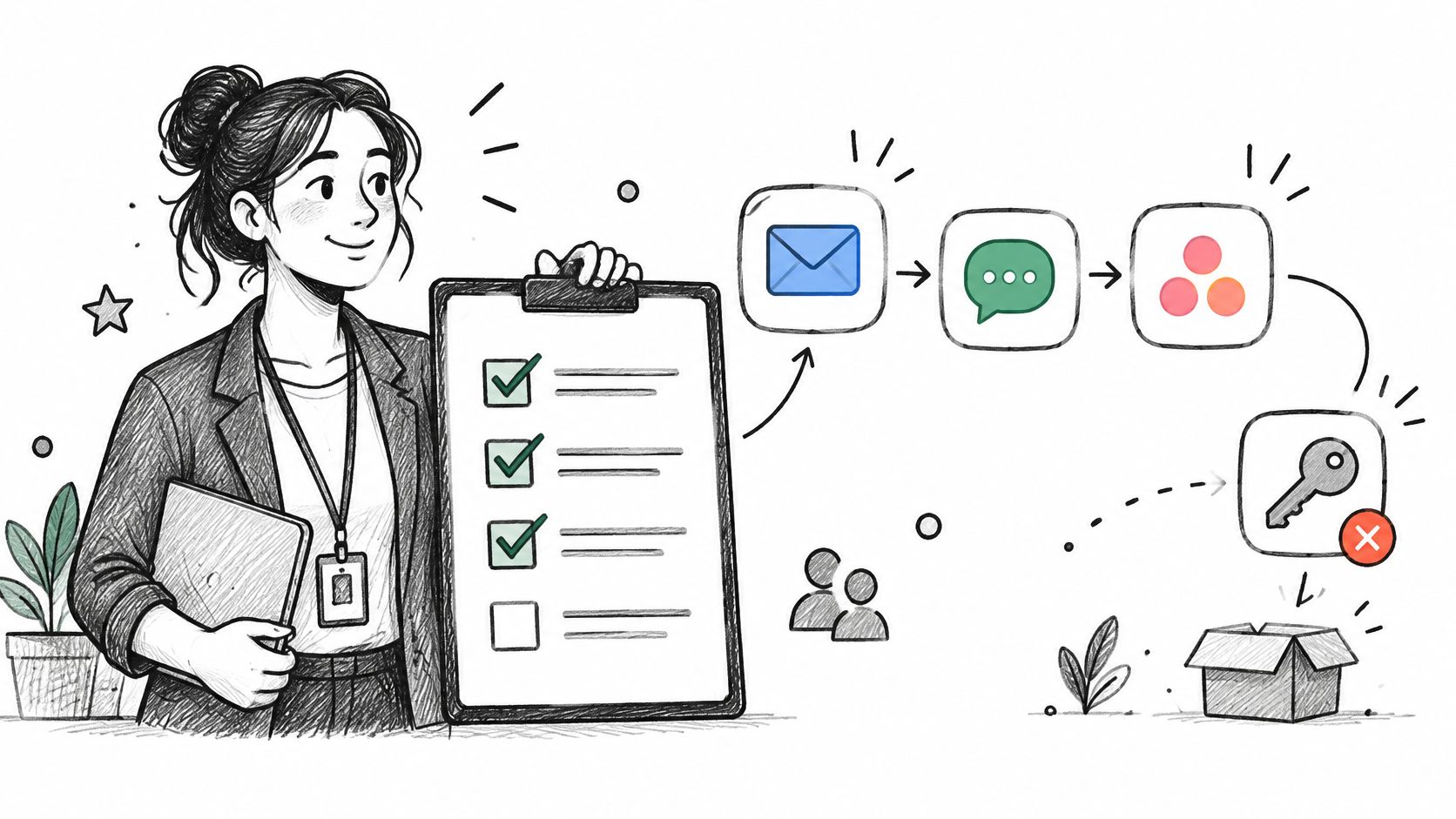
The hard part isn't the tool. It's the role map. A new marketing manager needs eight systems; a contractor needs three; a returning employee needs their old groups restored rather than recreated.
- Map roles to access groups before automating. Every provisioning mistake traces back to a role that was never defined.
- Keep a manual override for urgent terminations. A 60-second off-switch beats a perfectly ordered workflow.
- Review provisioning logs quarterly. Licences accumulate on accounts nobody uses, and that's the quiet cost.
Treat onboarding and offboarding as one workflow with two directions. Teams that build only the first half usually discover the gap during an audit.
5. Support Ticket Triage and Routing
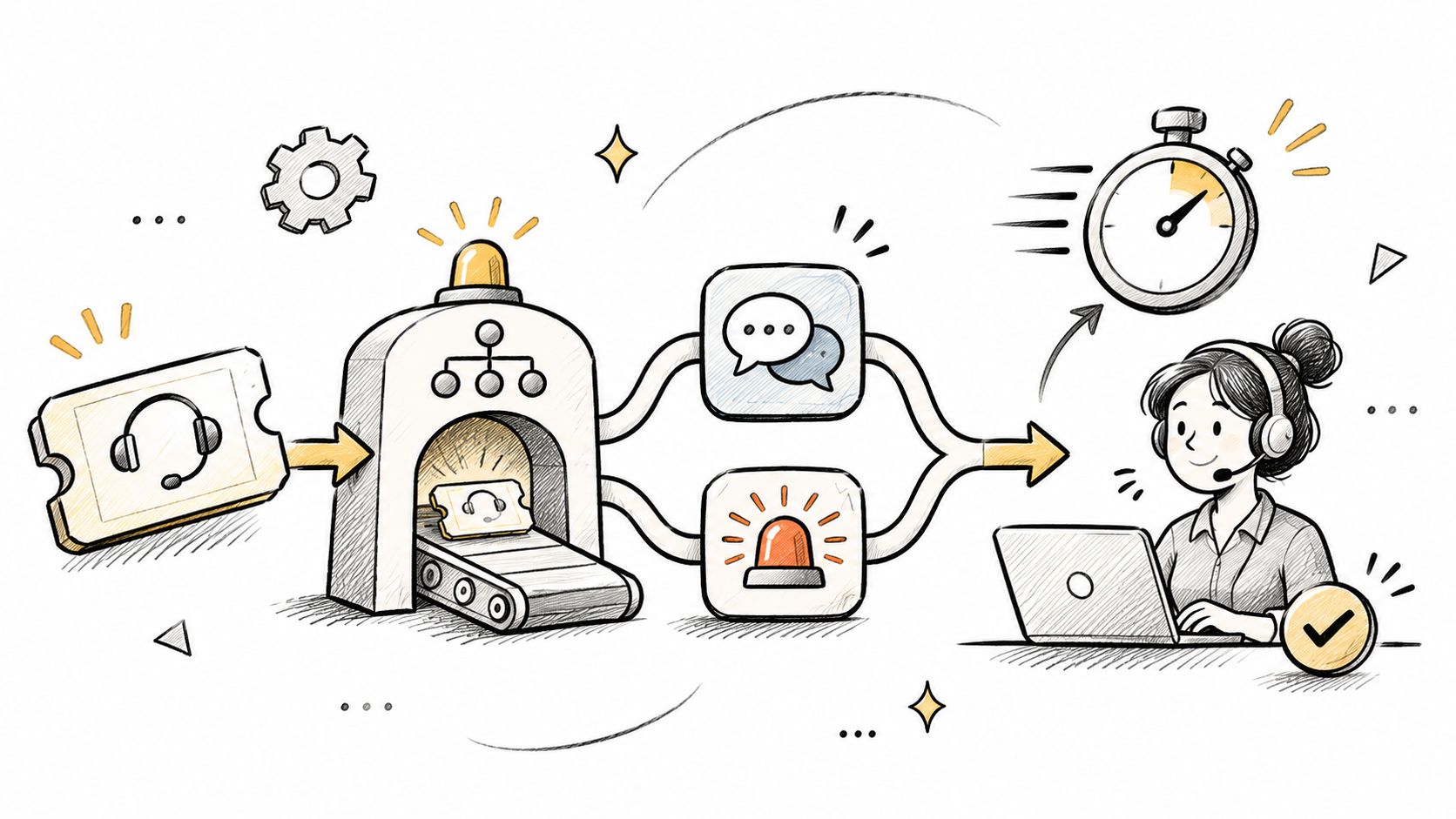
Above roughly 500 tickets a month, routing rules earn their keep. Below that, a shared inbox with saved replies is cheaper. The workflow reads each ticket, tags it by topic and urgency, checks the customer's plan tier, and routes it to the right queue. Some setups add a classifier that proposes a category and drafts a first reply for an agent to approve.
Teams hesitate to hand the whole process to a model, and the evidence supports that caution. A PwC digital trends in operations survey reported that only 27% of surveyed organizations had fully embedded an AI strategy across business units, and just 37% were comfortable assigning AI agents to execute complete end-to-end operational processes. Design for the 63% who aren't: classify and route automatically, keep the customer-facing reply human.
Design rule: let the classifier propose a queue, and let the queue owner approve rule changes, so the routing improves rather than drifting.
- Review misrouted tickets weekly. Ten minutes of corrections each week beats a quarterly rebuild.
- Keep a human in the loop for refunds and account closures. These are the tickets where an error costs real money.
- Set SLA timers before writing auto-replies. A fast acknowledgement on a ticket nobody works is worse than silence.
Zendesk triggers that escalate enterprise accounts and Freshdesk automations that send billing questions to finance are the two patterns worth copying first.
6. Social Media Scheduling and Cross-Posting
A two-person content team publishing three articles and two videos a month across four networks is the right fit for this build. Manual posting eats most of a working day at that cadence. A scheduling workflow takes the finished piece from the publishing system, generates platform-specific captions, queues the posts, and writes engagement back into a sheet.
One publishing lane is a realistic target. It runs on a fixed schedule, which makes it the piece a workflow can own end to end, and a small team can get it running in about a week. Trying to wire every campaign, approval and channel at once is the version of this project that never ships.
The tools are commodity. Buffer and Hootsuite queues can be fed from RSS or a WordPress publish event, and Zapier flows can push each new YouTube upload to the networks that matter. The differentiator is the caption, not the pipe. A feed that blasts identical text to every network is just faster spam.
- Write one caption per platform. A LinkedIn paragraph pasted into a short-form feed reads like an accident.
- Check each platform's API terms before building. Rate limits and posting permissions change, and builds break when they do.
- Keep manual approval for brand-sensitive posts. Product launches and crisis replies don't belong on a timer.
Track engagement by platform in the same sheet the workflow writes to. After two months, you can read it and decide which network earns the next hour of effort.
7. Data Sync Between Spreadsheets, Databases and Apps
The pick here is for teams running a storefront, a warehouse sheet and a reporting dashboard that disagree with each other. The workflow runs on a schedule or a change event, maps fields between systems, and logs mismatches. It's the least glamorous build on this list and the one that prevents the most wrong decisions.
Integration is the recurring obstacle. Anthropic's 2026 State of AI Agents Report reported that 46% of organizations identify integration with existing systems as a primary implementation obstacle, while 42% cite data access and quality issues. A sync workflow is where both problems surface first, which is why it should be built deliberately rather than glued together under deadline.
Get the mapping right and the reporting improves on its own. An Allegheny College case study of a precision-aerospace manufacturer found scorecard creation improved most, with processing time down 94.49% and about 20 labor hours saved per quarter.
- Make one system the source of truth for each field. Two masters means someone resolves conflicts by hand every week.
- Alert on row count differences between runs. A sync that drops rows without notice is worse than no sync.
- Version-control the mapping definitions. Field names change, and undocumented mappings take a day to reverse-engineer.
Airtable and Google Sheets handle small catalogues well. Once order volume grows, n8n workflows moving Shopify data into a warehouse table are the sturdier option, and DBotMaker's comparison of iPaaS platforms covers the price and connector differences.
8. Discord Community Moderation and Onboarding
Community managers running a server past a few thousand members need this workflow before they need a second moderator. It assigns roles when someone accepts the rules, posts a welcome message, flags messages matching banned terms, and writes every action to a moderator channel. MEE6 and Dyno cover most of it with configuration rather than code.
The failure mode isn't spam. It's over-moderation. A bot that mutes on a single keyword match will eventually silence a regular who was quoting someone else.
Give the bot only the permissions each command needs, and keep an appeal path open for every automated sanction.
- Assign roles on rule acceptance, not on join. It creates a visible record of who agreed to what.
- Review false positive logs weekly. Term lists drift out of date faster than anyone expects.
- Post every moderation action to a private log channel. Moderators change, and the history needs to outlive them.
Level-based role rewards and invite-link filters are the two configurations worth copying from large gaming servers. Both are documented in each bot's own setup guide, so the build is a checklist rather than a project.
9. Uptime Monitoring and Incident Alerting
Any team with an on-call rota should build this before it builds anything else. The workflow watches health checks, opens an incident when a threshold is crossed, pages the on-call engineer, creates a tracking ticket, and posts status to a team channel. The first ten minutes of an outage then run on a fixed sequence instead of a scramble.
Orchestration across systems is the hard part, and it's getting harder. Camunda's 2024 State of Process Orchestration report found organizations had automated 50% of their processes on average, with 90% expecting to increase automation investment over the following 24 months, while 51% cited processes spanning multiple systems as a major complexity driver, up from 45% in 2023. Incident response is the textbook case: monitors, paging, ticketing and status pages are four different vendors.
- Group related alerts before paging. Five pages for one failing database trains people to ignore the phone.
- Test escalation paths every quarter. A policy nobody has exercised is a policy that fails at 03:00.
- Write runbook links into every alert. The engineer woken up shouldn't have to search for the fix.
PagerDuty and Opsgenie both attach escalation policies to uptime monitors, and Statuspage updates can post automatically once an alert is acknowledged.
10. Meeting Notes to Tasks
Say a product team runs eight recurring meetings a week and half of the action items never reach the tracker. A meeting workflow records or imports the transcript, extracts action items and owners, creates tasks in the project tool, and posts a summary to the team channel. Fireflies and Otter supply the transcript; Zapier or a native integration moves the output into Asana, Jira or Linear.
Adoption of this pattern is moving quickly. Workato's Work Automation Index, drawn from 1,055 companies and 82,000 processes between 2021 and 2023, found generative-AI-enabled processes grew 400% in 2023 and generative-AI endpoints grew 500%.
The risk sits in attribution. A model that guesses the owner of an action item can assign work to the wrong person in front of the whole team.
- Confirm recording consent in the meeting invite. Several jurisdictions require it, and retroactive consent is awkward.
- Require a human to approve tasks before they're assigned. Review takes two minutes and prevents a week of confusion.
- Limit the workflow to meetings with a clear agenda. Open-ended discussion produces summaries nobody acts on.
Summary quality is a documented feature of each vendor's product, not something this desk has benchmarked. Test with your own recordings before rolling it out to a whole department.
10 workflow automation examples at a glance
Use this table as a shortlist, not a ranking. Find the row that matches your team, then read the trade-off column first: the right starting point is the workflow whose trade-off your team can absorb without new headcount.
| Team | Core trigger | Main tool categories | Biggest trade-off |
|---|---|---|---|
| Lead capture and CRM routing | New lead arrives via form, chat, or ad | Forms, webhooks, CRM, scoring and routing, alerts | Routing rules need maintenance; poor field mapping can corrupt CRM data |
| Invoice capture and accounts payable approval | Invoice arrives by email or upload | OCR, purchase order matching, approval routing, accounting systems | Extraction accuracy varies, and setup depends on clean purchase order data |
| Expense report approval routing | Receipt or card transaction is submitted | Receipt capture, policy checks, approval routing, ledger export | Approvals can stall when managers are unavailable |
| Employee onboarding and offboarding | HR system records a hire or departure | HRIS, identity and access management, app provisioning, checklists | Errors in HR data can propagate across connected systems |
| Support ticket triage and routing | A support ticket arrives | Help desk, tagging and classification, queue routing, SLA alerts | Misclassification can route tickets incorrectly or frustrate customers |
| Social media scheduling and cross-posting | New content is published or added | Content management, social scheduling, platform integrations, analytics | API changes can break posts, and cross-posting may reduce platform-specific reach |
| Data sync between spreadsheets, databases and apps | A scheduled run or record change occurs | Databases, spreadsheets, iPaaS, field mapping and sync logs | Two-way sync creates conflict risk; upstream changes can break mappings |
| Discord community moderation and onboarding | A member joins, accepts rules, or posts a message | Discord bots, role assignment, keyword filters, moderation logs | Keyword filters can produce false positives, and bot permissions require care |
| Uptime monitoring and incident alerting | A health check crosses a threshold | Monitoring, on-call paging, incident tickets, status updates | Poorly tuned alerts can create noise and overwhelm on-call staff |
| Meeting notes to tasks | A meeting transcript is available | Transcription, AI action extraction, project management, team chat | Extracted owners and deadlines need human review |
Two rows deserve a second look before you commit. Data sync carries the widest blast radius because a two-way conflict can corrupt records in both directions, so run it one-way or read-only first. Support ticket triage has the fastest feedback loop: misrouted tickets surface in the queue within hours, which makes errors easy to catch and correct early.
Pick One Workflow, Ship It, Then Measure
Spending isn't the constraint. The Enterprise Automation Index 2025, based on Leger Opinion research among 285 automation practitioners, found that 73.2% of surveyed businesses reported increasing automation investment during the preceding year. Money is moving. The harder question is which workflow gets the first budget line, and the answer is the one you can measure inside a month.
Apply three filters in order. Are the inputs structured, so the workflow can validate them without judgement calls. Does the outcome show up within a week, in response time, cycle time or a count of exceptions. Does a documented template or pattern already exist, so the build starts from something tested rather than a blank canvas. Lead capture passes all three. A cross-system approval chain with dirty data fails the first, and no amount of tooling fixes that.
The order that works: ship one workflow, run it for a month, count the exceptions, then choose the second.
Pick the candidate with the strongest baseline, not the loudest complaint. Compare prospective workflows on baseline cycle time, error rate, exception volume, human review time, adoption rate, maintenance cost and payback period. Automating a broken approval chain accelerates the wrong outcome, so fix the process first where the redesign is cheaper than the build.
For sourced figures beyond this list, the DBotMaker research desk compiled 52 figures from 22 publishers and reports for its Workflow Automation Statistics 2026 page, and each figure goes live only after the source checker finds it on the original page. Errors, broken links and price changes go to editorial@dbotmaker.io, where every message is read and a verified correction updates the page's published date.
Start this week. Open your CRM, export the last 200 leads with their creation and first-contact timestamps, and calculate the median gap. If that number is measured in hours rather than minutes, build the lead routing workflow first, log every failed run to a channel you read, and revisit the second workflow only after the first has run clean for four weeks.
Spotted an error in this guide? Email editorial@dbotmaker.io