Operator manual · General
How to Automate Invoice Processing: Steps and Costs
In short
Learn how to automate invoice processing from capture and validation to approval, payment and record keeping, with sourced benchmarks and a rollout plan.
DBotMaker research desk · Updated November 23, 2026 · 11 min read
The invoice that costs the least is not the one a scanner reads fastest. It is the one that posts without a person, and most payables teams are still far from that. Docsumo's accounts payable statistics roundup cites Ardent Partners' 2025 survey of 204 accounts-payable and finance professionals at an average of $9.84 per invoice and 8.2 days, against about $2.65 and 2.9 days for best-in-class teams, and the rest of the sample at $12.42 and 13.5 days. The same roundup puts APQC's cross-industry median at $6.00 across 5,846 organizations. Those gaps are process gaps, not scanner gaps.
DBotMaker's research desk makes the call up front. How to automate invoice processing means one purchase-order-heavy supplier group, a shadow run, and exception rules before any company-wide capture switch. Capture without matching, fraud checks, and a posting gate only pushes bad records into the ledger faster. This page does not quote a capture-tool list price. Enterprise suites often publish none, and this desk prints a seller's price only on the date it was checked. The number that belongs in the business case is cost per successfully paid invoice, next to the cost of a false approval.
Table of Contents
- Seven Stages of an Automated Invoice Workflow
- How to Prepare Your Data and Switch On Capture
- Matching, Approvals and Exception Routing
- Fraud Controls and Payment Safeguards
- E-Invoicing Rules That Change Your Setup
- Metrics That Show Automation Is Working
- Start With One Supplier Group and a Shadow Run
Seven Stages of an Automated Invoice Workflow
Build the whole pipeline in order. Capture alone does not cut cost or cycle time, because the expensive work starts after the text is read: classification, arithmetic, matching, and the decision to post or hold.
A controlled sequence is the only design that holds up in production. A Springer study of 6,349 electronic and paper invoice images reached 96% recognition on electronic invoices and only 82% on paper, while invoice numbers and dates exceeded 97%. Paper and electronic files are different products. One blended accuracy score hides that split, and it also hides a wrong tax line, a wrong amount, or the wrong supplier on an otherwise “confident” document.
| Stage | What the system does | Check before go-live |
|---|---|---|
| Ingest | Pulls PDFs, scans and e-invoices from email, supplier portals and EDI | Confirm every intake channel is mapped |
| Classify | Sorts invoices, credit notes and statements | Test credit notes and statements, not only invoices |
| Preprocess and OCR | Deskews, denoises, corrects orientation, then reads text | Measure paper and electronic accuracy separately |
| Extract | Pulls header and line fields with layout-aware models | Set field-level confidence thresholds |
| Normalize and validate | Standardizes dates, currencies, tax IDs and supplier IDs; checks totals and tax arithmetic | Test totals and tax on a sample of real invoices |
| Match | Compares invoice against PO, goods receipt and vendor master | Set tolerances per supplier group |
| Route and post | Sends exceptions to people and posts validated records to the ERP | Keep the original image with extracted values |
Field confidence, not a document grade
Post a field automatically only when that field clears its own threshold. If invoice number, amount, or supplier identity falls short, a person reviews that field before anything hits the ERP. Keep the original image beside the extracted values so an auditor can see both.
Track precision, recall, field accuracy, straight-through rate, exception rate, cycle time, duplicate-payment rate, and cost per invoice as separate measures. A single document score will pass a file whose tax line is wrong.
Teams that still move files between inbox and ledger by hand should look at RPA software only for the route-and-post step, after the earlier stages already reject bad records. Before go-live, name which of the seven stages the current process lacks, and which one creates the most rework. That missing stage is the build, not a nicer OCR demo.
How to Prepare Your Data and Switch On Capture
The largest practical risk is automating messy upstream data at higher speed. Kefron's accounts payable automation trends briefing flags excessive manual entry as a problem for 51% of AP teams and invoice exceptions as a delay source for 48%. Clean the inputs, then turn capture on.
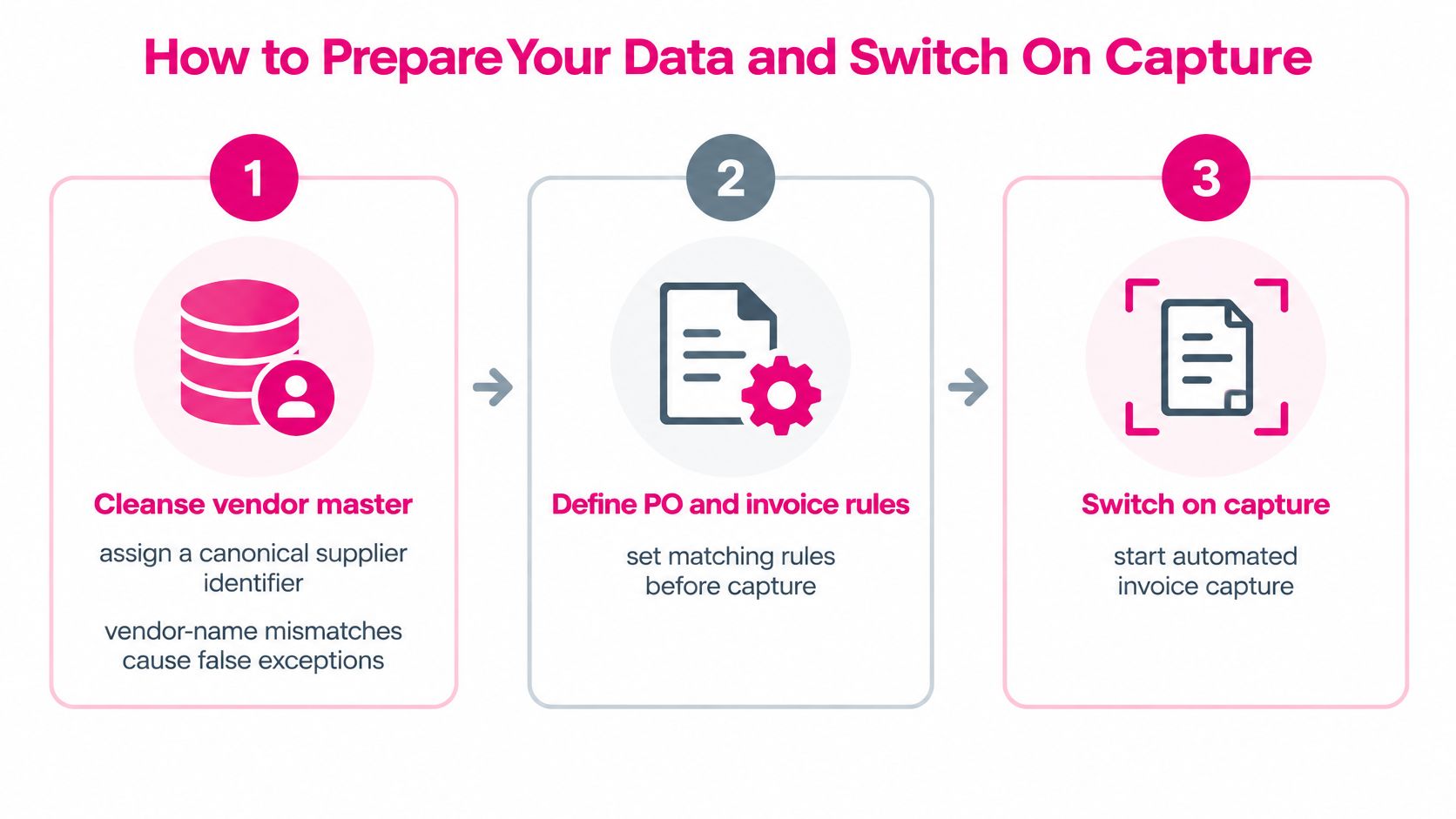
The setup routine
- Cleanse the vendor master and assign a canonical supplier identifier. Vendor-name mismatches are a leading cause of false exceptions, and two spellings of one supplier will look like two vendors to a matcher.
- Set purchase-order and receipt tolerances by supplier group. A few cents should not stop an invoice. Put a materiality threshold in the rule so immaterial price noise auto-clears.
- Build duplicate checks on supplier plus invoice number plus amount and date. Test them against real repeat billing. An overly broad rule blocks legitimate second invoices for the same amount.
- Map general-ledger and tax codes with an explicit fallback. A line that misses the map should land in a named review bucket, not a guessed account. The posted books stay the system of record in accounting software only after that fallback is defined.
- Run a shadow phase. Automation recommends values. People remain the system of record. Nothing posts from the model yet.
- Sample both low-confidence invoices and invoices that look successful. Compare both sets with labeled ground truth. The quiet successes are where false approvals hide.
- Tune thresholds by supplier and by document type, then switch posting on only for groups that pass. A credit note is not an invoice, and a scan is not an e-invoice.
A neutral OCR study in that same briefing recovered invoice data for 90% of English and 88% of Czech scanned documents. Validate each language on its own sample. Do not treat one language's hit rate as universal, and do not drop human review because a demo file looked clean.
Practical rule: Ready means exception categories stay stable across a full invoice cycle, and the sampled invoices contain no false approvals.
Common failures at this stage are predictable: missing PO or GL rules, duplicate logic that is too wide, and tolerances that flag noise. Fix those before volume goes up.
Matching, Approvals and Exception Routing
A review queue can be the cheaper option. A false approval, or a bad ERP posting, costs more than a few minutes with the right person. The design goal is not zero touches. It is sending each exception to the cheapest handler who can clear it.
IBM's overview of automated invoice processing notes a 2025 survey in which 27% of organizations had no AP automation at all, and nearly three-quarters still lacked a fully automated system. Another survey of 225 mid-market finance leaders found only 4% had automated accounts payable end to end, and 38% took at least five days for one invoice. Buying software is not the same as straight-through processing.
| Exception cause | Typical example | Routing rule |
|---|---|---|
| Missing purchase order | Supplier bills without a PO reference | Route to the buyer for PO approval or a retrospective PO |
| Vendor-name mismatch | Same supplier billed under two spellings | Match on the canonical supplier ID |
| Duplicate invoice | Same supplier, invoice number, amount and date | Hold before posting and check the original |
| Tax ambiguity | Reverse charge or mixed VAT rates on one invoice | Route to a tax reviewer |
| Foreign currency | Invoice in one currency, ledger in another | Apply the dated exchange rate and flag the variance |
| Immaterial tolerance breach | Price variance of a few cents | Auto-approve below the set threshold |
| Approval delay | Budget owner unavailable | Escalate after the set number of days |
For four weeks, count exceptions by cause, record handling minutes for each cause, and mark which causes repeat by supplier. Automate the repeat causes first. They usually pay back before a rare edge case does. A missing PO is a buyer problem. A suspected duplicate stays with accounts payable and never posts. Tax ambiguity goes to a tax reviewer, not to the general approval queue.
Human review stays rational when the alternative is paying a false invoice. Measure touchless rate, exception time, false alerts, false approvals, integration failures, and cost per successfully paid invoice. A generic OCR percentage does not answer any of those.
Fraud Controls and Payment Safeguards
Automation is a control architecture, not a productivity project with a scanner attached. CFO.com's report on mid-market accounts payable found that four in ten mid-market organizations experienced invoice fraud or overpayment in the previous year, while manual invoice review was still the most common control, used by 52% of respondents. Replacing that review with nothing is how a bad payment gets faster.
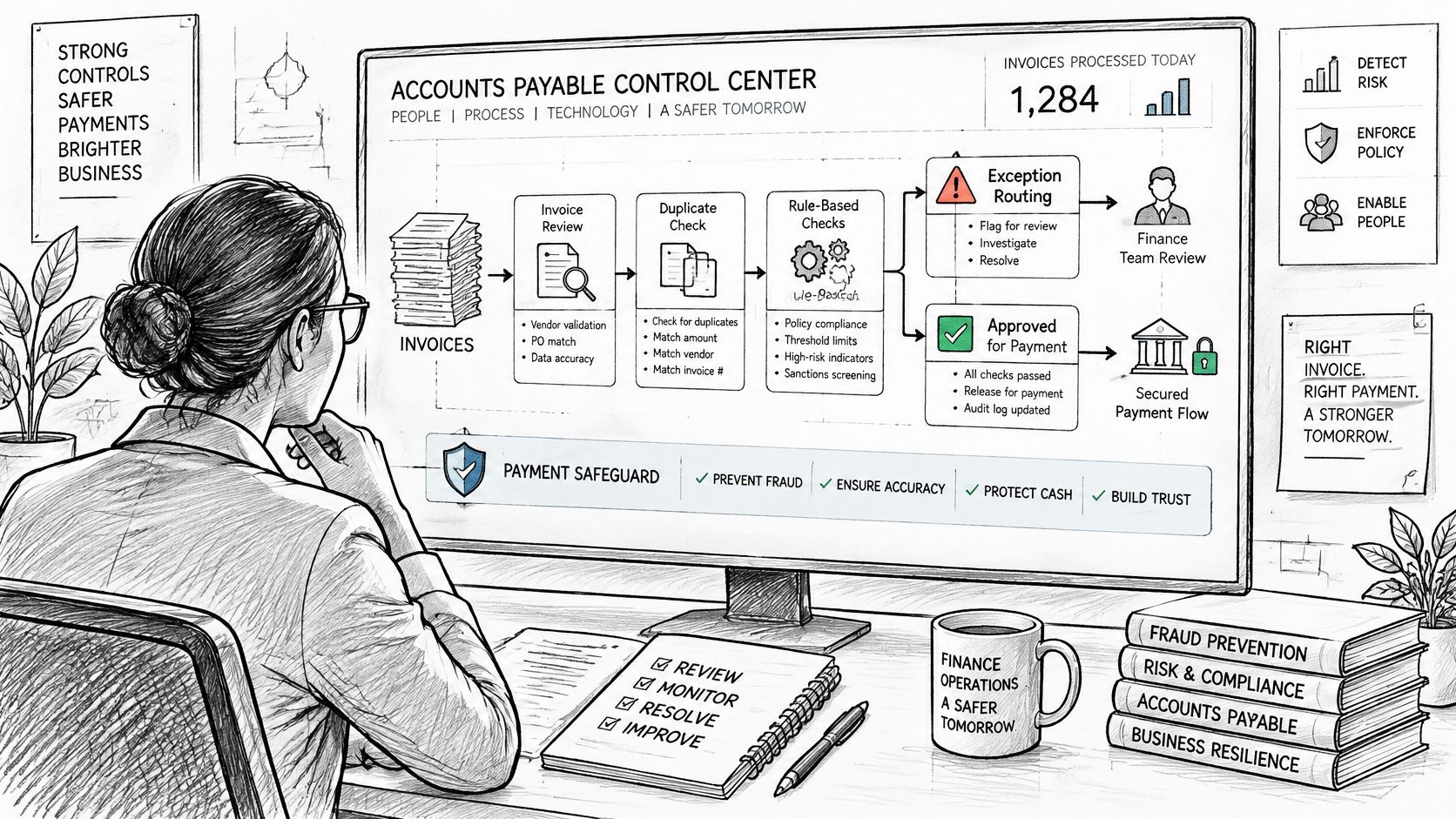
Controls along the payment chain
- Intake authentication: Know which channel and which sender produced the file before extraction starts.
- Supplier onboarding: Verify bank accounts at setup, and re-verify every change before the next payment run.
- Field-level validation and duplicate detection: Hold suspicious bank-account changes, vendor-master edits, and payment redirection instead of posting them.
- Segregation of duties: The person who changes a bank account cannot approve the payment that uses it.
- Payment-file protection, audit logging, and post-payment analytics: Lock the file, keep an immutable log, and review what left the bank.
Invoice status, ERP status, and payment status drift apart when those systems are not kept in step. Cash-flow and budget reports then lie even when each screen looks tidy.
More automation can shrink routine error and, at the same time, scale a control failure if bad master data or a weak rule is copied automatically.
Buyers should demand evidence on alert precision, override permissions, immutable audit trails, retention periods, data residency, and recovery when an integration fails. Extraction accuracy is the wrong question once money can move.
E-Invoicing Rules That Change Your Setup
A PDF on an email is digital. It often has no structured fields a system can validate, match, and post. That distinction decides the build for any team that sells into Europe or the UK.
The European Commission's Interoperable Europe portal defines e-invoicing under Directive 2014/55/EU as issuing, sending, and receiving an invoice in a structured electronic format that supports automatic processing. EU public authorities must accept invoices compliant with the European standard in public procurement above EU thresholds. Council Directive (EU) 2025/516 makes e-invoicing the default for intra-Community transactions from 1 July 2030, requires EN 16931, and adds corrected-invoice references and bank-account identifiers.
The UK government's e-invoicing roadmap says VAT-registered persons, including public-sector bodies, will need to issue and receive VAT invoices as e-invoices from 1 April 2029 unless an exemption applies. The rules aim at less manual processing and better data for matching, approvals, and reconciliation. They do not name one technology, system, or platform.
| Jurisdiction | Requirement | Effective date |
|---|---|---|
| EU public procurement above thresholds | Public bodies must accept EN 16931-compliant e-invoices under Directive 2014/55/EU | Already in force |
| EU intra-Community transactions | E-invoicing becomes the default under Council Directive (EU) 2025/516, with EN 16931 and corrected-invoice references | 1 July 2030 |
| UK VAT-registered businesses | VAT invoices issued and received as e-invoices unless an exemption applies | 1 April 2029 |
| Other markets | Check the local clearance or reporting rule before selecting a platform | No shared date; confirm the local rule first |
Selection criterion: interoperable structured exchange and configurable workflows, not a single vendor channel. Before shortlisting, confirm the system reads structured formats, maps each required field, and can add a new field without a rebuild.
Metrics That Show Automation Is Working
Measure the current baseline first, then compare it with benchmarks. A vendor's touchless claim means nothing until the same definition is applied to last quarter's own invoices.
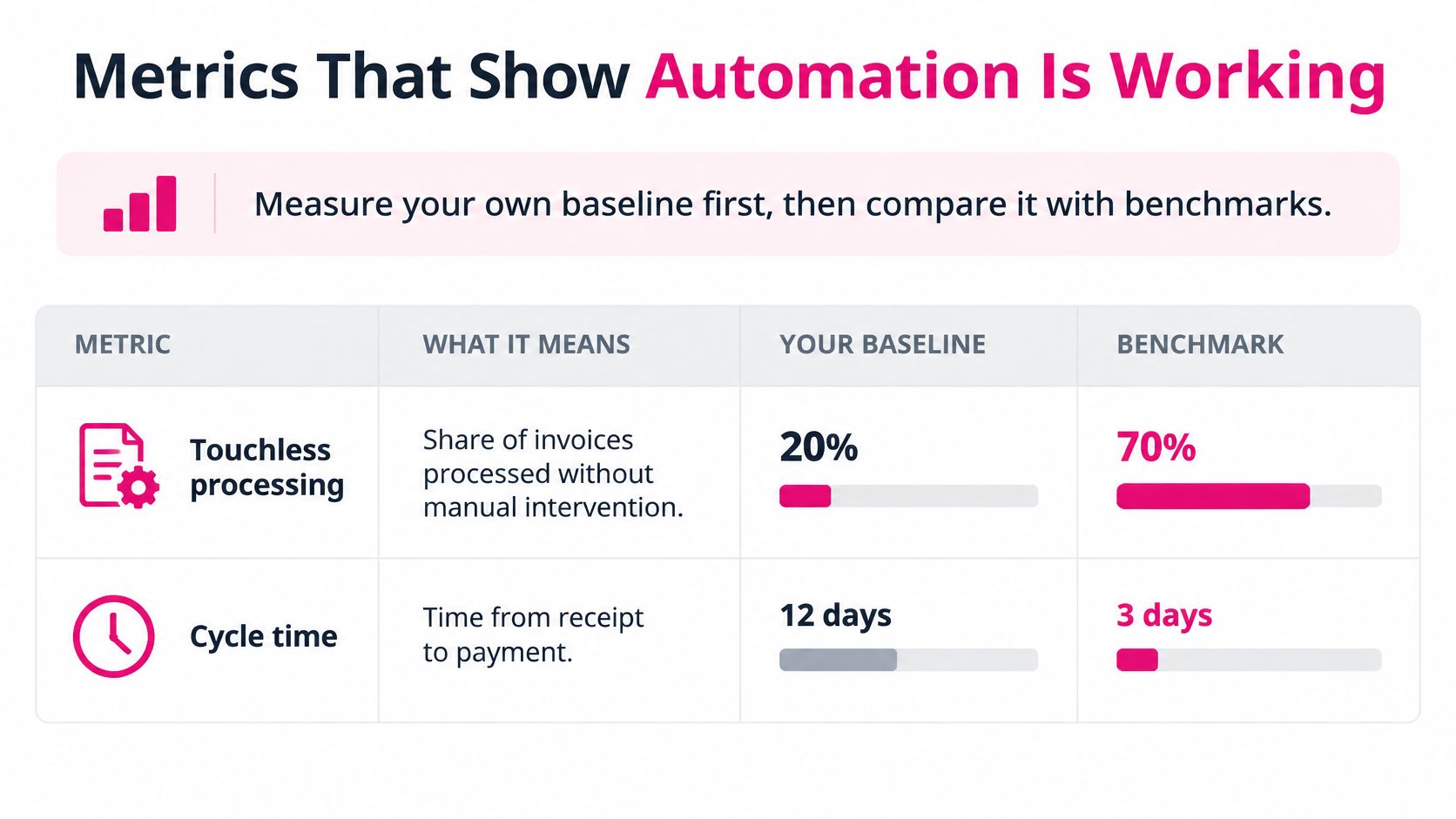
Parseur's 2025 benchmark summary of Ardent Partners puts the all-invoice touchless rate at 32.6% for average organizations and 49.2% for best-in-class. On purchase-order invoices the gap is wider: 38.3% touchless and 11.6 days versus 96.3% and 1.4 days. Best-in-class teams routed 99.5% of non-purchase-order invoices automatically and finished them in 2.1 days. The average non-purchase-order touchless rate is not stated in that summary.
The 2024 Ardent Partners ePayables benchmark, as published by Bottomline, measured an average all-inclusive cost of $9.40 per invoice, 9.15 days to process, a 14.0% exception rate, 32.6% straight-through, and 61.0% of invoices linked to a purchase order. Best-in-class teams had processing costs 78% lower and processing times 82% faster than other groups. Definitions differ by survey year, so do not blend the 2024 dollar figure with a later survey's average.
| Metric | Average organization | Best-in-class | Benchmark |
|---|---|---|---|
| Touchless rate, all invoices | 32.6% | 49.2% | 2025, summarized from Ardent Partners |
| Touchless rate, purchase-order invoices | 38.3% | 96.3% | 2025 benchmark data |
| Cycle time, purchase-order invoices | 11.6 days | 1.4 days | 2025 benchmark data |
| Touchless rate, non-purchase-order invoices | Not reported for the average | 99.5% routed automatically | 2025 benchmark data |
| Cost per invoice, all-inclusive | $9.40 | 78% lower processing cost than other groups | 2024, Ardent Partners |
| Processing time per invoice | 9.15 days | 82% faster than other groups | 2024, Ardent Partners |
Set a separate target for straight-through rate, exception rate, cycle time, duplicate-payment rate, cost per invoice, and field-level precision and recall. One aggregate accuracy number still conceals a bad tax, amount, or supplier field. High-performing flows also run supplier and duplicate checks, apply business rules, match to orders and receipts, and send only genuine exceptions to people.
Start With One Supplier Group and a Shadow Run
Start with one supplier group that already has high purchase-order coverage, not with the whole payables book. Groups above the typical purchase-order link rate usually hold the cleanest matching data, so the first shadow run fails for real reasons instead of for missing orders.
Scope that phase to the group, and log exception causes from the routing rules already chosen: missing orders, name mismatches, duplicates, tax, currency, tolerance, and approval delay. Exit only when four things are true. Exception categories stay stable over a full invoice cycle. Sampled invoices show no false approvals. Duplicate checks catch real duplicates without blocking legitimate repeat billing. Touchless rate is tracked against the team's own baseline, not against a best-in-class slide.
HighRadius reported that in 2025, 20% of companies had fully automated accounts-payable processes, while 41% planned to automate within the following 12 months. A narrow live group is enough to be in that race. Waiting for a finished, company-wide design is not.
For patterns of a narrow first workflow, see workflow automation examples and copy the shape, not a vendor's full template.
Three actions for the coming month: pick the supplier group, cleanse its vendor records, and write the first sampling plan for low-confidence files and files that look clean. Readers who spot an error in these figures, or a price change on a tool this desk later quotes, can write to editorial@dbotmaker.io.
Pick the supplier group this week, freeze its vendor master, and run capture in shadow until one full cycle shows stable exceptions and no false approvals. That is the build order. Send figure corrections to editorial@dbotmaker.io before treating any benchmark dollar as the price the team will end up paying.
Spotted an error in this guide? Email editorial@dbotmaker.io