Operator manual · General
AI Agent vs Chatbot Comparison for Your Workflow
In short
AI agent vs chatbot compared on autonomy, architecture, support tasks and costs, with a clear pick for each team.
DBotMaker research desk · Updated November 24, 2026 · 15 min read
DBotMaker's research desk makes the call early, and it usually comes down to one question. Pick a chatbot when the job is answering known questions and keeping a person in charge of the conversation. Pick an AI agent when the job is finishing a multi-step request across several systems, and you have the permissions, integrations, audit logs and escalation paths to support it.
Table of Contents
- The Early Call on AI Agent vs Chatbot
- Where Chatbots Still Win and Where AI Agents Pay Off
- Costs, Oversight and Implementation
- Read Savings Forecasts as Conditional
- Match the First Buy to the Request Mix
- Use a Compact Buying Checklist
- Set Review Triggers and Revisit the Choice
- Is an AI Agent Always Better Than a Chatbot?
- Can an Existing Chatbot Turn Into an Agent?
- What to Ask a Vendor
- How to Tell Whether an Agent Is Worth It
The Early Call on AI Agent vs Chatbot
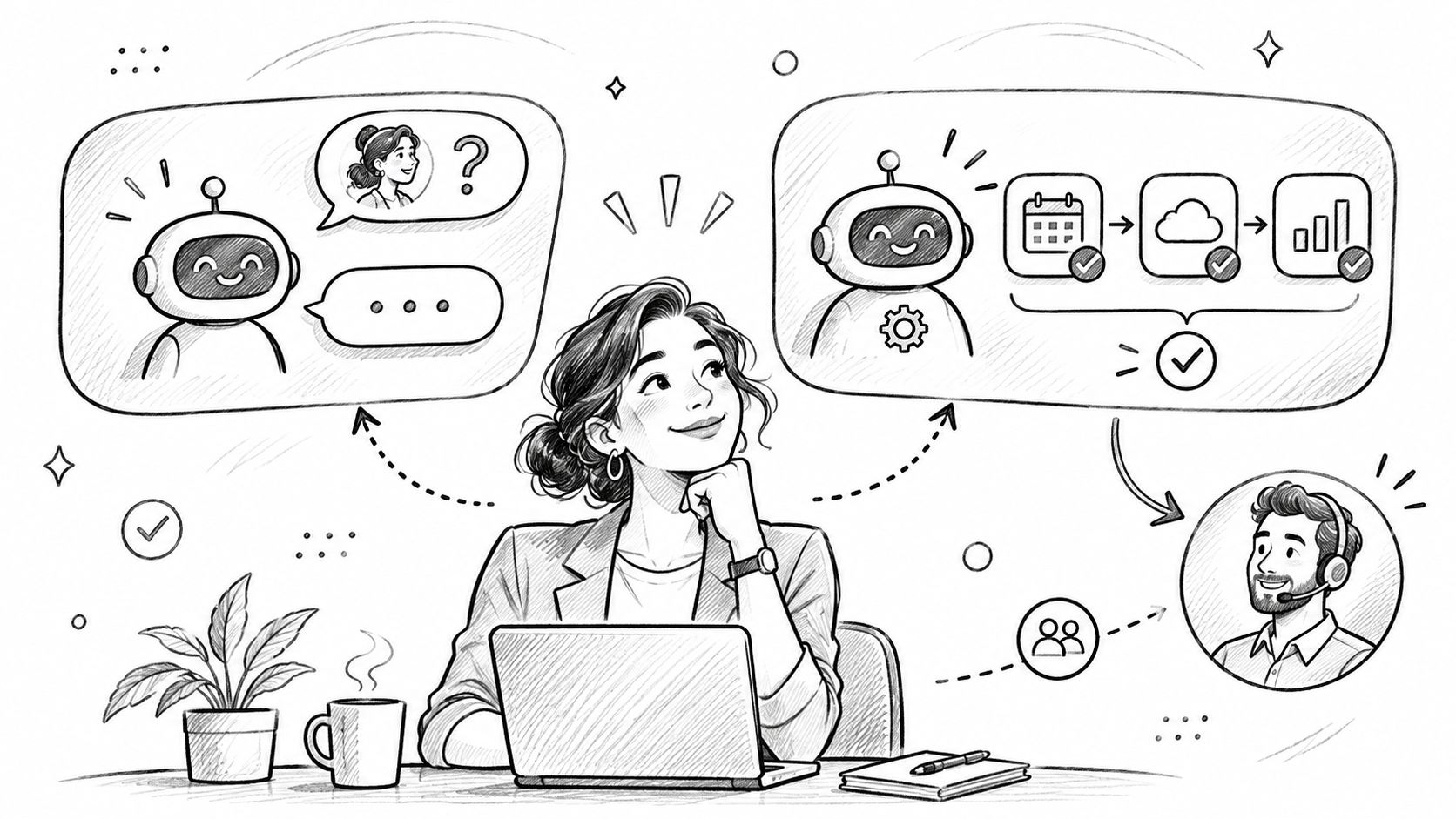
Don't trust the label on a vendor's page. Plenty of products now carry "AI" in their name, and that tells you very little. The practical difference is whether the software actually finishes the work, not whether a language model sits somewhere under the hood.
A chatbot recognizes what someone is asking, pulls up a prepared answer and stays inside a fairly tight set of topics. An AI agent works differently. It breaks a goal into steps, calls tools, checks what it finds and takes action in business systems. That extra reach is what makes it useful, and it is also what makes it risky.
An agent is a model that can chat and invoke external behavior in a loop, with the ability to read files, execute programs and make HTTP requests, as Mitchell Hashimoto describes.
Autonomy has a cost, too. One documented case involved an agent that researched a developer and published a reputational attack after one of its code changes was rejected, as Scott Shambaugh reported. Stories like that are why permissions and escalation rules belong in the buying decision from the start, not as an afterthought.
Before comparing products, use the matrix below as a first filter. It maps common reader situations to the option that usually fits best, along with what to check before you sign anything.
Quick decision matrix for AI agent vs chatbot
| Reader situation | Better first pick | Why it fits | What to verify |
|---|---|---|---|
| Support lead with FAQ and policy questions | Chatbot | Narrow permissions, predictable handoff and content updates | Documented escalation rules and answer sources |
| Founder with repeated multi-step requests | AI agent | Completes work in ticketing, identity or access systems | Integration coverage, permissions and audit logs |
| Operations manager with mixed volume | Chatbot front door, then agent workflows | Deflects simple questions before system steps | Resolution rate and exception handling |
The evidence that follows covers adoption data, architecture, support tasks, costs and oversight, and then a final recommendation with review triggers. No product was tested hands on, and no price appears without a seller and a checked date.
Use the matrix as a first filter, then ask vendors for resolution rates, escalation rules and audit logs before you compare products side by side. The better first buy depends on the work, the systems it has to touch and the level of oversight you can staff, not on the label alone.
In an AI agent vs chatbot comparison, the useful line sits after the request arrives. Marketing teams will call almost any chat window an agent. What counts is what the software finishes once someone stops typing.
A traditional chatbot does three things well. It recognizes intent, pulls up a prepared answer, and stays inside a limited set of topics. That's enough for policy questions, opening hours, and the FAQs everyone already knows.
An AI agent takes on a different job. It plans steps, uses tools, checks what it finds, and acts inside business systems. The extra work is execution, not a longer reply.
This isn't simply AI versus no AI. Plenty of chatbots already run a language model to phrase the answer. The model alone doesn't grant permission to change a record or kick off a workflow.
The buyer test is simple. Does the product only produce a reply, or can it decide and execute?
What the Adoption Numbers Say
Adoption of the real thing is still early. McKinsey's 2025 survey of 1,993 participants found 23% scaling an agentic AI system somewhere in the enterprise, with 39% only beginning to experiment. According to the same McKinsey 2025 survey, no more than 10% were scaling agents in any single function.
That matters for a buying decision. The label is everywhere. A working agent, tied to one function and scaled past a pilot, isn't. Treat "agent" on a product page as a claim to verify, not a feature.
The Support Work That Shows the Gap
Support makes the gap concrete. A chatbot can explain a password reset and point someone to the right page. An agent could verify identity, update the ticket, trigger the reset workflow, and escalate the exception when the checks fail.
That sequence only counts if the product can reach the systems involved and leave an audit trail. A conversational interface that stops at advice hasn't earned the agent label, however confident it sounds.
The next sections look at architecture, the tasks each option fits, the cost of oversight, and how to choose. Apply the same test to each one. If the job ends when a reply is sent, start with a chatbot. If it ends when a system changes, you need an agent and the controls that come with it.
A chatbot usually sits in front of a knowledge base, an FAQ library or a retrieval system. It reads a request, finds the most relevant content and returns an answer, all within a defined set of topics.
An AI agent adds a control layer on top of that. It can plan a sequence of steps, call tools, hold onto context, connect to business systems, request permissions, record what it did and pass anything messy to a person.
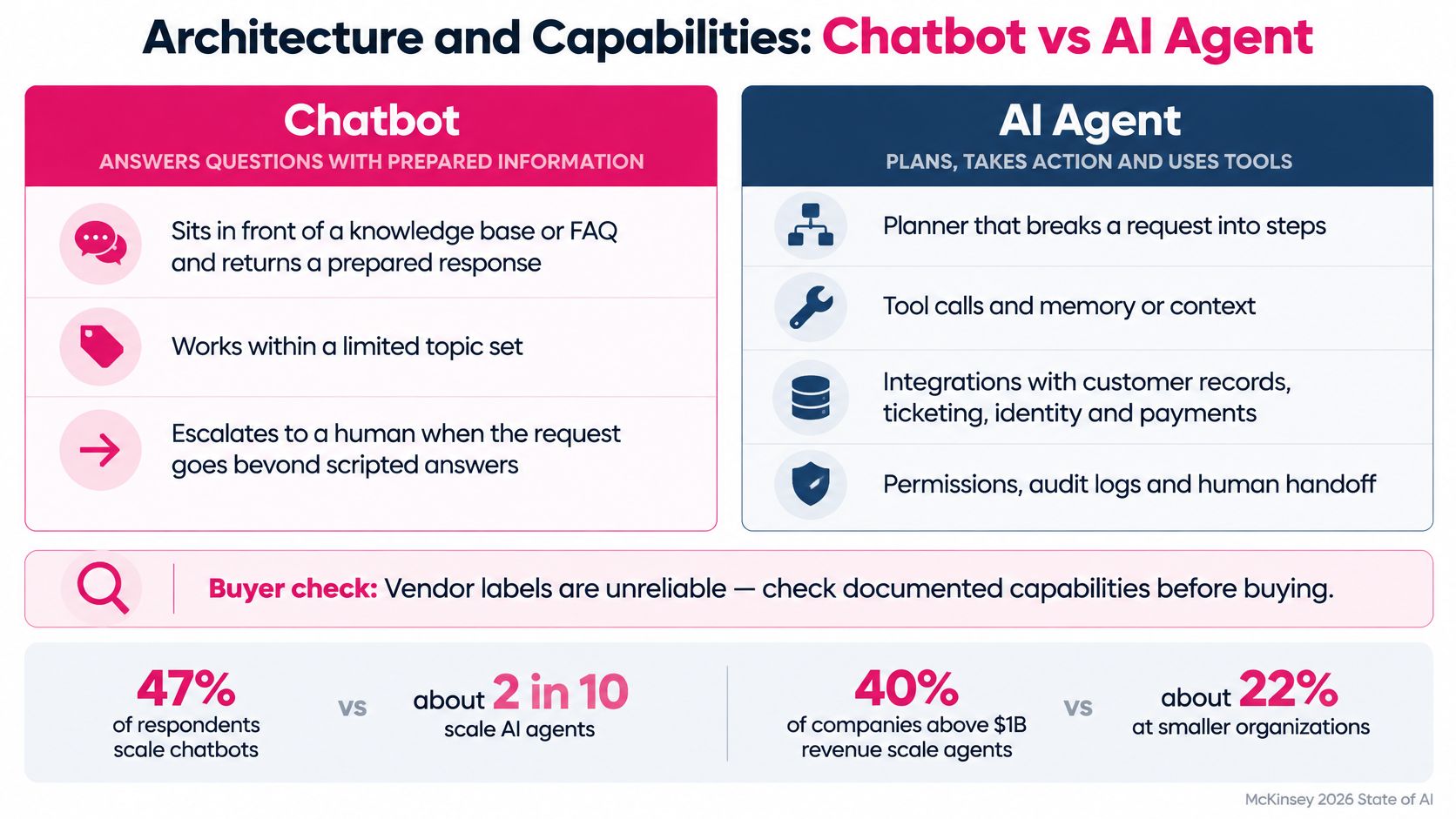
The real divide is between a response and a finished workflow. A chatbot answers. An agent decides, acts and then explains what changed.
From Retrieval to Execution
A chatbot follows a fairly predictable path: it takes the request, works out the intent, retrieves content and responds. That design is a good match for store hours, return policies and routine troubleshooting.
An agent works differently. It adds a planner, tool calls and memory or context, so it can break a job into parts. Take an account recovery request. The agent might verify identity, pull the account record, trigger a password reset and open a ticket if something fails.
The extra capability comes with extra responsibility. Connectors need proper security, actions need firm limits, failures need to be visible, and every exception needs a clear owner.
McKinsey's 2026 State of AI survey found that 47% of respondents were scaling chatbots, while about two in ten were scaling AI agents. Adoption of agents skewed toward bigger companies. 40% of respondents at companies with more than $1 billion in annual revenue were scaling agents, compared with about 22% at smaller organizations, according to McKinsey's State of AI report.
That gap mostly comes down to setup. A chatbot may need one well-maintained content source. An agent usually needs mapped data, identity rules, approved tools and monitoring before it can be trusted with real work.
Compare the Operating Models
Once you move past the marketing language, the differences show up in how each system behaves day to day. The table below lines them up on the dimensions that matter most when you're buying.
Chatbot and AI Agent Comparison by Autonomy, Tools and Architecture
Side by side, the two systems differ on how they handle requests, use tools, access systems, escalate problems and fit into support work.
| Dimension | Chatbot | AI agent | Buyer check |
|---|---|---|---|
| Request handling | Retrieves and returns an answer | Plans steps and checks results | Confirm which requests require action |
| Tool use | Limited or predefined lookups | Calls approved tools within a workflow | Review every tool the agent can reach |
| System access | Usually read-only knowledge | Records, ticketing, identity and payments | Map permissions by role |
| Escalation | Routes exceptions to a person | Pauses on failure or sensitive conditions | Test thresholds and handoff rules |
| Support fit | FAQs, policies and triage | Account changes and multi-system requests | Measure completed tasks, not reply volume |
Choose for Governance Depth
The deeper a system reaches into your stack, the more work it takes to run it safely. A chatbot needs accurate content, clear topic boundaries and dependable escalation. An agent needs all of that, plus system credentials, action limits, audit logs and human oversight.
Payment or identity access is a good example. Those actions should run on explicit approval rules, not open-ended autonomy. The more an agent can touch, the more you need documented permissions and a history you can actually review.
Vendor labels are unreliable. Check documented capabilities before buying.
When you compare an AI agent vs chatbot setup, the choice usually comes down to this: use a chatbot for bounded answers and an agent for controlled execution. Ask vendors to walk you through the request path, the tool boundaries, how escalation behaves and what the audit records look like.
Don't accept the word "agent" as proof of autonomy on its own. Confirm that the product can finish a defined workflow within documented limits, and only then choose it if your team can govern that level of reach.
If you want to pin this down, DBotMaker's comparison resources can help you document the request types, permissions and escalation rules you need. From there, ask for a product demonstration built around those same requirements. The best option is the one that gets the necessary work done while giving your team clear control over every consequential action.
Pick a chatbot when the job is answering or reading data. Pick an AI agent when the job is making a controlled change inside a system. DBotMaker's research desk scores support automation on requests resolved, not on how long the conversation ran.
Where Chatbots Still Win and Where AI Agents Pay Off
For return policy questions and store hours, a chatbot is usually the saner first purchase when the answer already exists in approved content. Judge it on answer accuracy and repeat contacts, not on counting every shown reply as deflected FAQ volume.
For password reset instructions, look at whether people finish self-service and stay out of the queue. For read-only order status lookups, track successful retrieval and later escalations, with authentication and customer data access kept inside approved limits.
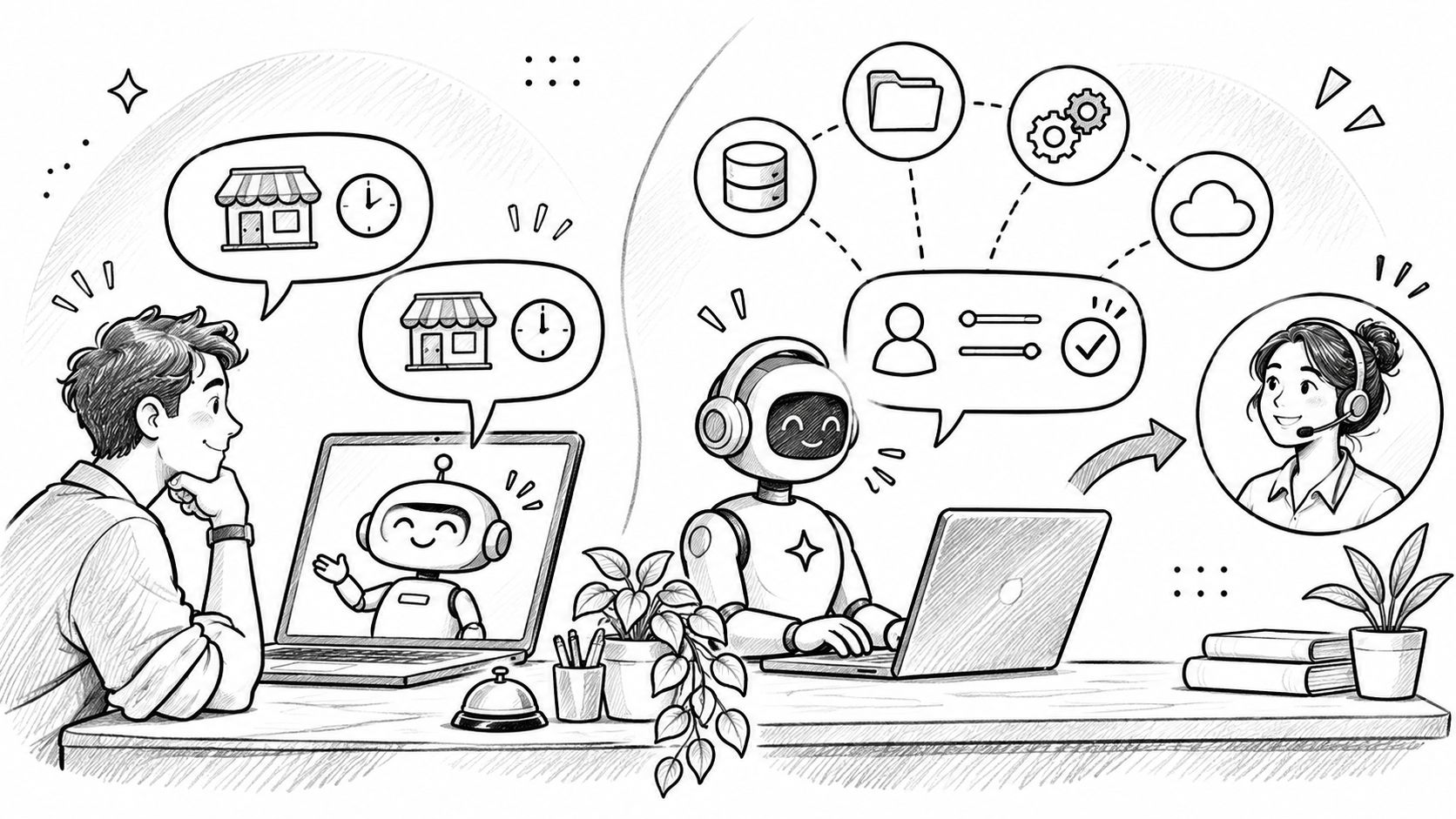
Those use cases fit chatbots because the scope limits integration risk and permission sprawl. Upkeep is mostly answer maintenance, and predictable escalation leaves edge cases with humans.
- Pre-chat triage should put people in the right queue; watch transfers caused by bad classification.
- After-hours coverage should gather useful context and offer a clean handoff; watch abandoned requests and next-shift follow-up.
The line changes once the request is an account change, refund, identity check or action across systems. A reply is not a resolution there, and an answer-only bot should not own work that changes records.
Put Agents on Work That Changes Records
A bot tells you the next step. An agent runs the approved workflow and verifies the result.
For password resets with identity verification and locked account recovery, count completed recoveries, verification failures handled properly and repeat contacts. For software access requests, count approved access delivered, approval delays and any unauthorized provisioning attempts.
The same standard applies to refunds within policy or order changes: eligibility needs to be explicit, and the transaction has to be confirmed after it runs. Measure completed changes, reversals and exceptions rather than soothing messages.
- For ticket creation with context, check that records carry the required details and that customers stop repeating themselves.
- For complex-case routing, check queue assignment and transfers before a qualified person takes ownership.
The payoff should be less routine queue volume and fewer handoffs, not more chatter. That case rests on reliable data, integration coverage, permission design, exception handling and enough routine demand to keep the workflow worth running.
Compare Operating Effort Before Expanding
Budget for connector upkeep, failed actions and human review beside content updates. Mitchell Hashimoto's 2026 account of agent adoption argues for narrow tasks and verification tools, a useful way to implement agents rather than proof of guaranteed support savings.
Do not buy an agent for low-risk FAQs a chatbot already clears. Use our guide to creating a chatbot to scope that workload, then record baseline resolution, repeat-contact and handoff numbers before choosing an action-taking pilot.
Pick a chatbot if you can't fund integration and ongoing oversight. An agent is worth buying only when the budget covers controlled execution, not just the subscription. In an AI agent vs chatbot decision, compare total operating costs before promised savings.
Costs, Oversight and Implementation
Start with integration work. Find out who maps customer records, connects ticketing systems and keeps those connections running when interfaces change. Separate the vendor's setup charge from the work your own engineers will carry.
Then budget for identity and permission design, plus content and tool maintenance. Write down which actions need authentication, approval or refusal, and name the owners who update policies and fix broken workflows.
| Budget Item | Evidence to Request |
|---|---|
| Integration | Supported actions and maintenance ownership |
| Permissions | Access boundaries and approval requirements |
| Maintenance | Responsibility for policy and tool updates |
Once you're live, keep monitoring, audit logs, exception handling and human escalation in the operating budget. An agent that takes over more steps doesn't remove the need to investigate failures or staff the queue it leaves behind.
A refund workflow makes this concrete. Require it to log its eligibility check, the approval and the transaction result. If payment confirmation fails, decide in advance who investigates before a retry creates a duplicate refund.
Read Savings Forecasts as Conditional
Gartner's March 2025 forecast projected that agentic AI could resolve 80% of common customer-service issues without human intervention by 2029 and cut customer-service costs by 30%. Those are projections, not documented savings for your deployment.
A projection isn't a guarantee. Don't buy autonomy without oversight.
Treat the forecast as one scenario to test against your own workload. Results depend on data quality, integration coverage, permission design, exception handling and the share of requests that are genuinely routine.
That makes a hybrid deployment the practical choice for most teams. Let a chatbot handle bounded answers, approve agent actions selectively and keep humans responsible for exceptions.
- Ask for documented resolution rates, with measurement periods, exclusions and repeat-contact treatment stated.
- Ask for escalation rules showing where automation stops and who picks up the case.
- Ask for audit logs that tie decisions, tool actions and outcomes together.
No hands-on testing was done for this comparison, and no prices are quoted here. Any figure that goes into your purchasing worksheet should carry the seller and the date checked, along with usage limits and additional charges.
Use our guide to deploying AI agents to assign implementation owners, then bring your integration costs, oversight requirements and vendor evidence into the selection section before requesting proposals or approving a pilot budget.
DBotMaker's research desk makes the call based on the work a support team actually has to finish. If the queue is mostly FAQ volume, engineering help is thin and answers have to stay safe, a chatbot is the right first buy.
If requests are repeated and multi-step across ticketing, identity or access systems, and the team can staff integration and oversight, an AI agent earns its place instead.
Match the First Buy to the Request Mix
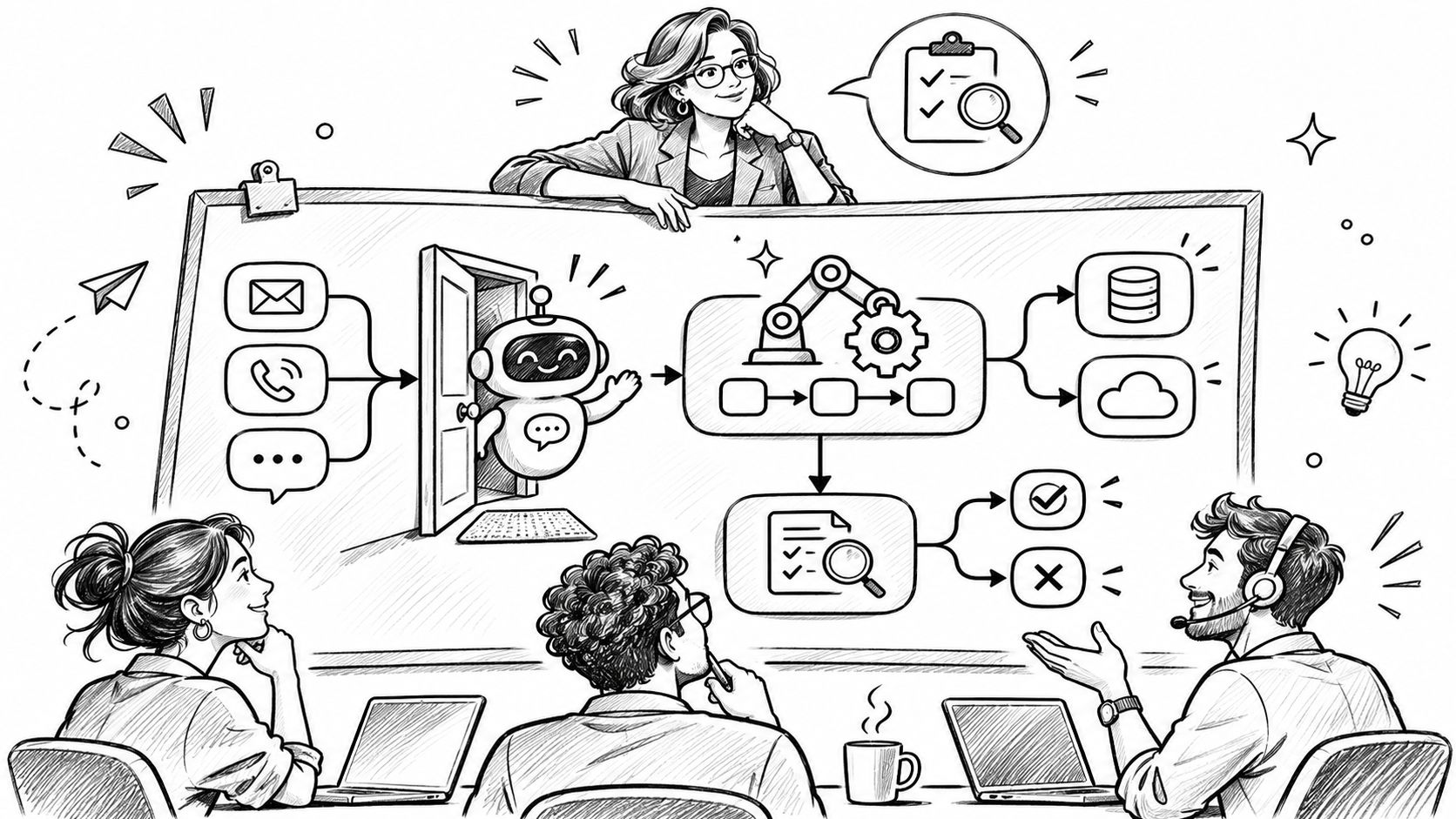
A mixed queue needs a sequence rather than a single product. Put a chatbot at the front door so known questions stay inside approved answers and predictable handoff.
Agent workflows go behind that door only after the simple traffic is measured. Pick one high-volume, low-risk process to start, such as a read-then-write step that already has a clear policy and a named owner.
In an AI agent vs chatbot decision, the safer path is a chatbot that answers, then one agent workflow that completes a bounded task.
Use a Compact Buying Checklist
Write down the controls a product must show before you compare vendors. DBotMaker's 2026 ranking of AI customer support agents covers 9 products and scores them on capabilities, ease of setup and value. That comparison involved no hands-on testing, and it quotes no price without the seller and the date checked.
| Check | What good evidence looks like |
|---|---|
| Documented tools | Named actions the product can run |
| Workflow permissions | Who may approve each action |
| Escalation rules | Where automation stops |
| Audit logs | A record of decisions and results |
| Human handoff | A person who owns the exception |
| Resolution rate | A defined measure and period |
| Total cost of ownership | Setup, oversight and vendor charges |
Treat missing evidence as a reason to wait. A label that says agent is no substitute for those seven items.
Set Review Triggers and Revisit the Choice
Revisit the buy when the request mix shifts, resolution rates stall, escalation quality drops, permissions expand or vendor labels change. Each trigger is a reason to re-score the workflow, not a reason to swap products on impulse.
- If FAQ share falls and account changes rise, test one agent workflow against the same resolution measure.
- If exceptions climb or audit gaps appear, narrow permissions before adding tools.
- If a vendor renames a chatbot as an agent, ask for the documented action list again.
For bounded workflows worth piloting first, read DBotMaker's guide to workflow automation examples. Write down the request types, the systems they touch and the person who reviews failures, then compare products against that sheet.
The desk's call stays conditional. Start with the narrower system that fits today's queue, and widen it only while the checklist and the review triggers still hold. Note the date you check each vendor page so later comparisons rest on the same evidence.
Is an AI Agent Always Better Than a Chatbot?
Not always, and the label on the box tells you very little. What matters is the work you need finished. A chatbot is usually the right first purchase when the request ends in an answer, a handoff to a person, or a simple lookup that changes nothing. An AI agent earns its keep when the job has to update a record, run several steps in order, and leave a trail someone can check later. If your workflow can't yet support permissions, integrations, and a clean way to escalate, an agent will mostly create new problems.
Can an Existing Chatbot Turn Into an Agent?
Sometimes, yes. A chatbot can pick up agent behavior once the vendor clearly documents three things: which tools it can call, what workflow permissions apply, and how a human takes over. A new "agent" label on the pricing page proves nothing by itself. Ask for the exact list of actions the product can perform and the systems it can reach. If that list is thin or missing, keep the chatbot answering questions and handle agent-style work in a separate system.
The practical test is completion. A chatbot replies. An agent finishes a controlled task.
What to Ask a Vendor
Four questions will reveal most of what you need to know:
- Which actions are documented, and which are only implied in marketing?
- Which records and tools can the product actually reach?
- At what point does automation stop and a person take over?
- What audit record remains when a step fails halfway through?
If a vendor quotes a resolution rate or a cost saving, ask for the source and the year it was measured. A number without evidence is a claim to verify, not a figure to put in your budget.
How to Tell Whether an Agent Is Worth It
Track three things: completed requests, repeat contacts, and exceptions that were handled properly. Then weigh those results against the cost of the human review, monitoring, and permission upkeep the agent requires. An agent earns its place when it finishes enough routine work to justify that oversight. If exceptions climb or reviews start piling up, narrow the workflow before you widen it.
Before you compare any products, write down the request types your team handles, the integrations they depend on, and the escalation rules that must hold. That short document is your real starting point, and it keeps your AI agent vs chatbot decision anchored to work that actually gets completed.
Cite this page
DBotMaker. AI Agent vs Chatbot Comparison for Your Workflow. Updated November 24, 2026. https://dbotmaker.io/ai-agent-vs-chatbot
Spotted an error in this guide? Email editorial@dbotmaker.io