Operator manual · General
What Is the Best Chatbot in 2026? 10 Tools Compared
In short
What Is the Best Chatbot? The DBotMaker research desk compares 10 options by features, setup and pricing, with prices checked on each seller's page.
DBotMaker research desk · Updated November 28, 2026 · 14 min read
ChatGPT accounted for 96.11% of the worldwide AI chatbot market at its reported peak in December 2024, according to a Graphite and Similarweb study reported by Forbes Australia. One product holding almost an entire category is rare. It is also not evidence that the product is right for the task in front of you.
The short answer is ChatGPT for everyday users, because it covers the widest range of everyday questions, writing, file analysis and creative work with the fewest trade-offs. Claude is the better call for long-form writing and document-heavy work. Google Gemini suits people who already work inside Gmail, Docs and Drive. Perplexity is the strongest choice when sourced web research matters most.
This guide ranks 10 chatbots by what each does well, where the limits sit and what it takes to start, so the question of what is the best chatbot becomes a question about the job rather than a headline. Each entry covers the setup path, the free tier, the paid trade-off and the check to run before relying on the output. DBotMaker scores products on capabilities (40%), ease of setup (30%) and value (30%), with the same weights for every product.
Table of Contents
- 1. ChatGPT
- 2. Claude
- 3. Google Gemini
- 4. Perplexity
- 5. Microsoft Copilot
- 6. Grok
- 7. Meta AI
- 8. DeepSeek
- 9. Mistral Le Chat
- 10. Poe
- Free access, best use and main limitation for each chatbot
- Choose One Chatbot for Your Main Job and Check Its Output
1. ChatGPT
ChatGPT is the pick for everyday users. One subscription covers drafting, spreadsheet questions, image generation, voice and research, and the free tier is enough to find out whether the workflow holds up before any money changes hands.
Adoption backs the choice without proving it. Pew Research Center reported in June 2025 that 34% of U.S. adults had used ChatGPT, roughly double the 18% recorded in summer 2023, based on a survey of 5,123 adults conducted from February 24 to March 2, 2025. Usage skewed young, at 58% of adults aged 18 to 29 against 10% of those 65 or older.
What it costs to start. The free plan covers chat with caps on model access and message volume. Paid plans sit in a crowded band. The Artificial Analysis chatbot comparison, updated in 2026, puts standard paid chatbot plans at about $15 to $30 per month and premium plans at roughly $200 to $300 per month, with the range topping out near $500. Prices and plan limits shift often, so check the figure on ChatGPT's own pricing page before subscribing.
The interface keeps chat, uploads and research tools in one window.
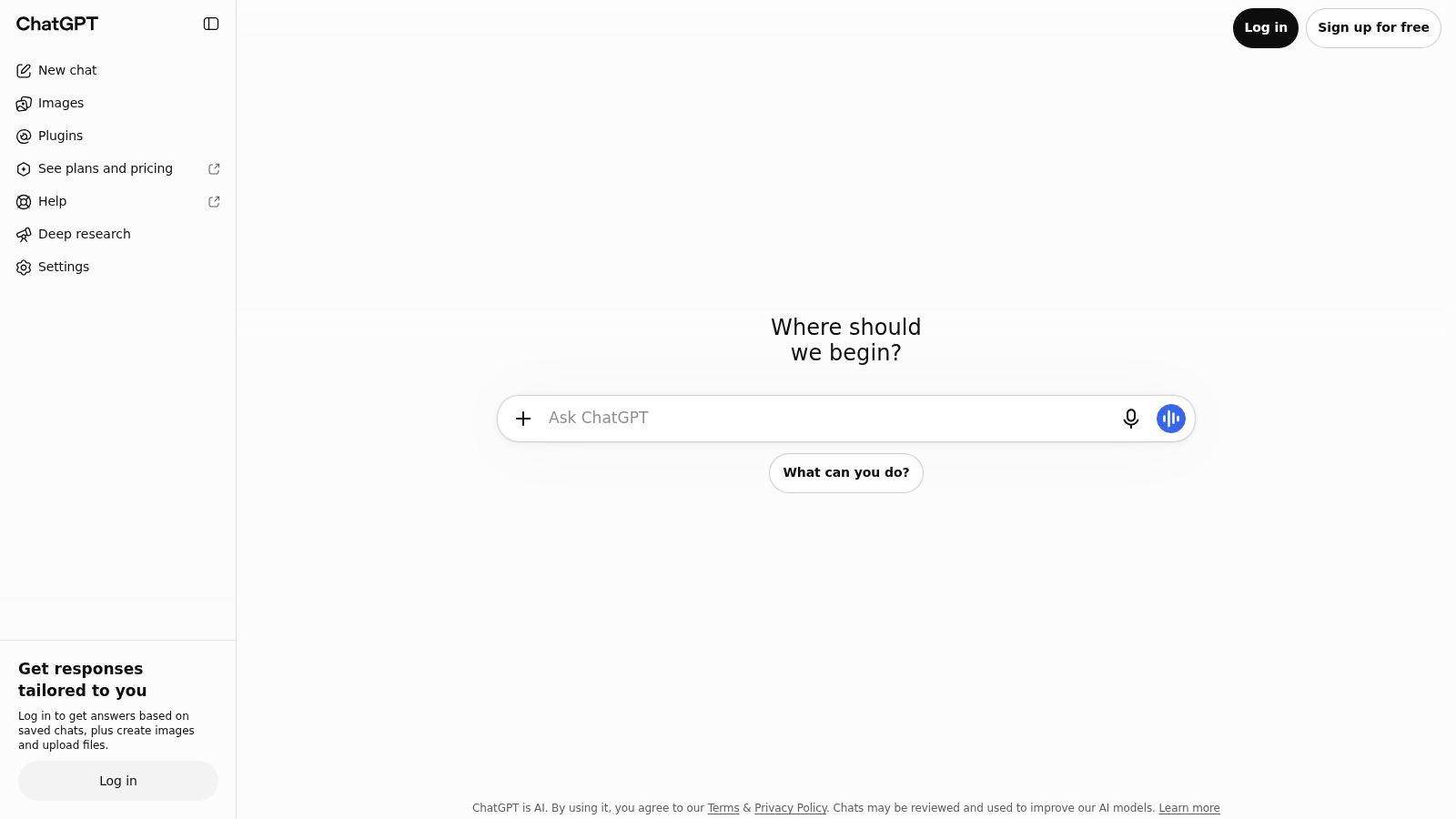
- File analysis: upload documents, spreadsheets and images and ask questions about them.
- Voice and images: conversation mode and image generation, where the plan allows.
- Research tools: deep research and data analysis, subject to plan limits.
Two limits decide whether it fits. Model access and usage caps change with little notice, and a chat subscription does not include API use, so budget separately if you plan to build on it. Responses can also be wrong, which means anything published or sent to a client gets checked against primary sources first. For cheaper or lighter options, see the best ChatGPT alternatives. Visit ChatGPT.
2. Claude
Claude is the pick for long-form writing. Drafts hold structure across long documents, edits follow instructions closely, and artifacts give code, tables and diagrams a workspace beside the chat instead of burying them in scrollback.
Matching a tool to its user matters more than crowning one winner. In a workplace study of 5,179 customer-support agents at a Fortune 500 software company, agents with access to a generative-AI assistant resolved 14% more customer issues per hour on average, and novice and lower-skilled workers improved by approximately 34%, while experienced and highly skilled workers saw minimal gains, per NBER Working Paper 31161. The same pattern applies here: Claude pays off most for the person whose actual job is producing and revising long text, not for someone who asks occasional questions.
Where Claude earns its place
Hand it a 40-page contract and ask for the obligations in a table, then ask it to rewrite a clause without changing the meaning. That pairing of extraction and rewriting is where the tool separates itself from general chat. Document analysis and code review work the same way: paste the material, state the output format, and iterate in place.
What it costs to start. The free tier exists and is rate-limited, so sustained drafting sessions hit the cap fast. Paid plans raise the ceiling but carry their own usage caps, and API charges are separate from a chat subscription. Check the current message limits on the plan page before committing, because caps shift with demand.
The honest limit is research. Claude is less focused than a dedicated answer engine when the job is current web sources with citations, so pair it with a research tool rather than forcing it into that role. As with every assistant, verify anything factual before it reaches a client.
Before you pay: run the same 500-word edit through the free tier that you would run through the paid one. If the free version already handles it, the upgrade buys throughput, not quality.
Visit Claude.
3. Google Gemini
Gemini's advantage isn't the model. It's proximity. When email, documents and files already sit in Google's apps, an assistant that can read them without an export step saves more time than a marginally smarter model somewhere else.
Organisation size changes what a buyer needs. Chatbot use runs at 91% among large businesses with 50 or more employees, 78% among global enterprises, 63% among B2B companies and 42% among B2C brands using chatbots for primary support, per Textero's 2026 statistics roundup. Those numbers come from a secondary compilation, so treat them as a direction rather than a census. The direction holds: bigger teams need integrations, admin controls and retention settings, while smaller teams need setup that takes an afternoon.
Gemini fits the first group when the stack is Google's.
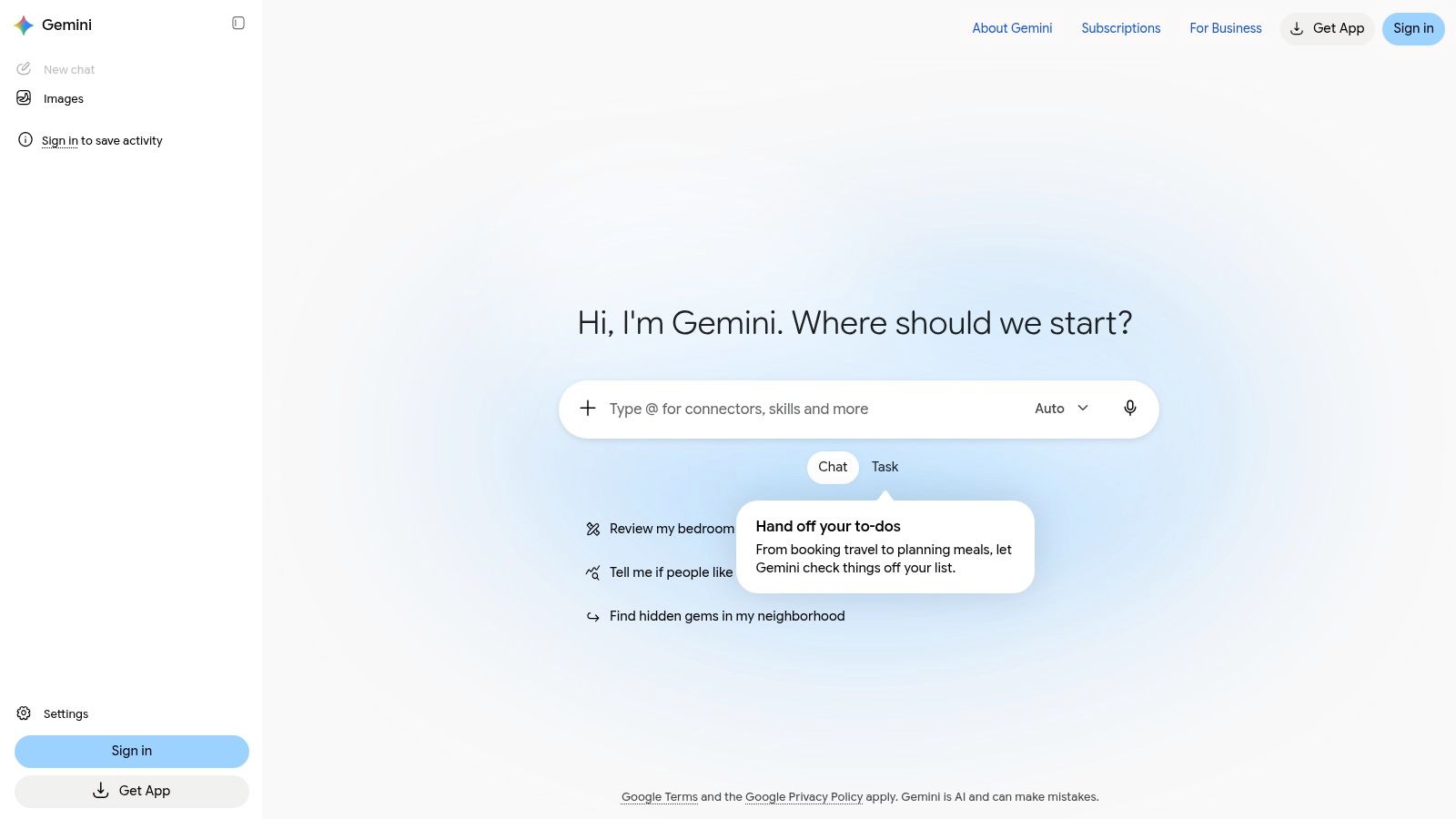
- App integrations: Gmail, Docs, Drive and related services on eligible accounts and plans.
- Research and creative features: available with plan-dependent limits.
- Bundled benefits: paid Google AI plans may include storage and other services beyond chatbot access.
Check three things before committing. Features and usage limits vary by plan and by region, and the Gemini app doesn't always match what the integration inside a Google app can do. Paid-plan value also depends on whether the bundled storage and services replace something already being paid for. The free tier is a fair trial for drafting and summarising. Visit Google Gemini.
4. Perplexity
Perplexity answers with sources attached, which makes it the pick whenever currency matters more than polish. Ask about a policy change, a supplier's recall or a competitor's funding round and the response arrives with links you can open.
Trust in those answers isn't automatic. Which? reported that more than half of UK adults surveyed used AI to search the web, and about half of AI users said they trusted the information they received to a great or reasonable extent, rising to roughly two-thirds among frequent users, from a September 2025 survey of 4,189 adults (Which?). That is a UK consumer sample, so don't read it as a verdict on your own market.
How to read a Perplexity answer
Open the top three sources. Check the publication date on each one. Then check whether the claim appears in the source or is an inference the summary added. That routine takes about ninety seconds and catches most of the errors that survive into a slide deck.
A citation proves a page exists. It does not prove the page says what the summary claims. Open the link before repeating the number.
The free tier covers basic searches with a limited number of sources. Paid access adds stronger models, deeper research modes and file analysis on eligible plans. The limit to note is scope: Perplexity is a research tool, not an all-in-one workspace for creative and production work. Visit Perplexity.
5. Microsoft Copilot
Copilot is the pick when the work already happens in Word, Excel, PowerPoint, Outlook or Teams. Summarising a thread, drafting a deck from a document and querying a spreadsheet without uploading anything by hand is a genuine time saving, and it's the reason to choose this over a stronger standalone chatbot.
General AI adoption is high and often mistaken for chatbot deployment. Plivo's 2025 roundup, citing McKinsey's 2025 State of AI report, puts AI use at 78% of organizations in at least one business function, up from 72% in early 2024 and 55% a year earlier. Using AI somewhere is a different claim from running a chatbot that answers staff or customers well.
- Free chat: general questions, web tasks and image generation, with limits.
- In-app features: require an eligible Microsoft 365 subscription.
- Access: desktop and mobile, with the app experience varying by platform.
The limitation to check before a team rollout is licensing. The most useful in-app features sit behind an eligible subscription, and some benefits in shared Microsoft 365 plans may be restricted to the subscription owner. Confirm who holds the licence before promising a colleague that Copilot will read their mailbox. Visit Microsoft Copilot.
6. Grok
Grok's reason to exist is the firehose. It reads X in real time, so a question about what people are saying this hour gets an answer that no other assistant can assemble from the same raw material.
That behaviour matches how people now search. In 2024, 81% of respondents to Applause's Generative AI Survey said they preferred chatbots over search engines for basic queries, as reported by TechRadar. Grok takes that habit and points it at a platform where the answer is whatever users posted most recently.
When X search is the right tool
Breaking incidents, product launches, conference chatter and sentiment checks. When a supplier's service goes down, the fastest signal often comes from other customers posting about it, and Grok surfaces that thread before any status page updates.
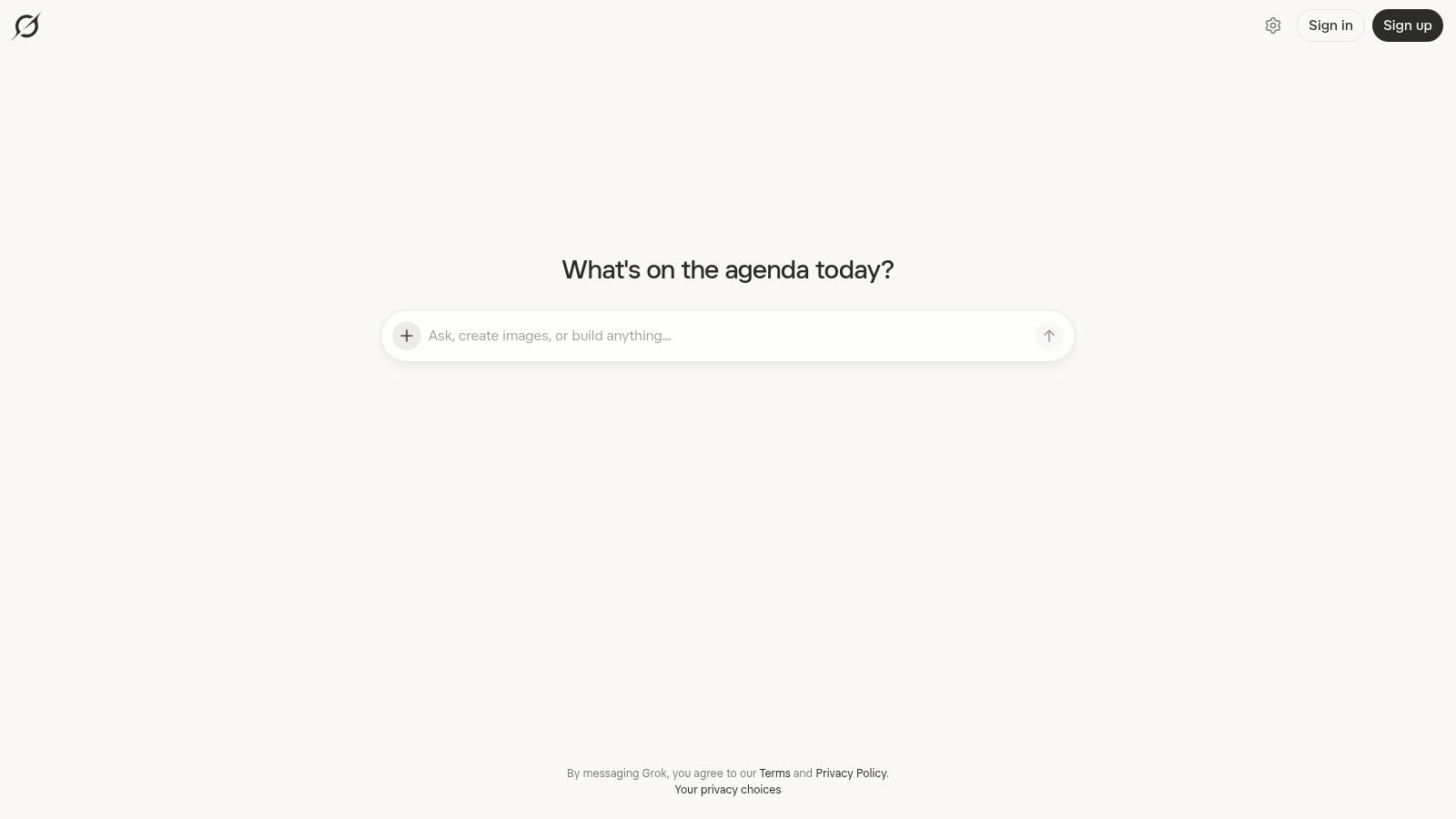
The limit is the source itself. Posts can be incomplete, misleading or unrepresentative of anyone outside a loud minority, and a summary of them inherits every one of those flaws. Treat the output as a lead to verify, not a finding. Free access covers basic chat. Paid tiers add voice, connectors, image generation and video generation with higher usage limits. Visit Grok.
7. Meta AI
Meta AI is the pick for people who never want to install another app. It sits inside WhatsApp, Instagram, Messenger and Facebook, so the assistant is already where the conversation is happening.
Reach and satisfaction are different measurements, and the gap is worth knowing before trusting a familiar logo. The World Bank's digital report recorded ChatGPT at 77% of traffic to the 60 leading generative-AI tools in April 2025, with approximately 4.5 billion monthly visits and 113% year-over-year growth. The same report cites a global conversational-AI survey in which 90% of business leaders believed customers were satisfied, against 59% of consumers.
That spread is the warning. The tool everyone opens is not automatically the tool that resolves the problem.
Judge a chatbot by whether the task finished, not by whether the interface felt familiar.
Meta AI handles casual help, web information, voice and image generation at no cost, which makes it the lowest-friction starting point for personal use. Availability varies by region and country, and the resource-heavy features carry usage limits. Check the data settings before sharing anything personal, since the assistant is tied closely to a Meta account. Visit Meta AI.
8. DeepSeek
DeepSeek is the pick when the budget is zero and the material isn't sensitive. The official assistant is free, includes web search, a Deep-Think reasoning mode and file uploads, and syncs chat history across supported platforms. For students, side projects and exploring a question from a second angle, that combination is hard to beat on cost.
Privacy is the first thing to settle, not the last. In a 2025 U.S. CX-leader analysis, 32% identified data-privacy concerns as the biggest obstacle to wider chatbot adoption, ahead of budget constraints at 22% and lack of internal expertise at 16%, as reported by CMSWire. The same ranking applies to a free tool as much as a paid one.
- Free access: chat through the official app, with no subscription.
- Reasoning mode: a toggle for slower, more deliberate answers.
- File handling: uploads and text extraction, plus history sync.
The company is based in China and processes data under its own policy, so read that policy before pasting client material, contracts or personal records. Self-hosting is the alternative when the model weights are open and the data can stay on infrastructure you control. Free features also change without notice, and answers still need checking against a second source. For the API side, see LLM API providers. Visit DeepSeek.
9. Mistral Le Chat
Le Chat is the pick for teams that want a European vendor in the mix, or a second opinion from a model trained outside the largest U.S. labs. It handles chat, search, writing and document tasks, and it's a fair way to compare answer styles on the same prompt.
What Le Chat is good for
Drafting, summarising and question answering, with a free way to try the service before any commitment. Paid plans and features change, so confirm the current terms on Mistral's own site rather than trusting a comparison written months ago. The developer offerings for building with Mistral's models are separate from the consumer chat product, which matters if the plan is to move from testing to an integration.
The limits are integration depth and stability of the offer. Le Chat doesn't match the connectors that Google and Microsoft ship with their own assistants, so a team already inside Workspace or Microsoft 365 gains less from it. Branding and feature sets have moved since launch, and older reviews describe a product that no longer exists.
Treat the free tier as a comparison tool, not proof that every advanced feature is free. Run one real task, note the ceiling, and check the pricing page on the day you decide. Visit Mistral Le Chat.
10. Poe
Poe is the pick when the question is which model, not which app. One subscription opens many models and thousands of purpose-built bots, which makes side-by-side comparison the default rather than a research project.
The comparison matters less than it used to. The Stanford AI Index 2025 reports that the performance gap between the highest- and 10th-ranked models on Chatbot Arena narrowed from 11.9% to 5.4% by early 2025, while benchmark gains reached 18.8 percentage points on MMMU and 48.9 points on GPQA during 2024. Raw quality is compressed at the top, so the differentiator becomes the workflow.
- Model access: general chat across several providers in one interface.
- Specialised bots: task-specific assistants for formats and domains.
- Comparison: run the same prompt against two models without switching sites.
Score candidates on the work you do. Send representative prompts, then check factual correctness, instruction following, refusal behaviour, citation quality and how the model recovers from a wrong turn. Paid access on Poe runs on points or usage allowances rather than unlimited use, and model availability shifts. Poe access is not identical to a provider's own subscription. To build a dedicated assistant instead, see how to create a chatbot. Visit Poe.
Free access, best use and main limitation for each chatbot
| Item | Best for | Free access | Main limitation |
|---|---|---|---|
| ChatGPT | Everyday questions, writing, research and file analysis | Available | Usage limits vary by plan; responses can be wrong |
| Claude | Long-form writing, document analysis and coding | Free tier available | Usage limits apply; API charges are separate |
| Google Gemini | People who use Google apps and services | Free tier available | Features and limits vary by plan and region |
| Perplexity | Research that needs current web sources and citations | Basic searches available | Sources still need checking; advanced features have limits |
| Microsoft Copilot | People who use Microsoft apps | Free chat available | In-app Microsoft 365 features require an eligible subscription |
| Grok | Following X discussions and fast-moving topics | Free tier available | Some features require a subscription; social posts may be unreliable |
| Meta AI | Casual help within Meta apps | Free for everyday use | Availability varies by region; some features have limits |
| DeepSeek | Free chat and comparing AI answers | Official app is described as free | Review privacy practices before sharing sensitive information |
| Mistral Le Chat | Trying an alternative AI assistant | Free access available | Features and plan details may change |
| Poe | Comparing AI models and trying specialized bots | Free access available | Paid use has points or usage allowances |
Choose One Chatbot for Your Main Job and Check Its Output
Pick one primary chatbot for the work you do most, then keep a second tool only for cross-checking answers that carry consequences. The category is moving too fast for a standing shortlist of five tools. One good match beats a folder of bookmarks.
The pressure to adopt is real. 85% of customer-service leaders planned to explore or pilot customer-facing systems in 2025, according to YouGov. Planning to pilot and getting reliable answers are separate milestones, and the second one is where the work sits.
A verification step that takes five minutes
Run this before any output leaves your desk.
- Check the claim against the source, not the summary. Open the link, find the sentence, confirm the number and the year match what the chatbot wrote.
- Look for the missing denominator. A percentage without a population is not a finding. Ask what group, how many people and when.
- Ask the same question twice. If the answer shifts on the second pass, the topic is unstable and needs a primary source.
- Test a refusal. Ask something the tool should decline or flag as uncertain. An assistant that never hedges is not more confident, just less careful.
- Date the answer. Anything about prices, policies or product features expires. Note when the answer was generated.
Before paying, open the maker's pricing page, quote the figure exactly as shown and record the date you checked it, because plan details and usage allowances move.
Verify every fact that will be published, shared with a client or used for a purchase. That rule matters most when the answer rests on social posts or unverified sources, where confidence runs far ahead of accuracy. DBotMaker applies the same capabilities, setup and value weights across its rankings, which keeps a shortlist comparable when the next tool arrives.
Take the free tier of the tool that matches your main job, run one real task from this week through it, and note the exact point where it stops. Then compare that ceiling against the paid tier's price on the seller's own page before entering a card. The rankings at DBotMaker follow the same method across software categories, so the comparison holds when you move from a chatbot to the next decision.
Cite this page
DBotMaker. What Is the Best Chatbot in 2026? 10 Tools Compared. Updated November 28, 2026. https://dbotmaker.io/what-is-the-best-chatbot
Spotted an error in this guide? Email editorial@dbotmaker.io