Review · Software & AI
 Mistral Vibe (formerly Le Chat) review
Mistral AI's assistant for chat, search, documents and coding, on web, mobile, the terminal and IDEs.
By the DBotMaker research desk · Updated November 23, 2026
Short answer · output
Mistral Vibe is the new name for Le Chat, Mistral AI's assistant, which now combines a chat and agent mode for everyday work with a coding agent that runs in the terminal, VS Code, the browser and a desktop app. It has a free plan, Pro at $14.99 per month excluding taxes and Team at $24.99 per user per month, which makes it one of the cheapest paid assistants that also includes a coding agent. It suits budget-minded users, developers who want chat and code on one bill, and European teams that prefer an EU vendor; plans and features were checked on Mistral's pricing page, docs and help center in November 2026.
- Capabilities (40%)
- 8.2
- Ease of setup (30%)
- 8.6
- Value (30%)
- 8.8
In pictures · 3 images
Verdict printout · Mistral Vibe (formerly Le Chat)
Buy Mistral Vibe Pro if you want a capable assistant, scheduled tasks and a coding agent for $14.99 a month, about $5 less than the $20 Plus or Pro tiers from OpenAI and Anthropic, or if you are a verified student who can get Pro for $5.99. Stay on ChatGPT, Claude or Gemini if you need published usage numbers, video generation or the largest app ecosystem, because Mistral describes paid limits only as multiples of an unquantified free tier, such as up to 6x the free messages. The deciding fact is the bundle: the same Pro subscription covers chat, deep research, spreadsheets and slides, image generation, unlimited scheduled tasks under fair use and all-day coding in the CLI, IDE or on the web.
ReadOverview
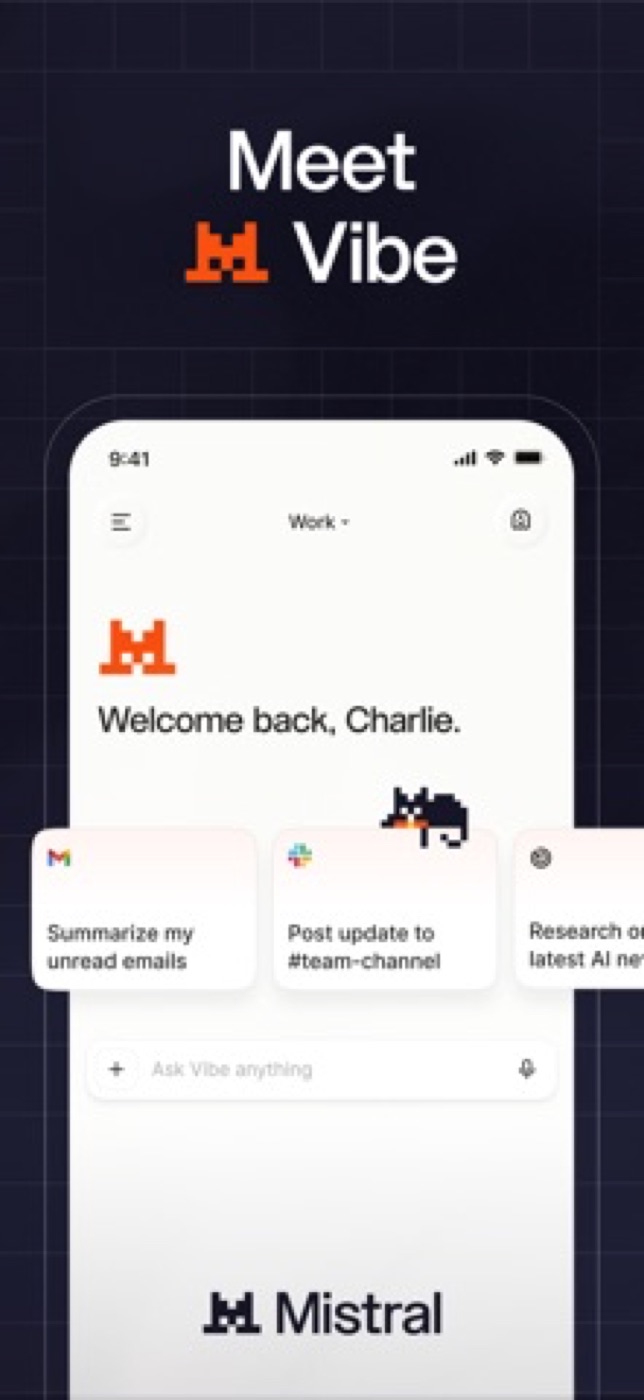
Mistral Vibe is the assistant from Mistral AI, the Paris-based model maker. Mistral's help center says Le Chat became Vibe, described as its unified agent for professional productivity and coding, and that accounts, plans, conversations and saved content carried over. The web entry point is still chat.mistral.ai, and the mobile app on the App Store is now listed as Vibe by Mistral (ex-Le Chat).
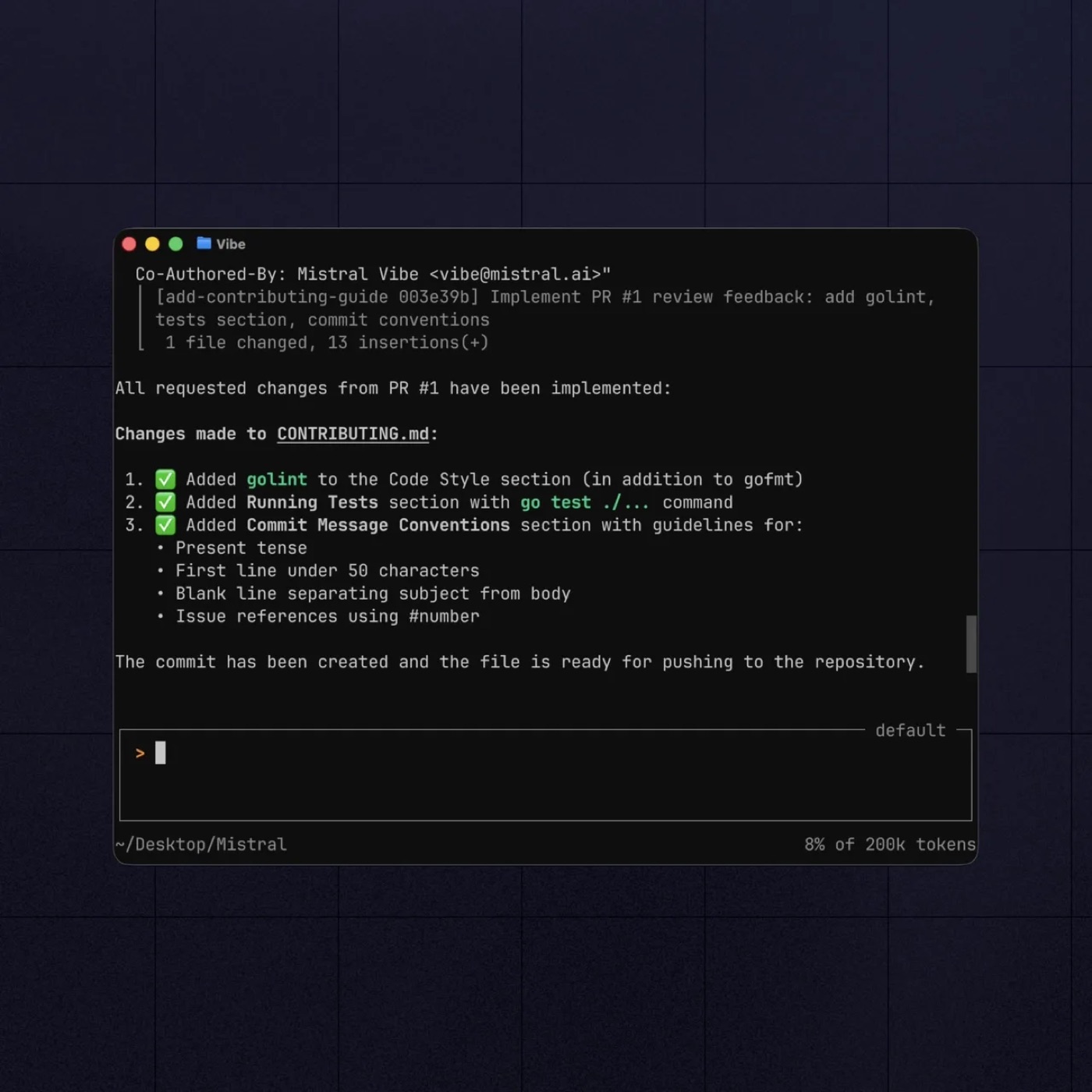
The product runs in two modes. Work is the web and mobile experience for quick questions and multi-step tasks such as research, drafts, summaries and scheduled runs; Mistral's docs say the separate Chat and Work tabs were merged on September 22 into one view with a fast/think toggle, and that Agents were replaced by Skills, which you call with @. Code is a coding agent with read and write access to your files and a shell, available as a CLI, a VS Code extension, a web version that works on a GitHub repository in a remote sandbox, and Vibe Desktop for macOS and Windows. Mistral's pricing page says the CLI and IDE plugin are powered by its Devstral models, and its model docs list Mistral Large 4 as an open-weight multimodal model with a 1M context window.
The plan line-up is Free, Pro at $14.99 per month, Team at $24.99 per user per month and Enterprise by quote, all excluding taxes. Free gives limited messages, web searches and coding sessions, basic image generation and editing, more than 100 connectors and up to 5 scheduled tasks. Pro raises messages to up to 6x and web searches to up to 5x the free level, image generation to up to 40x, library storage to up to 15GB, and makes task scheduling unlimited under fair use. Team adds up to 30GB of storage per user, domain name verification and data export; Enterprise adds custom models, audit logs, SAML SSO, white labeling and self-hosted or private cloud deployment.
Against the rivals on this site, Vibe's case is price and packaging rather than breadth. ChatGPT Plus and Claude Pro cost $20 per month when billed monthly and Google AI Pro costs $19.99, while Vibe Pro is $14.99, and the coding agent is included in that price. Gemini and ChatGPT offer wider media tools, and Mistral's pricing page lists image generation but no video generation. Lumo from Proton is the other European privacy-minded option, but it does not pair chat with a coding agent.
The real limits are vagueness and taxes. The free tier is described only as limited, and paid tiers as multiples of it, so heavy users cannot tell in advance how many messages Pro allows; the one hard number in the FAQ is Flash answers at 150 per day on Pro and 200 on Team. Prices exclude taxes, so EU buyers pay more than the headline figure. Web refunds are only available within the 14-day legal withdrawal window after the first purchase, not on renewals, and App Store or Google Play subscriptions must be refunded through the store.
How it scored
Mistral Vibe, formerly Le Chat, is the low-cost automation pick. Its free plan includes 100+ connectors, custom MCP connectors in beta and task scheduling for up to 5 prompts, agents or workflows, which the big three keep behind paid plans. Pro at $14.99 per month raises messages to up to 6x free and web searches to up to 5x, makes scheduling unlimited under fair use, adds spreadsheets and slides, up to 15 GB of libraries, all-day coding in the CLI, IDE or web, and $15 per month in API credits. Verified students pay $5.99 for up to 12 months. Team is $24.99 per user per month with up to 30 GB of storage per user. The limits: prices exclude taxes, the free plan caps messages, searches and coding sessions, and media tools are thinner than Gemini's or Grok's.
Who it is for
Budget users who want connectors and scheduling
Run it if
- Individuals who want a paid assistant for less than the usual $20 tier: Pro is $14.99 per month.
- Developers who want chat and a terminal or IDE coding agent on one subscription.
- Users who want to automate recurring prompts on a free plan, which allows up to 5 scheduled tasks.
- Students with an institutional email address, who can get Pro for $5.99 per month for up to 12 months.
- European companies that want an EU vendor with self-hosted, private cloud or on-premises deployment on Enterprise.
Skip it if
- People who need video generation or a broad creative suite: Google Gemini and ChatGPT cover more media types.
- Heavy users who need published message caps before they pay: Claude and ChatGPT publish more detail on their plan pages.
- Users who want the deepest research answers with citations as the main use: Perplexity is built around search.
- Teams already on Microsoft 365 who want the assistant inside Word, Excel and Outlook: Microsoft 365 Copilot fits better.
SpecSpec sheet
| Maker | Mistral AI (France) | src ↗ |
|---|---|---|
| Former name | Le Chat, renamed to Vibe; accounts, plans and conversations carried over | src ↗ |
| Modes | Work (chat and multi-step tasks) and Code (coding agent) | src ↗ |
| Platforms | Web, iOS, Android, CLI, VS Code and JetBrains plugins, Vibe Desktop for macOS and Windows | src ↗ |
| Coding models | Devstral powers the CLI and IDE plugin | src ↗ |
| Flagship model | Mistral Large 4, open weight, 1M context, 52B active and 1.05T total parameters | src ↗ |
| Free plan | Yes: limited messages, web searches and coding sessions, 100+ connectors, up to 5 scheduled tasks | src ↗ |
| Paid price | Pro $14.99 per month; Team $24.99 per user per month; excluding taxes | src ↗ |
| Messages on Pro | Up to 6x free | src ↗ |
| Web searches on Pro | Up to 5x free | src ↗ |
| Image generation on Pro | Up to 40x free | src ↗ |
| Library storage | Limited on Free, up to 15GB on Pro, up to 30GB per user on Team | src ↗ |
| Connectors | 100+ tools including email, calendar, Slack, GitHub and Jira, plus custom MCP connectors (beta) | src ↗ |
| Model training | Opt-out available on Free, Pro and Team; Temporary Chat is not used for training | src ↗ |
| App Store rating | 4.8 from 1.4K ratings (US); requires iOS 16.4 or later | src ↗ |
| Refund window | 14 days from initial web purchase; not on renewals | src ↗ |
Price
Free plan; Pro $14.99 per month; Team $24.99 per user per month.
Verified students can get Mistral Pro for $5.99 / month (normally $14.99).
Quoted from the vendor pricing page on November 20, 2026.
Plans on file · 5
| Plan | Price | Includes | Checked |
|---|---|---|---|
| Free | $0Free | Web and mobile access; Limited messages and web searches; Limited coding sessions; Basic image generation and editing; 100+ connectors; Up to 5 scheduled tasks | Checked Nov 23, 2026 |
| Pro | $14.99 per monthMonthly, excluding taxes; $149.99 per year as an in-app purchase on iOS | Up to 6x free messages and 5x free web searches; Faster responses; All-day coding in the CLI, IDE or on web; Spreadsheets and slides; Up to 40x free image generations; Up to 15GB of library storage; Unlimited task scheduling under fair use; Up to 1,000 project folders; Chat and email support | Checked Nov 23, 2026 |
| Education (Pro for students) | $5.99 per monthMonthly, excluding taxes, for up to 12 months | Same features as Pro; Requires a verified institutional email address; Only for users who have not used Vibe or Le Chat before | Checked Nov 23, 2026 |
| Team | $24.99 per user per monthMonthly, excluding taxes | Even higher limits and faster responses than Pro; Up to 30GB of storage per user; Domain name verification; Data export; Flash answers up to 200 per day | Checked Nov 23, 2026 |
| Enterprise | Price not listedContact sales | Custom models, agents and workflows; Self-hosted, private cloud or on-premises deployment; Admin API and audit logs; SAML SSO; White label with dedicated hostname; Custom SLAs and dedicated support | Checked Nov 23, 2026 |
Key features
Work and Code in one product
Vibe Work handles chat, research, drafts and scheduled runs on web and mobile, and Vibe Code reads files, runs commands, writes code and opens pull requests. Since September 22 the old Chat and Work tabs are one view with a fast/think toggle.
Coding agent on every surface
Vibe Code runs as a CLI, a VS Code extension, JetBrains and Zed through ACP, a web version that works on a GitHub repository in a remote sandbox, and Vibe Desktop for macOS and Windows. It asks for approval before shell commands but applies file edits without asking by default.
Scheduled tasks
Prompts, agents or workflows can run automatically at set times: up to 5 on the free plan and unlimited on Pro and Team under fair use.
Connectors and MCP
Mistral lists 100+ connectors including email, calendar, Slack, GitHub and Jira on every plan, plus custom MCP connectors in beta for any remote MCP server.
Documents, spreadsheets and slides
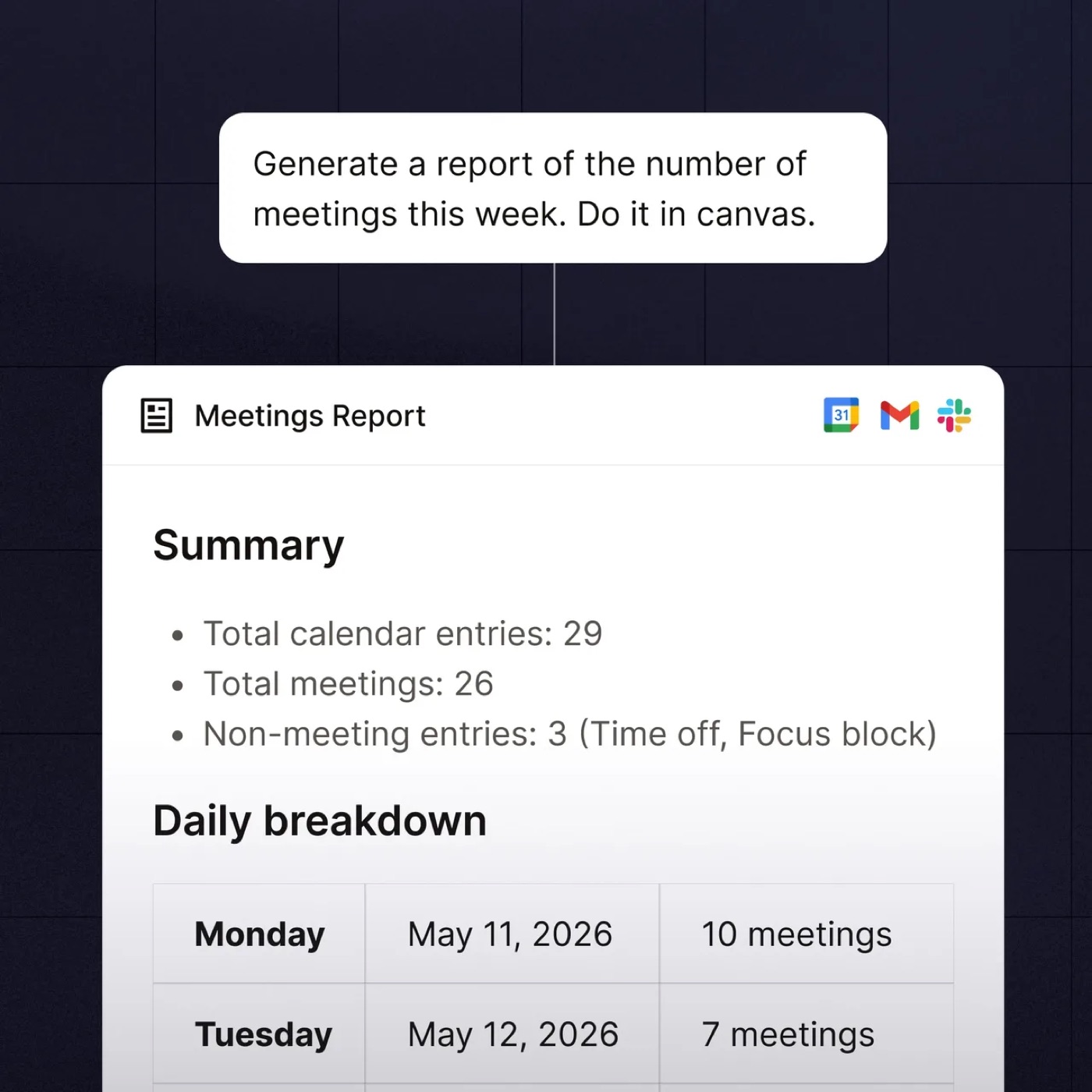
Libraries accept PDF, images, CSV, text files and Office formats, with up to 15GB on Pro. Pro and Team can create, edit and download spreadsheets and presentations, and Canvas covers documents, code and mockups.
Voice and Skills
Voice mode records or uploads audio for transcription, questions or summaries, powered by Voxtral. Skills package instructions, tools and scripts for repeatable tasks and replace the older Agents feature.
Privacy controls
The pricing page lists model training as opt-out on Free, Pro and Team. Temporary Chat is not saved to history or used for training, and Enterprise can deploy on premises or in a private cloud.
Strengths and weaknesses
Plus · 7
- Pro costs $14.99 per month, about $5 less than the $20 monthly Plus or Pro tiers from OpenAI and Anthropic.
- Verified students pay $5.99 per month for up to 12 months.
- The free plan includes 100+ connectors and up to 5 scheduled tasks.
- A coding agent for the terminal, VS Code, JetBrains, web and desktop is part of the same Pro subscription.
- Pro allows up to 40x the free image generations and up to 15GB of library storage.
- Model training is opt-out on Free, Pro and Team, and Enterprise can run fully on premises.
- The iPhone app is rated 4.8 from 1.4K US ratings on the App Store.
Minus · 6
- Free limits are not published as numbers, and paid limits are only multiples of them, such as up to 6x messages on Pro.
- Prices exclude taxes, so EU buyers pay more than $14.99.
- No video generation is listed on the pricing page.
- Web refunds are only possible within 14 days of the first purchase; renewals are not refunded.
- Vibe Code applies file edits without asking by default, so cautious users must switch to the ask agent.
- The rename and the merger of Chat and Work mean older guides and the Agents feature no longer match the product.
Key facts
- Pro: $14.99 per month, up to 6x free messages, up to 15 GB libraries
- Student price: $5.99 per month for verified students, up to 12 months
- Team: $24.99 per user per month, up to 30 GB storage per user
- Image generation: Up to 40x free on Pro and Team
Where it ranks
Mistral Vibe (formerly Le Chat) is No. 6 in our Best AI Assistants verdict and No. 7 in Best AI Chatbots.
AltAlternatives to weigh
- ChatGPT →Broader media tools and a larger app ecosystem; Go costs $8 and Plus $20 per month in the US.
- Claude →Strong writing and coding with Claude Code; Pro is $17 per month billed annually or $20 monthly.
- Gemini →Better for image and video creation and Google Workspace users; Google AI Pro is $19.99 per month.
- Perplexity →Built around cited web search answers; Pro is $17 per month billed annually.
- Lumo →Another European, privacy-first assistant from Proton, for users who do not need a coding agent.
Questions readers ask
- QIs Le Chat now called Mistral Vibe?
- AYes, Le Chat was renamed Vibe, and Mistral's help center says accounts, plans, conversations and saved content all moved over. The web address is still chat.mistral.ai and the login is the same.
- QDoes Mistral Vibe have a free plan?
- AYes, the free plan includes web and mobile access, limited messages, web searches and coding sessions, basic image generation, 100+ connectors and up to 5 scheduled tasks. Mistral does not publish the exact message cap.
- QHow much is Mistral Vibe Pro?
- APro costs $14.99 per month excluding taxes on Mistral's pricing page, and the iOS app lists Vibe Pro at $14.99 monthly or $149.99 yearly as in-app purchases. Verified students pay $5.99 per month for up to 12 months.
- QIs Mistral Vibe worth it?
- AIt is worth it if you want chat, scheduled tasks and a coding agent for $14.99 a month, less than the usual $20 tier. It is a weaker fit if you need video generation or published usage caps.
- QMistral Vibe vs ChatGPT: which is better?
- AVibe Pro is cheaper at $14.99 versus $20 for ChatGPT Plus and includes a coding agent, while ChatGPT offers wider media tools and a larger ecosystem. Pick Vibe for price and EU hosting options, ChatGPT for breadth.
- QCan Mistral Vibe write code?
- AYes, Vibe Code is a coding agent that reads files, runs commands, writes code and opens pull requests. It runs as a CLI, a VS Code extension, a web version on GitHub repositories and Vibe Desktop for macOS and Windows.
- QDoes Mistral train on my Vibe chats?
- AMistral's pricing page lists model training as opt-out on Free, Pro and Team. Temporary Chat conversations are not saved to history or used for training, according to Mistral's docs.
- QCan I get a refund on Mistral Vibe Pro?
- AOnly within 14 days of your first web purchase; renewals are not refunded. Subscriptions bought through the App Store or Google Play must be refunded by Apple or Google.
LogSource log
- [01]Mistral Pricing | Vibe Plans, API Rates and Enterprise · checked Nov 23, 2026
- [02]Mistral Vibe (formerly Le Chat): AI chat and coding agent · checked Nov 23, 2026
- [03]Le Chat is now Vibe (Mistral Help Center) · checked Nov 23, 2026
- [04]Vibe overview (Mistral Docs) · checked Nov 23, 2026
- [05]Vibe Code (Mistral Docs) · checked Nov 23, 2026
- [06]Mistral Large 4 (Mistral Docs) · checked Nov 23, 2026
- [07]I'm a student or a teacher. Am I eligible for a discount? (Mistral Help Center) · checked Nov 23, 2026
- [08]Refund policy: eligibility, timing, and how it works (Mistral Help Center) · checked Nov 23, 2026
- [09]Vibe by Mistral (ex-Le Chat) on the App Store · checked Nov 23, 2026
- [10]Introducing ChatGPT Go (OpenAI) · checked Nov 16, 2026
- [11]Claude pricing (Anthropic) · checked Nov 16, 2026
- [12]Google AI subscriptions (Google) · checked Nov 16, 2026
- [13]Perplexity Pro · checked Nov 16, 2026
Deep review last updated November 23, 2026. Prices and specs are rechecked against these pages.
Alternatives we scored
- ChatGPT9.1
- Claude9.0
- Gemini9.0
- Microsoft Copilot8.7
Cite this page
DBotMaker. Mistral Vibe (formerly Le Chat) review. Updated November 23, 2026. https://dbotmaker.io/review/mistral-vibe-formerly-le-chat
Visit mistral.ai · Questions or corrections: editorial@dbotmaker.io