Review · Business & work
 Dia review
The Browser Company's work-focused browser that briefs you each morning and pulls context from your tabs and tools to answer, summarize and draft.
By the DBotMaker research desk · Updated November 23, 2026
Short answer · output
Dia is a Chromium-based browser from The Browser Company of New York, now part of Atlassian, that adds an AI assistant built around a daily Morning Brief and connectors to work apps such as Slack, Notion, Google Workspace, Teams and Jira. It is a sound pick for office workers who want answers, reports and decks drawn from their own tools: the browser is free without AI, Better Answers costs $10 a month and Better Days $100 a month, with a 14-day trial of Better Days. Prices and features were checked on Dia's official pages in November 2026.
- Capabilities (40%)
- 8.6
- Ease of setup (30%)
- 8.7
- Value (30%)
- 8.7
In pictures · 3 images
Verdict printout · Dia
Buy Dia's Better Answers plan at $10 a month if your workday runs through Slack, Notion, Google Workspace, Microsoft 365 or Jira and you want the browser to brief you each morning and pull scattered context into answers, reports and decks. Use the free plan if you only want a clean Chromium browser with profiles, split view, a built-in ad blocker and sync, or if you are an Arc user who must move before Arc shuts down on December 22, 2026. Skip Dia if you want an agent that clicks through websites on its own, because Dia's agentic mode cannot move on to other websites by itself, and Perplexity Comet or Fellou are built for that. The deciding fact is the price gap: Better Days costs ten times Better Answers for 20x more asks, so most people should start at $10 and buy $20 credit blocks only when they run out.
ReadOverview
Dia is a desktop web browser built by The Browser Company of New York, the team that made Arc. Its security page states that "The Browser Company is part of Atlassian" and that signing in to Dia requires an Atlassian account. The download page says Dia is "Currently available on macOS (Apple Silicon) and Windows 11." Under the hood it runs on Chromium, the same engine as Chrome and Edge, with Google account sign-in, Google metrics reporting and several reporting APIs disabled.
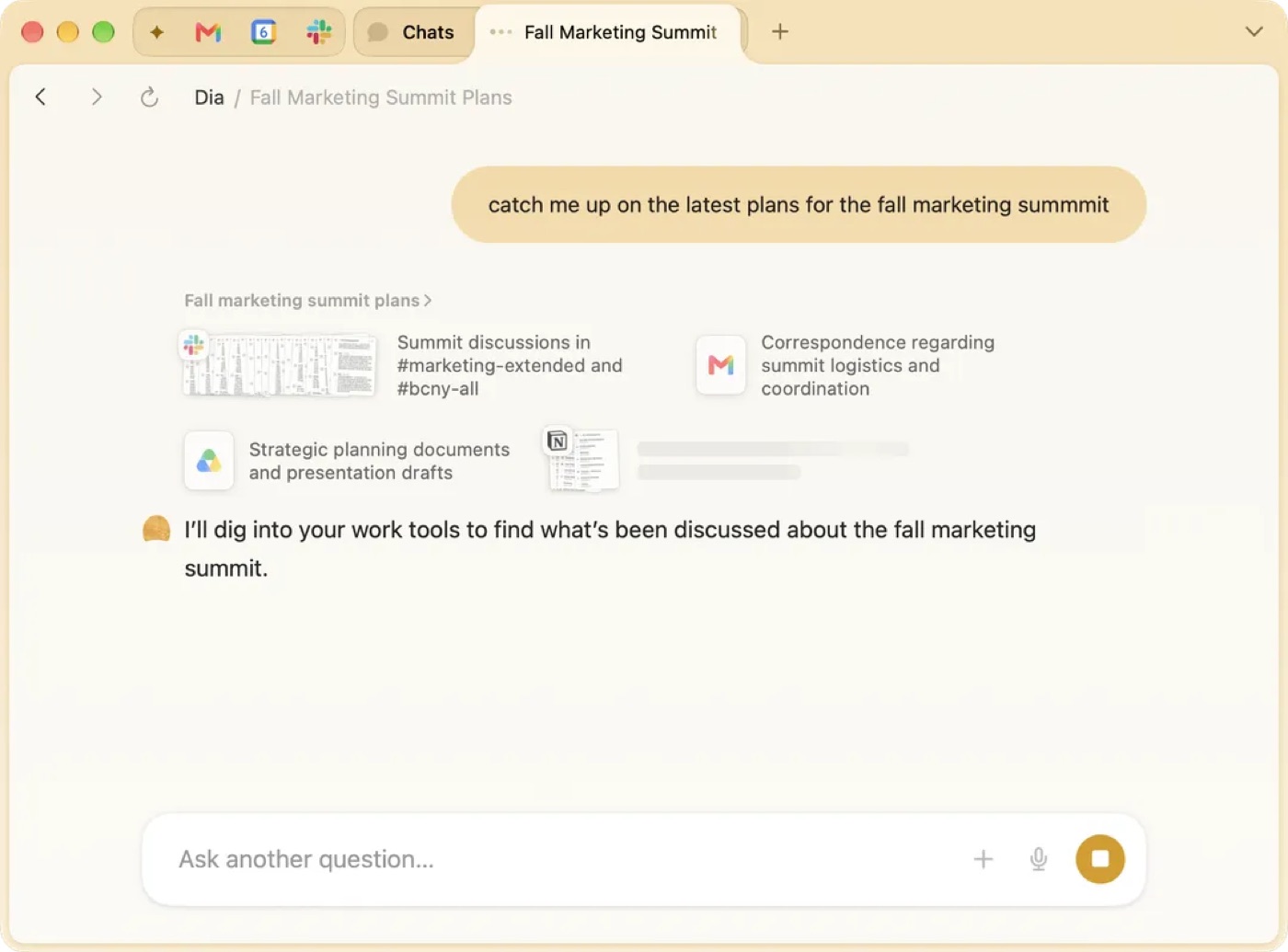
The product is pitched at the workday rather than at general web browsing. The Morning Brief lays out the calendar, inbox and key links before the day starts. The chat can be asked to find, summarize, draft or build reports and slide decks from context gathered across connected apps. Dia's apps page lists connectors for Slack, Gmail, Google Calendar, Google Drive, Notion, Jira, Confluence, Amplitude, Granola, Loom, GitHub, LinkedIn, Linear, Figma, Teams, Outlook, SharePoint and Zoom. The November 12, 2026 release notes added write access to Figma, so Dia can now create Figma Slides and FigJam boards after the user approves, plus nested tab groups up to eight levels deep and Office file attachments in chat.
The biggest change in 2026 is the move to paid plans. Dia used to be free; its pricing page now lists a free browser with no AI, Better Answers at $10 a month and Better Days at $100 a month, with usage metered in Tasks and extra usage sold in $20 credit blocks. Paid plans began rolling out to new Mac users on August 17. Existing users keep their current access until they get at least 30 days' notice by email, and Windows users are not on paid plans yet. The second change is Arc's end of life: Arc's site says it will sunset on December 22, 2026, that new Arc accounts can no longer be created, and that Dia is the browser the team built to replace it.
Among the AI browsers on this site, Dia sits between the chat-in-a-sidebar approach of Microsoft Edge with Copilot and Brave Leo and the action-first agents of Perplexity Comet and Fellou. Its strength is synthesis across work tools, not autonomous browsing. Its $10 entry plan is cheaper than Opera Neon's $19.90 Standard plan and Fellou's $19 Plus plan, and matches Sigma AI Browser's monthly Plus price, but Comet and Edge offer AI features without any subscription.
There are real limits. AI requests leave the device: Dia's security FAQ says prompts and page context pass through Dia's servers and Atlassian's AI Gateway to OpenAI, Anthropic, Google Cloud and AWS, which are contractually barred from training on the data. Product analytics cannot be turned off. Dia states it is not HIPAA-compliant and does not offer a Business Associate Agreement. There is no Linux or Intel Mac build, and usage on paid plans is measured in Tasks without a published Task count per plan, so the real monthly allowance is hard to compare.
How it scored
Dia is the replacement for Arc, which its maker is shutting down on December 22, 2026, and it is aimed squarely at the workday. The Morning Brief lays out your calendar, inbox and key links, and you can ask Dia to gather what is spread across Slack, Notion, Teams and Google Workspace into a report or a slide deck. Profiles keep work and personal tabs, logins and AI apart, and meeting pages open with the agenda and related docs. Pricing is clear: the browser is free without AI, Better Answers costs $10 a month, and Better Days at $100 adds 20 times more asks. Every new user gets a 14-day trial of Better Days without a card. Dia is less about clicking through websites for you and more about synthesis across your tools, which is why it sits below the action-first browsers. Usage is counted in Tasks, and extra blocks cost $20.
Who it is for
Knowledge workers who live in Slack, Notion, Google Workspace and meetings and want the browser to gather that context for them.
Run it if
- Knowledge workers whose day runs through Slack, Notion, Google Workspace, Microsoft 365, Jira or Linear and who want one assistant that can read across them
- Arc users who need a replacement before Arc sunsets on December 22, 2026 and want their Spaces, folders, pinned and unpinned tabs imported
- People who want a free Chromium browser with profiles, split view, a built-in ad and tracker blocker and end-to-end encrypted sync, with AI kept optional
- IT teams at Atlassian shops that want SSO through Atlassian Guard, MDM controls, Chromium enterprise policies and a SOC 2 Type II report
- Managers and product people who regularly turn meeting notes, threads and specs into status reports, slide decks or Figma Slides
Skip it if
- People who want an agent that browses and completes tasks across websites on its own: Perplexity Comet or Fellou are built for that, while Dia's agentic mode cannot open other websites by itself
- Clinicians and others handling patient data under HIPAA: Dia says it is not HIPAA-compliant and offers no BAA, so use a managed browser approved by your compliance team
- Linux users and owners of Intel Macs: Dia only ships for Apple Silicon Macs and Windows 11, so Brave Leo or Microsoft Edge with Copilot are the practical choices
- Anyone who wants AI in the browser at no cost: Microsoft Edge with Copilot and Brave Leo include free AI chat, while Dia's AI stops on the free plan after the trial
SpecSpec sheet
| Maker | The Browser Company of New York, part of Atlassian | src ↗ |
|---|---|---|
| Browser engine | Chromium | src ↗ |
| Platforms | macOS (Apple Silicon) and Windows 11 | src ↗ |
| Free plan | Yes, full browser with no AI features | src ↗ |
| Paid plans | Better Answers $10 a month, Better Days $100 a month | src ↗ |
| Free trial | 14 days of Better Days, no credit card required | src ↗ |
| Usage unit | Tasks, monthly allowance that does not carry over; extra credits in $20 blocks | src ↗ |
| AI model providers | OpenAI GPT, Anthropic Claude, Google Gemini, via Atlassian's AI Gateway | src ↗ |
| Connected apps | 18 listed, including Slack, Gmail, Google Drive, Notion, Jira, GitHub, Figma, Teams, Outlook and Zoom | src ↗ |
| Ad and tracker blocking | Built in, on by default | src ↗ |
| Sync | Cross-device, end-to-end encrypted | src ↗ |
| Compliance | SOC 2 Type II for calendar year 2025; not HIPAA-compliant, no BAA | src ↗ |
| Enterprise controls | SSO via Atlassian Guard, MDM and server-side controls, Chromium enterprise policies | src ↗ |
| Model training | Zero data retention agreements with all AI partners; content sharing can be turned off | src ↗ |
Price
Free browser without AI; Better Answers $10 per month; Better Days $100 per month; 14-day trial of Better Days.
Better Answers ($10/month)
Quoted from the vendor pricing page on November 9, 2026.
Plans on file · 4
| Plan | Price | Includes | Checked |
|---|---|---|---|
| Free (Better Browser) | $0free | Profiles and tab groups; Split view and picture-in-picture video; Built-in ad and tracking blocker; Cross-device sync; No AI features | Checked Nov 23, 2026 |
| Better Answers | $10 per monthmonthly | Morning Brief, a daily summary of calendar, inbox and key links; Ask Dia to find, summarize, draft or build reports and decks; Connect work apps so Dia can work across them; Monthly usage allowance measured in Tasks; Extra usage in $20 credit blocks, by auto-reload or one-time top-up | Checked Nov 23, 2026 |
| Better Days | $100 per monthmonthly | Everything in Better Answers; 20x more asks for chats, tasks, reports and decks; Extra usage in $20 credit blocks | Checked Nov 23, 2026 |
| Enterprise | price not listedcontact sales | Data loss prevention logs sent to a customer-owned S3 bucket; Allowlists for connected apps and specific workspaces; Watermarking of AI-generated artifacts with user ID and timestamp; Org-wide usage-data opt-out | Checked Nov 23, 2026 |
Key features
Morning Brief
Before the workday starts, Dia prepares a summary of the calendar, inbox and key links. It runs on its own, so the content it needs is sent to Dia's AI providers without a manual request. Included from Better Answers up.
Answers, reports and decks from connected apps
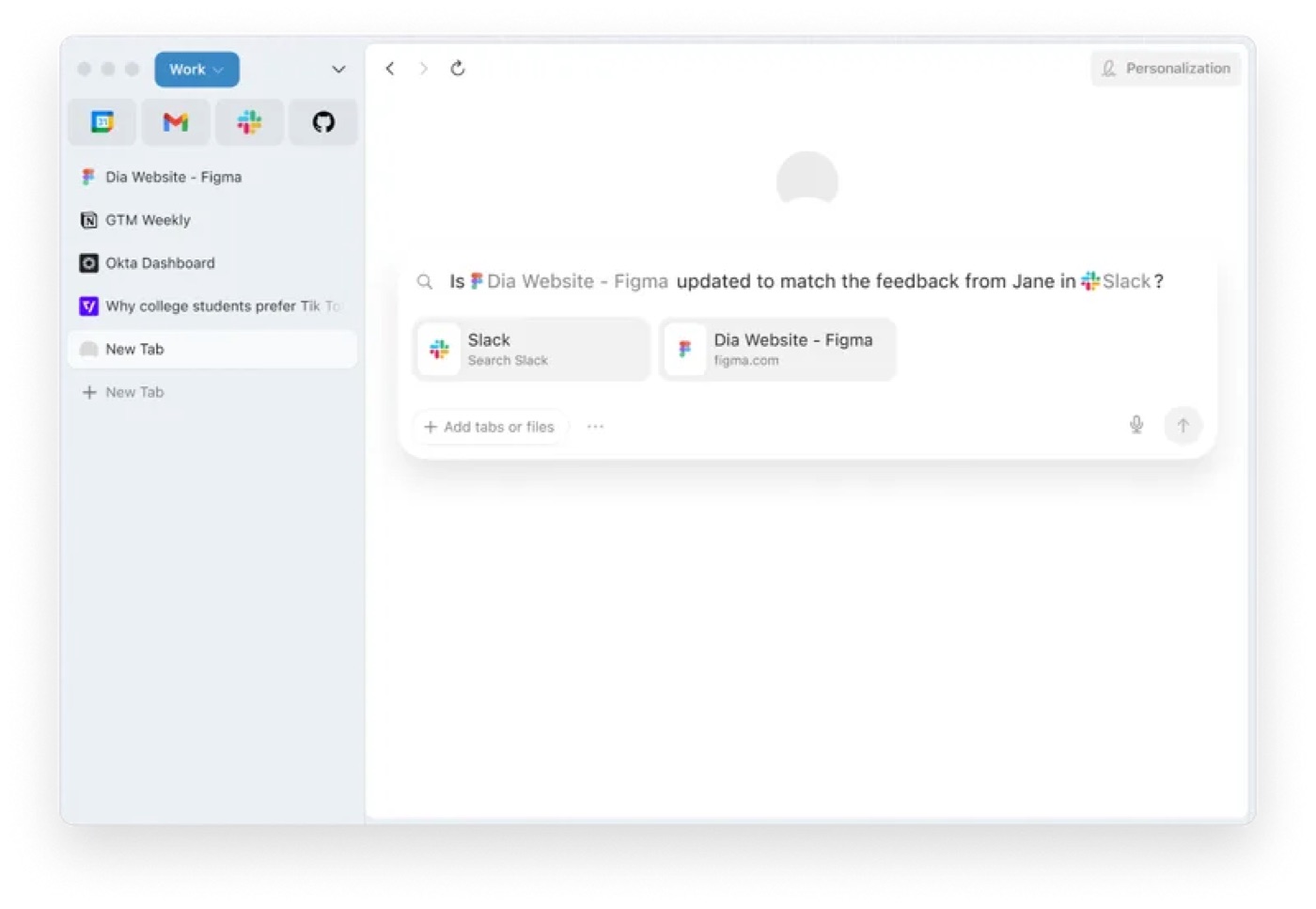
The chat can search across 18 listed connectors, including Slack, Notion, Google Drive, Jira, Confluence, GitHub, Teams and SharePoint, and turn the results into a report or a slide deck with headers and layout. Since November 12, 2026 it can also create and edit Figma Slides and FigJam boards after the user approves.
Profiles, splits and organized tabs
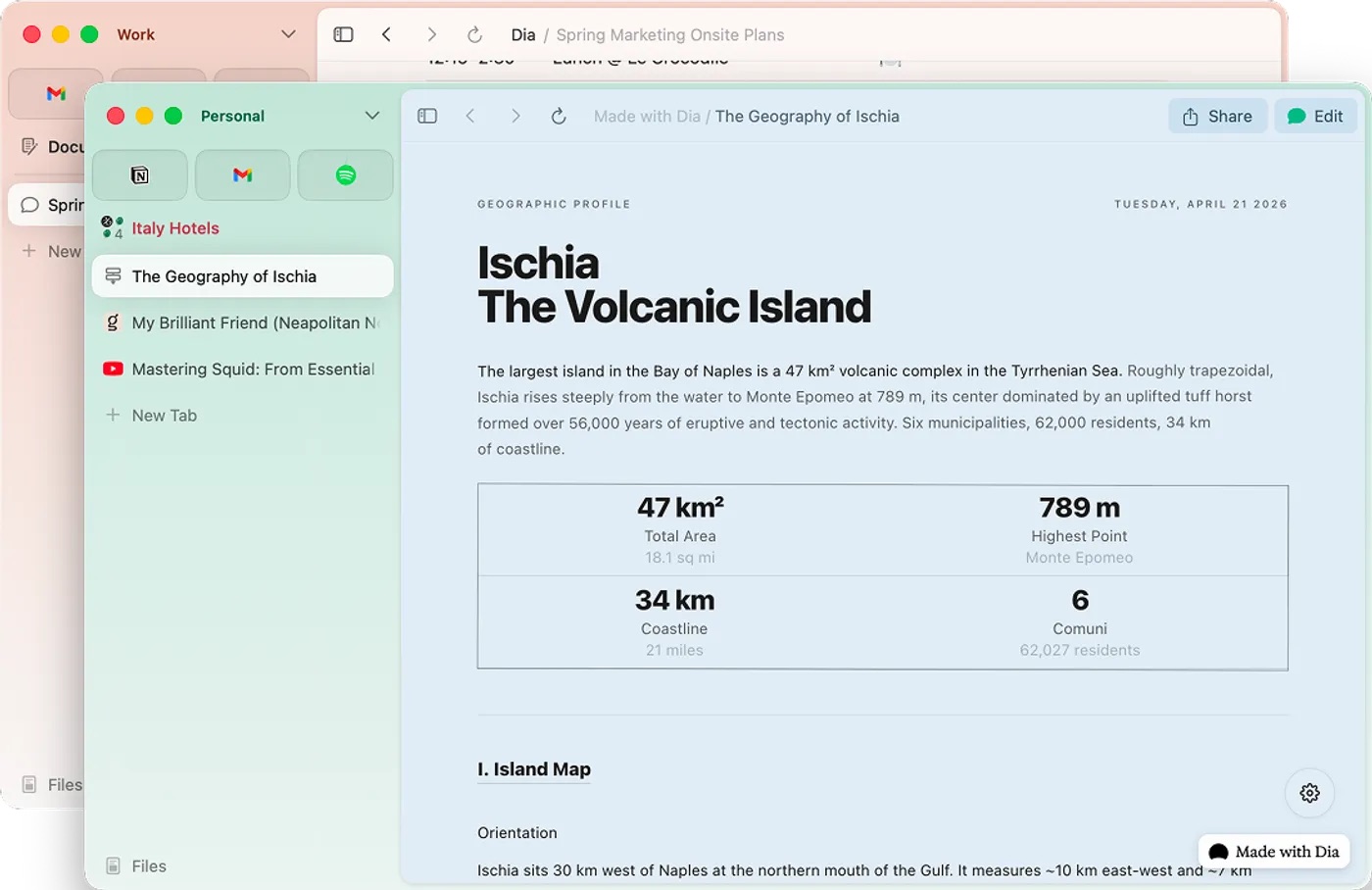
Profiles keep work, freelance and personal tabs, logins and AI separate, switched with a swipe. Splits show two pages side by side and remember layouts. Tab groups can now be nested up to eight levels deep on Mac and Windows. All of this works on the free plan.
Meeting pages and Live Work
Each call opens with the meeting page, agenda, notes and related docs plus a countdown. Live Work pins active GitHub pull requests, Notion specs and drafts in the tab bar for one-click access.
Prompt injection safeguards
Dia says it will not open model-generated URLs automatically, will not insert data into third-party sites without showing the exact content first, keeps calendar events in draft until the user clicks Create, hides password fields from the agent and stops agentic mode from moving on to other websites.
Arc import
Arc's sunset page says passwords, bookmarks, extensions, history, Spaces, folders and tab groups import into Dia. The November 2026 release added unpinned tabs to the Arc import alongside Favorites and pinned tabs.
Admin and compliance controls
Dia supports SSO through Atlassian Guard, MDM policies to block AI on chosen domains or file types, standard Chromium enterprise policies including Chrome Cloud Management, and a SOC 2 Type II report for calendar year 2025.
Strengths and weaknesses
Plus · 7
- The free plan is a complete browser with profiles, tab groups, split view, picture-in-picture, a default-on ad and tracker blocker and end-to-end encrypted sync
- Better Answers at $10 a month is the cheapest paid AI tier among the subscription browsers on this site, below Opera Neon at $19.90 and Fellou Plus at $19
- Every new user gets a 14-day trial of the $100 Better Days plan with no credit card, and AI simply pauses when the trial ends
- 18 work connectors are listed, from Slack and Notion to Jira, SharePoint, Outlook and Zoom, so answers can draw on context outside the open tabs
- Running out of usage never triggers surprise charges: AI pauses until the next billing date unless auto-reload is switched on, and bought $20 credits roll over for up to three months
- Dia publishes a SOC 2 Type II report for 2025 and states it has zero data retention agreements with all AI partners
- Arc users get a direct import of Spaces, folders, pinned and unpinned tabs before Arc shuts down on December 22, 2026
Minus · 6
- AI features stop entirely on the free plan once the 14-day trial ends
- Usage is measured in Tasks with no published Task count per plan, and the monthly allowance does not carry over
- The jump from Better Answers to Better Days is tenfold, $10 to $100 a month, with no middle tier and no annual discount listed
- Only Apple Silicon Macs and Windows 11 are supported; there is no Linux or Intel Mac build
- Product and feature analytics cannot be turned off, and AI requests pass through Dia's servers and Atlassian's AI Gateway to third-party model providers
- Not HIPAA-compliant and no Business Associate Agreement, so it is unsuitable for regulated health data
Key facts
- Free plan: Browser with profiles, split view, ad blocker and sync, no AI
- Better Answers: $10 a month
- Better Days: $100 a month, 20x more asks
- Trial: 14 days of Better Days, no card required
- Extra usage: $20 credit blocks
Where it ranks
Dia is No. 3 in our Best AI Browsers verdict.
AltAlternatives to weigh
- Perplexity Comet →Free to download with an assistant that acts on web pages for you; pick it if you want an agent that browses and completes tasks rather than one that synthesizes your work apps.
- Microsoft Edge with Copilot →Copilot in Edge is free with limits and available on more platforms; pick it if you want AI in the browser without a subscription and already use Microsoft 365.
- Fellou →Built around agentic actions across websites, with a free plan and Plus at $19 a month; pick it for automated web research and form-filling across sites.
- Brave Leo →Brave's privacy-focused browser includes Leo AI chat free, with premium at $14.99 a month; pick it if privacy and free AI matter more than work-app connectors.
- Opera Neon →An agentic browser with a Standard subscription at $19.90 a month; pick it if you want an agent that runs tasks on the web for you.
Questions readers ask
- QIs Dia free?
- AYes, the Dia browser is free, but its AI features are not. The free plan includes profiles, tab groups, split view, an ad and tracker blocker and sync; AI requires Better Answers at $10 a month or Better Days at $100 a month after a 14-day trial.
- QHow much does Dia cost?
- ADia's paid plans cost $10 a month for Better Answers and $100 a month for Better Days, according to its pricing page in November 2026. Extra usage is sold in $20 credit blocks, and Enterprise pricing is not listed.
- QIs Dia worth it?
- ADia's $10 Better Answers plan is worth it for people who work across Slack, Notion, Google Workspace or Microsoft 365 and want daily briefs, answers and decks from that context. It is less useful for anyone who wants an agent that browses websites on its own, since Dia's agentic mode cannot open other websites by itself.
- QWhat is the difference between Dia and Arc?
- ADia is the browser The Browser Company built to replace Arc, and Arc will sunset on December 22, 2026. Dia adds an AI assistant and work connectors, keeps profiles and tab groups free, and imports Arc's Spaces, folders, pinned and unpinned tabs.
- QDoes Dia work on Windows?
- AYes, Dia runs on Windows 11 as well as Apple Silicon Macs. Paid plans are starting with new Mac users, and Dia says Windows users will be told before anything changes for them.
- QWhich AI models does Dia use?
- ADia uses GPT from OpenAI, Claude from Anthropic and Gemini from Google, routed through Atlassian's AI Gateway. Dia says these providers are contractually restricted from training on user data or keeping it beyond each request.
- QDia vs Perplexity Comet: which is better?
- ADia is better for synthesizing work apps such as Slack, Notion and Jira into briefs and reports, while Comet is built for an assistant that acts on web pages. Comet is free to download, while Dia's AI costs $10 a month after the trial.
- QIs Dia safe for sensitive data?
- ADia holds a SOC 2 Type II report for 2025 and stores data encrypted on the device, but AI requests send prompts and page context to third-party providers. Dia states it is not HIPAA-compliant and should not be used with protected health information.
LogSource log
- [01]Dia Browser, Plans · checked Nov 23, 2026
- [02]Dia, The browser for better days at work · checked Nov 23, 2026
- [03]Dia Browser, Security · checked Nov 23, 2026
- [04]Dia is built for work · checked Nov 23, 2026
- [05]Dia apps · checked Nov 23, 2026
- [06]Download Dia Browser · checked Nov 23, 2026
- [07]The Dia Lately, November 12, 2026 release notes · checked Nov 23, 2026
- [08]Arc is sunsetting on December 22, 2026 · checked Nov 23, 2026
Deep review last updated November 23, 2026. Prices and specs are rechecked against these pages.
Alternatives we scored
Cite this page
DBotMaker. Dia review. Updated November 23, 2026. https://dbotmaker.io/review/dia
Visit diabrowser.com · Questions or corrections: editorial@dbotmaker.io