Review · Creators & media
 Canva review
Design platform with built-in AI image, graphic and video generation alongside templates and a drag-and-drop editor.
By the DBotMaker research desk · Updated November 18, 2026
Short answer · output
Canva is a browser and app based design platform for social posts, presentations, video, print, docs, sheets and websites, with a free plan and paid Pro, Business and Enterprise tiers. It is the easiest all-round pick for non-designers: Pro lists at US$144 a year for one person ($14.99 a month on the US App Store) with 3.6 million+ templates, 100 GB of storage and a monthly AI allowance of up to 200 Premium AI uses. Plans and limits were checked on Canva's pricing page and help center in November 2026.
- Capabilities (40%)
- 7.7
- Ease of setup (30%)
- 9.4
- Value (30%)
- 8.4
In pictures · 3 images
Verdict printout · Canva
Buy Canva Pro if one person makes a steady flow of marketing graphics, slides, short videos or print pieces and wants templates, a background remover, Magic Resize and brand kits in one subscription; move to Business once two or more people need to share designs, approvals and brand controls, because Pro allows only one user. Skip it if the work is mostly AI image or video generation at volume (the Pro allowance tops out at about 20 Ultra AI uses a month), if the job is building slide decks from a prompt (Gamma is cheaper at $9 a month billed annually), or if a team needs SSO, which is Enterprise only. The deciding fact is the plan ladder: Free already includes the editor, 5 GB of storage and 1.6 million+ templates, so Pro is worth paying for mainly for the premium library, one-click resizing and background removal, and the larger AI allowance.
ReadOverview
Canva launched in 2013 as an online design and publishing tool, and its about page now reports more than 220 million monthly active users, more than 30 billion designs created, use in 190 countries and support for 100+ languages. The product covers social media graphics, presentations, video, a photo editor, print products with delivery, websites, whiteboards, docs, sheets, email designs and courses inside one editor, and the pricing page says Free users get access to 1,000+ design types. Native apps cover iPhone, iPad, Mac and Apple Vision, and the US App Store listing shows a 4.9 rating from 3.6 million ratings.
The current line-up has four public plans. Free costs nothing and includes 1.6 million+ templates, 4.7 million+ elements, one Brand Kit limited to 3 colors, 5 GB of storage and a small shared AI allowance. Pro is for one person and adds 3.6 million+ templates, 141 million+ elements, 5 Brand Kits, 100 GB of storage and about 10 times the Free AI allowance. Business is sold per person for individuals and teams, with 100 Brand Kits, 500 GB of storage, approvals, team admin, 20 times the Free AI allowance and the Flourish Presenter plan for data visualization. Enterprise is quote only and adds SSO, SCIM, audit logs, 1,000 Brand Kits and 1 TB of storage. Canva Teams, the old shared plan, is closed to new sign-ups.
The main change in 2025 and 2026 is how AI is metered. Canva's help center splits AI tools into Standard, Premium and Ultra tiers that share one monthly allowance. On paid plans, Standard tools such as Magic Write and Translate do not count against it. Pro allows up to 200 Premium AI uses or up to 20 Ultra AI uses a month, Business and Enterprise allow up to 400 Premium or 40 Ultra, and Free allows up to 20 uses. Pro and Business subscribers can buy an AI Pass add-on, and Business can also buy one-time AI top-ups. Canva also folded Affinity, its professional desktop design app, into the plans, and the newsroom lists recent launches including Canva AI 2.0 conversational design, the Canva Brush design model and Affinity for iPad.
Against the rivals on this site, Canva is the broadest tool rather than the deepest in any single format. Adobe Express covers similar template-based design at $9.99 a month on the US App Store and has tighter links to Photoshop and Adobe Fonts. Gamma is narrower, built around AI-generated decks, docs and web pages, and starts at $9 a month billed annually. CapCut and Picsart go further on mobile video and photo effects. Canva's advantage is that one subscription covers graphics, video, slides, print, a social content planner, brand kits and team approvals.
The real limits are worth knowing before paying. Canva's pricing FAQ says only one person can use a Pro account, so Business is the plan for teams. AI-heavy work runs into the monthly allowance, and complex Canva AI 2.0 tasks such as editing a 40-slide deck use more of it than single prompts. SSO, SCIM, audit logs and restricted external sharing are Enterprise only, and AI output indemnity requires at least 100 Enterprise seats. Prices on the pricing page exclude tax, and canva.com shows prices by region, so non-US buyers may see different amounts.
How it scored
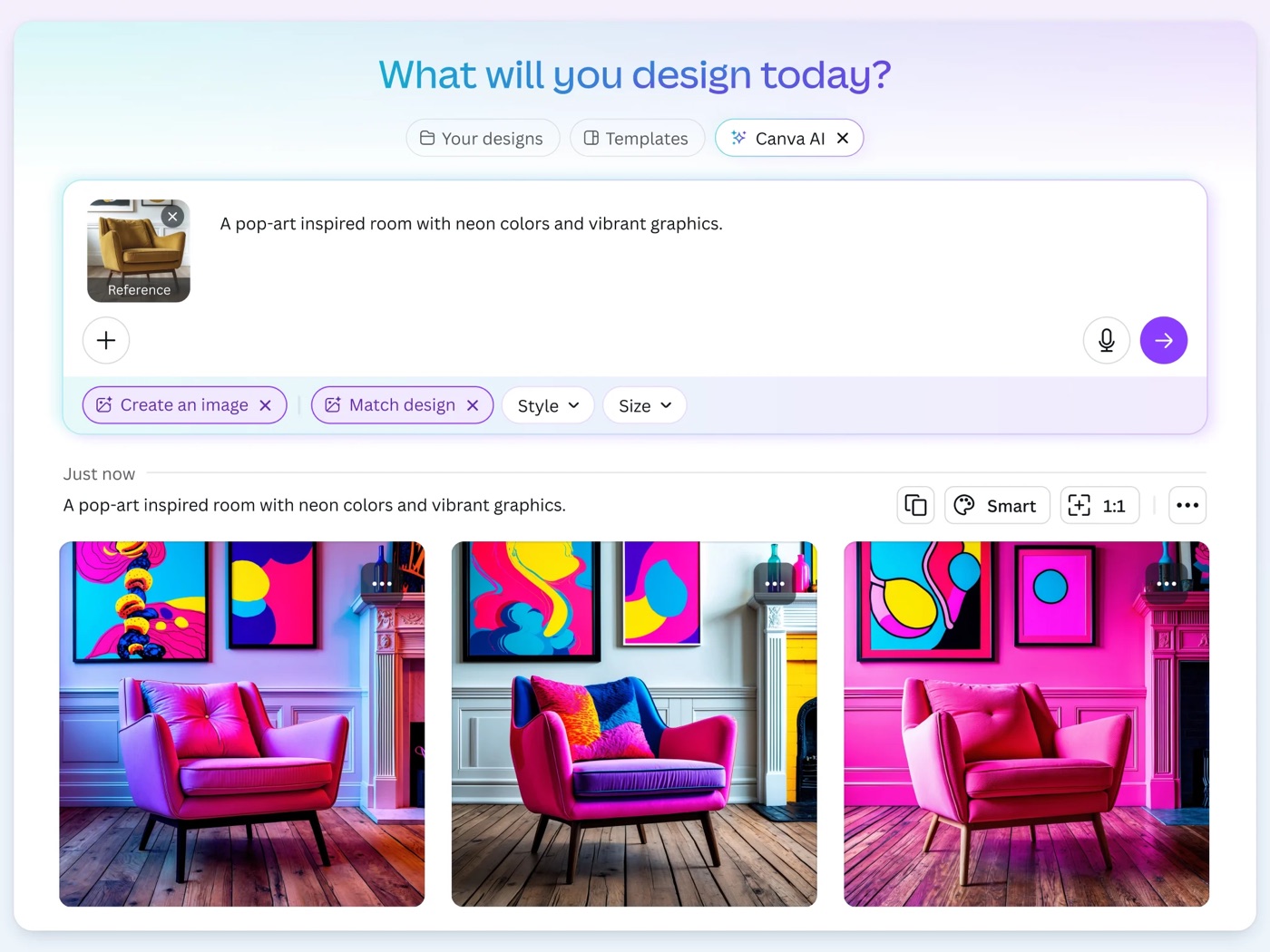
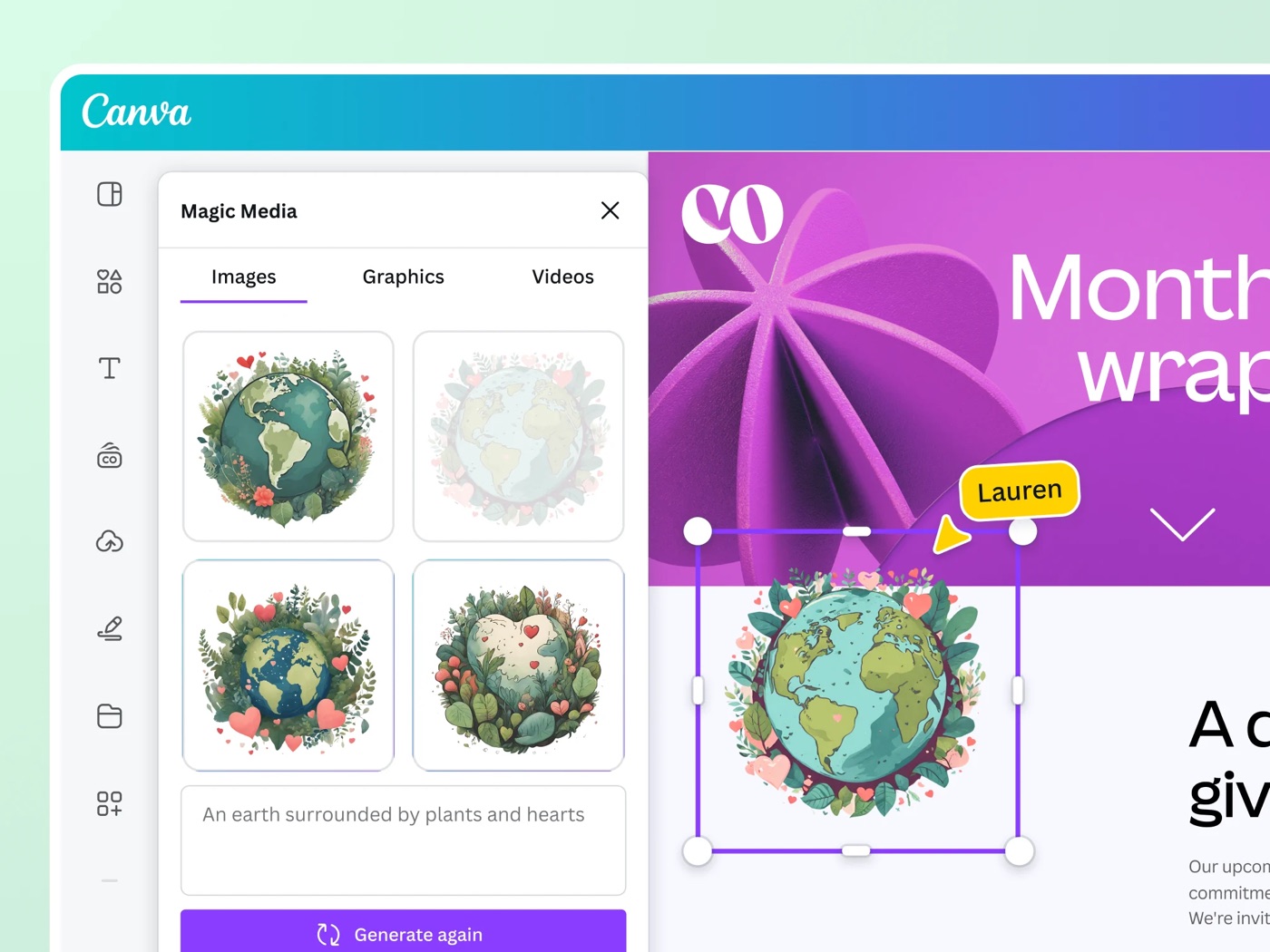
Canva is not the strongest image model here, but it is the fastest route from a prompt to a finished design. Text to Image generates a picture in a chosen style and aspect ratio right on the page, Text to Graphic makes icons, stickers and illustrations, and Text to Video produces short clips. The result sits inside a design with templates, fonts and brand colors, so a YouTube thumbnail or Instagram post can be done in one tool. The free plan includes limited Standard and Premium AI plus 1.6M+ templates. Pro costs US$144 a year for one person and raises the AI allowance to 10x Free, with 3.6M+ templates, 141M+ elements, 5 Brand Kits and social scheduling. The trade-offs are less control over the image itself than in Midjourney or Ideogram, and a single AI allowance shared across every AI tool, with extra capacity sold as the AI Pass add-on.
Who it is for
Pick it if you need a finished post or thumbnail, not a raw image.
Run it if
- Small business owners and solo marketers who produce social posts, ads, flyers and short videos every week and want templates plus Magic Resize to reformat one design for each channel.
- Small and mid-sized teams that need shared Brand Kits, brand templates, comments and design approvals without buying separate tools; Business covers this with pay-as-you-grow billing.
- Teachers and K-12 students, who can use Canva Education for free, and registered nonprofits, which can get a free premium plan for one team of up to 50 users.
- Presenters and sales teams who build and present slides in the browser and want to record presentations, track views and clicks, and share links with people who have no Canva account.
- Large organizations that need central brand governance across teams, with SSO, SCIM provisioning, audit logs and up to 1,000 Brand Kits on Enterprise.
Skip it if
- Professional designers who need pixel-level vector, photo and layout control for print production; Adobe Photoshop or Canva's own Affinity desktop app are the better fit for that work.
- Anyone who mainly wants decks or one-page sites generated from a prompt; Gamma is built around that and starts at $9 a month billed annually.
- Heavy AI image or video generation at volume: Pro caps out at about 20 Ultra AI uses a month, so a dedicated generator such as Midjourney or Adobe Firefly suits that workload better.
- Mobile-first video creators who need advanced editing effects and templates for short-form video; CapCut focuses on that and its US App Store subscriptions start at $7.99 a month.
SpecSpec sheet
| Free plan | Yes: 1.6 million+ templates, 4.7 million+ elements, 1 Brand Kit (3 colors), 5 GB storage, limited AI | src ↗ |
|---|---|---|
| Pro price | US$144 a year for one person on canva.com; $14.99 a month as an in-app purchase on the US App Store | src ↗ |
| Users per Pro account | One person only | src ↗ |
| Templates (paid plans) | 3.6 million+ templates and 141 million+ elements | src ↗ |
| Cloud storage | Free 5 GB, Pro 100 GB, Business 500 GB, Enterprise 1 TB | src ↗ |
| Brand Kits | Free 1, Pro 5, Business 100, Enterprise 1,000 | src ↗ |
| Monthly AI allowance | Free up to 20 uses; Pro up to 200 Premium or 20 Ultra uses; Business and Enterprise up to 400 Premium or 40 Ultra uses | src ↗ |
| Custom short links | Pro up to 5, Business up to 100, Enterprise unlimited | src ↗ |
| Translate | 100+ languages, individually or in bulk, on paid plans | src ↗ |
| Apps Marketplace | Over 400 apps, available on every plan | src ↗ |
| Security certifications | ISO 27001 and SOC 2 Type II on all plans; SSO, SCIM and audit logs on Enterprise only | src ↗ |
| Platforms | Web, plus apps requiring iOS or iPadOS 15.4, macOS 13.0 or visionOS 1.0 or later | src ↗ |
| App Store rating (US) | 4.9 out of 5 from 3.6 million ratings | src ↗ |
| Scale | 220 million+ monthly active users, 30 billion+ designs created, 190 countries | src ↗ |
Price
Free plan; Pro US$144 per year for one person, Business US$250 per year per person.
US$ 144 /year for one person
Quoted from the vendor pricing page on November 16, 2026.
Plans on file · 6
| Plan | Price | Includes | Checked |
|---|---|---|---|
| Canva Free | $0free forever, one person | 1.6 million+ templates and 4.7 million+ elements; Editor with 1,000+ design types, including docs, sheets, whiteboards, websites and video; 1 Brand Kit, limited to 3 colors; 5 GB cloud storage; Limited shared AI allowance of up to 20 uses a month; Real-time collaboration, comments and link sharing; Access to Affinity | Checked Nov 18, 2026 |
| Canva Pro | US$144 a year on canva.com (US page); $14.99 a month or $143.99 a year as US App Store in-app purchasesmonthly or annual, one person; free trial available | 3.6 million+ templates and 141 million+ elements; 5 Brand Kits, brand templates and element locking; 100 GB cloud storage; Magic Resize, Magic Edit, Magic Eraser, Magic Expand and Magic Grab; Photo and video background remover; Up to 200 Premium AI uses or 20 Ultra AI uses a month; AI Pass add-on available; Social Content Planner and print-ready CMYK export; Up to 5 custom short links | Checked Nov 18, 2026 |
| Canva Business | $25 a month per person as a US App Store in-app purchase; canva.com prices vary by regionmonthly or annual, per person; pay only for members who accept an invite; free trial available | Everything in Pro; 100 Brand Kits, Brand Controls and approvals; 500 GB cloud storage; Up to 400 Premium AI uses or 40 Ultra AI uses a month per member; AI Pass and AI top-ups available; Team admin: roles, ownership transfer, reports and AI admin controls; Ad tagging with Canva Grow and the Flourish Presenter plan; 10% discount on print orders where Canva Print is offered; Priority support plus phone or video help | Checked Nov 18, 2026 |
| Canva Enterprise | price not listed, contact salescustom billing including regular invoicing; no free trial, demo on request | Everything in Business; 1,000 Brand Kits and org-wide Brand Kits and templates; 1 TB cloud storage; SSO, SCIM provisioning and audit logs; Restricted sharing controls and private embeds; REST API for custom apps, including Autofill; AI output indemnity from 100 seats; dedicated customer success manager from 150 seats | Checked Nov 18, 2026 |
| Canva Education (K-12) | $0free for eligible K-12 teachers, students and schools | Most premium Canva features; LMS integrations and assignment sharing; Up to 200 Premium AI uses or 20 Ultra AI uses a month; FERPA and COPPA compliant offering | Checked Nov 18, 2026 |
| Canva for Nonprofits | $0free for eligible nonprofits | Pro premium features plus team and collaboration tools; One team of up to 50 users; Additional seats 50% off on Canva Enterprise | Checked Nov 18, 2026 |
Key features
Template and element library
Paid plans include 3.6 million+ templates and 141 million+ elements such as photos, graphics, video clips and audio; Free includes 1.6 million+ templates and 4.7 million+ elements. Templates can be saved as brand templates on Pro and above so others reuse the same layouts.
Magic Studio editing tools
Pro adds Magic Resize to reformat a design for other sizes individually or in bulk, Magic Edit to change part of an image from a prompt, Magic Eraser, Magic Expand to extend an image past its frame, Magic Grab to move objects, and photo and video background removal.
Canva AI and the shared allowance
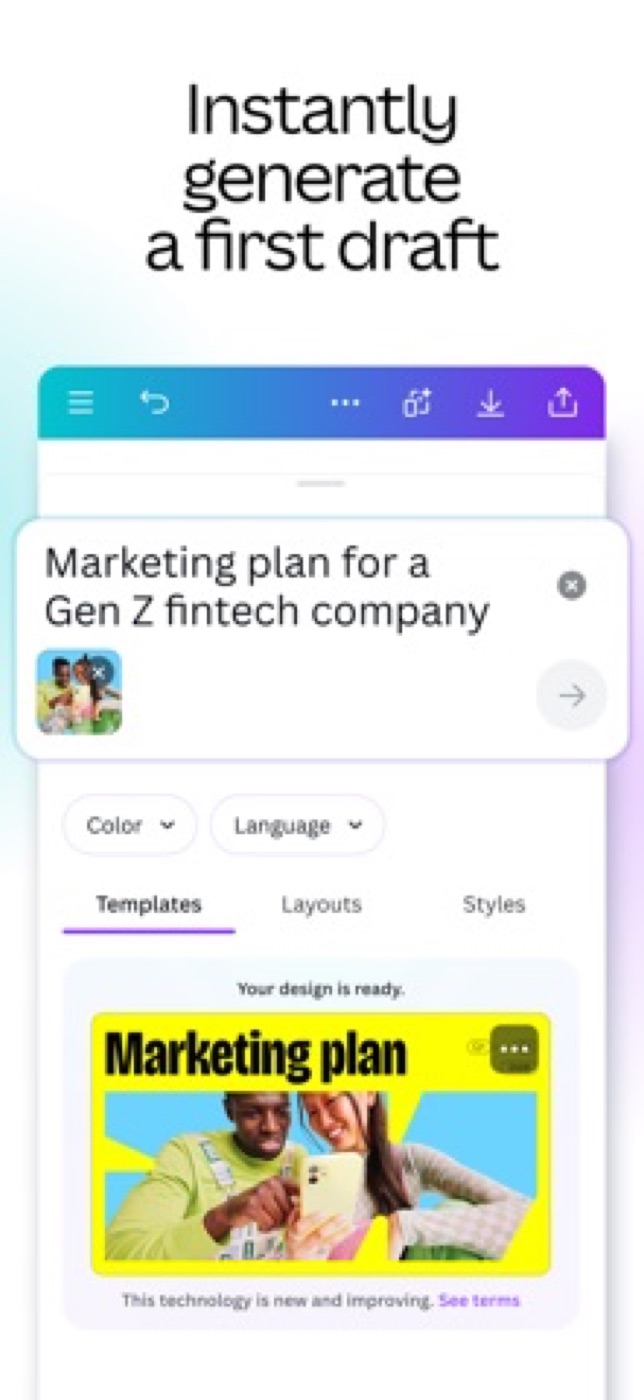
Canva AI handles chat-based design, image and video generation and Canva Code interactives. Premium and Ultra tools draw from a monthly allowance (Pro up to 200 Premium or 20 Ultra uses, Business up to 400 or 40), while Standard tools such as Magic Write and Translate do not count against it on paid plans.
Brand Kits and brand controls
Brand Kits store logos, colors and fonts: 1 on Free (3 colors only), 5 on Pro, 100 on Business and 1,000 on Enterprise. Business adds Brand Controls, folder linking and approvals; Enterprise adds org-wide kits and approval by individuals and groups.
Bulk creation in Sheets
Bulk Create generates many versions of a design from data, and on paid plans Canva Sheets can create, resize, translate and remove backgrounds at scale, which suits catalog, real estate and event work.
Publishing, scheduling and insights
Pro and above include the Social Content Planner for scheduling across platforms, advanced design insights with unique views and clicks, and custom short links (5 on Pro, 100 on Business). Canva Grow can publish to ad platforms on every plan, with ad tagging on Business.
Team admin and security
Every plan carries ISO 27001 and SOC 2 Type II coverage and supports MFA. Business adds roles, ownership transfer, usage reports and AI admin controls; SSO, SCIM, audit logs and restricted external sharing are reserved for Enterprise.
Affinity and Flourish included
All plans include access to Affinity, Canva's professional creative app, with its Premium AI tools on paid plans. Business and Enterprise also include the Flourish Presenter plan for interactive data visualization.
Strengths and weaknesses
Plus · 7
- A usable free plan: 1.6 million+ templates, 4.7 million+ elements, 5 GB of storage, real-time collaboration and access to Sheets, Docs, Whiteboards and websites at no cost.
- Pro is priced at US$144 a year for one person on canva.com, about $12 a month, and adds 3.6 million+ templates, 141 million+ elements and 100 GB of storage.
- Standard AI tools such as Magic Write and Translate (100+ languages) do not draw on the monthly AI allowance on paid plans, so routine copy and translation work is not metered.
- One editor covers graphics, slides, video, print with delivery, websites, docs, sheets, email and courses, plus over 400 marketplace apps on every plan.
- Business uses pay-as-you-grow billing: the team pays only for members who accept an invite, and monthly teams can change size at any renewal.
- Strong mobile apps: 4.9 out of 5 from 3.6 million ratings on the US App Store, with support for iPhone, iPad, Mac and Apple Vision.
- Free premium access for K-12 education and for nonprofits (one team of up to 50 users), with FERPA and COPPA compliance for schools.
Minus · 6
- Pro is limited to one person; any shared editing team has to move to Business, which is billed per member.
- AI is capped: Pro allows up to 200 Premium AI uses or 20 Ultra AI uses a month, and complex Canva AI 2.0 tasks such as editing a 40-slide deck use more of that allowance.
- SSO, SCIM provisioning, audit logs and restricted external sharing are Enterprise only, and Enterprise has no free trial or public price.
- AI output indemnity requires at least 100 Enterprise seats, and a dedicated customer success manager requires at least 150 seats.
- Prices exclude tax and canva.com shows regional pricing, so the in-app and web prices can differ; the US App Store alone lists Pro at $14.99, $15.00 and $18.00 a month across different in-app products.
- Free limits brand work to one Brand Kit with only 3 colors, and Magic Resize, background removal and CMYK print export all need a paid plan.
Key facts
- Plans: Free, Pro, Business, Enterprise
- Pro AI allowance: 10x more AI than Free
- Users: 6+ million teams, per Canva
Where it ranks
Canva is No. 8 in our Best AI Image Generators verdict and No. 4 in Best AI Presentation Makers and No. 2 in Best AI Thumbnail Makers and No. 4 in Best AI Tools for Creators and No. 4 in Best AI Tools for Real Estate Agents and No. 1 in Best Free Photo Collage Apps and No. 3 in Best Apps to Combine Photos and No. 2 in Best Photo Slideshow Apps With Music.
AltAlternatives to weigh
- Adobe Express →Template-based design close to Canva's, with Premium at $9.99 a month or $99.99 a year on the US App Store and closer ties to Photoshop and Adobe Fonts.
- Gamma →Better for generating presentations, docs and simple web pages from a prompt; Plus is $9 a month billed annually.
- CapCut →Stronger for mobile short-form video editing and effects; US App Store subscriptions start at $7.99 a month.
- Picsart →A mobile-first photo editor with more effects and collage tools; Picsart Plus starts at $11.99 a month on the US App Store.
Questions readers ask
- QIs Canva free?
- AYes, Canva Free costs nothing and includes 1.6 million+ templates, 4.7 million+ elements, 5 GB of storage and a small AI allowance of up to 20 uses a month. Paid plans add the premium library, Magic Resize, background removal and more AI.
- QHow much is Canva Pro?
- ACanva Pro lists at US$144 a year for one person on canva.com's US page, about $12 a month. On the US App Store, Pro is sold as an in-app purchase at $14.99 a month or $143.99 a year, and prices exclude tax.
- QIs Canva Pro worth it?
- ACanva Pro is worth it for one person who designs every week and uses the premium templates, Magic Resize, background remover and brand kits, since those are not on Free. It is less useful for occasional users, who can do most layout work on the free plan.
- QCan a team share Canva Pro?
- ANo, Canva's pricing FAQ says only one person can use a Canva Pro account. Teams should use Canva Business, which bills per member and adds approvals, team admin and 100 Brand Kits.
- QWhat is the difference between Canva Pro and Canva Business?
- ABusiness adds team features and more capacity: 100 Brand Kits instead of 5, 500 GB of storage instead of 100 GB, up to 400 Premium AI uses a month instead of 200, approvals, Brand Controls, the Flourish Presenter plan and priority support. Business sells for $25 a month per person as a US App Store in-app purchase.
- QHow many AI uses does Canva Pro include?
- ACanva Pro includes up to 200 Premium AI uses or up to 20 Ultra AI uses a month, per Canva's help center, and the allowance resets on the billing date. Standard AI tools such as Magic Write and Translate do not count against it on paid plans.
- QCanva vs Adobe Express: which is better?
- ACanva has the larger library (3.6 million+ templates on paid plans) and more team and brand features, while Adobe Express is cheaper at $9.99 a month on the US App Store and fits better for people already using Adobe apps. For non-designers making mixed content, Canva covers more formats in one plan.
- QDoes Canva have a free trial?
- AYes, Canva offers a free trial of Pro and of Business, and Business trial users are not billed for invited team members during the trial. Enterprise has no free trial; Canva offers a sales demo instead.
LogSource log
- [01]Canva Pricing: Compare Free, Pro, Business and Enterprise plans (US English page, read from the Internet Archive capture of 15 Nov 2026 because canva.com blocks automated requests) · checked Nov 18, 2026
- [02]Internet Archive capture of the Canva pricing page · checked Nov 18, 2026
- [03]Canva Pricing, US page (Pro US$144 a year, as recorded in this site's list checks) · checked Nov 16, 2026
- [04]Understanding your AI usage, Canva Help Center · checked Nov 18, 2026
- [05]Internet Archive capture of Understanding your AI usage · checked Nov 18, 2026
- [06]About Canva · checked Nov 18, 2026
- [07]Canva Newsroom · checked Nov 18, 2026
- [08]Canva Pro · checked Nov 18, 2026
- [09]Canva AI Photo & Video Editor on the US App Store · checked Nov 18, 2026
- [10]Adobe Express on the US App Store · checked Nov 11, 2026
- [11]Gamma pricing · checked Nov 16, 2026
- [12]CapCut on the US App Store · checked Nov 11, 2026
- [13]Picsart on the US App Store · checked Nov 11, 2026
Deep review last updated November 18, 2026. Prices and specs are rechecked against these pages.
Alternatives we scored
Cite this page
DBotMaker. Canva review. Updated November 18, 2026. https://dbotmaker.io/review/canva
Visit canva.com · Questions or corrections: editorial@dbotmaker.io