Decision no. 44220 · Learning
9 Best Nitro Type Alternatives of 2026
DBotMaker research desk · Updated November 26, 2026 · Next review January 10, 2027 · 9 compared
The decision
THE DECISION
NO. 44220 · NOVEMBER 26, 2026
QUESTION
Best Nitro Type Alternatives?
WINNER
TypeRacer
SCORE9.0 / 10
PRICE$1 PER MONTH, BILLED $12 A YEAR
FREE PLANYES
WHY
TypeRacer is the best Nitro Type alternative for competitive typists because every race is live against real opponents on real quotes. Ads go away for $12 a year.
- 2TYPING.COM........................................8.9
- 3KEYBR........................................8.8
- 4MONKEYTYPE........................................8.8
- 510FASTFINGERS........................................8.7
Short answer
TypeRacer is the closest replacement for Nitro Type's live races, with free public races, free private racetracks for 10 players and an ad-free Core plan for $12 a year. Teachers get more from Typing.com, which is made by the same company as Nitro Type and has a free teacher portal with Clever, ClassLink and Google Classroom sync. Monkeytype is the free pick for anyone who wants no forced ads, while Keybr and 10FastFingers add live races to adaptive practice and 54 race languages. TypingClub and Dance Mat Typing teach the keys before speed, ZType turns typing into an arcade shooter, and Ratatype adds typing certificates.
TypeRacer is the best game like Nitro Type for students and competitive typists in 2026, because it runs live races against real opponents and its Core plan removes ads for $12 a year. Typing.com suits teachers, with a teacher portal that is free for unlimited students and classes, and Monkeytype is the best free option without forced ads, as of November 2026. Young children who are still learning the keys should start with TypingClub or the BBC's free Dance Mat Typing instead.
At a glance
| Rank | Product | Best for | Verified price | Score |
|---|---|---|---|---|
| 1 | TypeRacer | teens and adults who want live races against real opponents | $1 per month, billed $12 a year | 9.0 |
| 2 | Typing.com | teachers who want lessons, games and grading in one place | Free edition with a free teacher portal; ad-free PLUS edition priced by quote, 30-day free trial | 8.9 |
| 3 | Keybr | adults who want adaptive practice plus a quick race | Price not listed | 8.8 |
| 4 | Monkeytype | competitive typists who want a free test without forced ads | Free; funded by donations, merch and ads that users can choose to enable | 8.8 |
| 5 | 10FastFingers | multilingual typists who want live races in their own language | Free | 8.7 |
| 6 | TypingClub | beginners and schools teaching touch typing from the first lesson | Free for individuals and schools; optional paid School Edition | 8.7 |
| 7 | ZType | students who want an arcade game instead of a race | $0.99 one-time in-app purchase | 8.5 |
| 8 | Ratatype | students and job seekers who want a typing certificate | $9.99 per month | 8.4 |
| 9 | Dance Mat Typing | primary school children who are too young for racing games | Free on BBC Bitesize | 8.3 |
Decision facts
- The call
- TypeRacer, 9.0 out of 10
- 0.1 points ahead of Typing.com (8.9)
- Products compared
- 9
- Scores run from 8.3 to 9.0
- Lowest verified starting price
- $1 per month, billed $12 a year
- TypeRacer, quoted from its pricing page
- Free plans
- 9 of 9
- TypeRacer, Typing.com, Keybr and 6 more
- Prices quoted word for word
- 8 of 9
- Last checked November 26, 2026
- Top capabilities score
- Typing.com, 9.1
- Capabilities carries 40% of the total
- Top ease of setup score
- Monkeytype, 9.2
- Ease of setup carries 30% of the total
- Top value score
- Monkeytype, 9.6
- Value carries 30% of the total
Every fact above is computed from the ranking and the vendor prices on this page.
Decision tree
If this, then that
The winner fits most people. If one of these is true for you, take the branch instead.
This list is for students, teachers and competitive typists who want something like Nitro Type: a typing game with races, scores or classroom controls. We compared nine alternatives on four things people ask about most: ads, what the free version includes, tools for teachers, and live multiplayer racing. Nitro Type itself is not ranked. We compared documented features and published prices on each vendor's own pages and the US App Store, and scored capabilities at 40%, ease of setup at 30% and value at 30%. Prices were checked in USD on November 26, 2026.
IfYou want the best all-round pick
 PickTypeRacerHighest weighted score, 9.0 out of 10
IfYou need the most capabilities
 PickTyping.comCapabilities 9.1, top score here
IfYou want the fastest setup
 PickMonkeytypeEase of setup 9.2, top score here
IfYou want the most for your money
PickMonkeytypeValue 9.6, top score hereIfYou want to start for free
PickTypeRacerTop ranked free plan, No. 1IfYou want the lowest paid price
PickTypeRacerFrom $1 per month, billed $12 a year
By situation
Ifadults who want adaptive practice plus a quick race
 PickKeybrNo. 3, 8.8 out of 10
Ifmultilingual typists who want live races in their own language
 Pick10FastFingersNo. 5, 8.7 out of 10
Ifbeginners and schools teaching touch typing from the first lesson
 PickTypingClubNo. 6, 8.7 out of 10
Ifstudents who want an arcade game instead of a race
 PickZTypeNo. 7, 8.5 out of 10
Ifstudents and job seekers who want a typing certificate
 PickRatatypeNo. 8, 8.4 out of 10
Ifprimary school children who are too young for racing games
 PickDance Mat TypingNo. 9, 8.3 out of 10
Spec sheet
Vendor-documented specs. Click a column to sort.
| Product | Free plan or trial | Setup | Multiplayer racing | |||||
|---|---|---|---|---|---|---|---|---|
| 1 | TypeRacer | 9.0 | $1 | Free plan | Web browser | API access, rate-limited by plan | Self-serve | Live races with random opponents or private racetracks |
| 2 | Typing.com | 8.9 | Free | Free plan | Web browser | Google Classroom, Clever, ClassLink, Microsoft Education, Schoology | Self-serve | No live races; typing games and lessons |
| 3 | Keybr | 8.8 | Free plan | Free plan | Web browser | Not published | Self-serve | Online car race against other players |
| 4 | Monkeytype | 8.8 | Free | Free plan | Web browser | Not published | Self-serve | Not published; solo typing tests |
| 5 | 10FastFingers | 8.7 | Free | Free plan | Web browser | Not published | Self-serve | Live races for up to 20 players in 54 languages |
| 6 | TypingClub | 8.7 | Free | Free plan | Web browser | Google for Education Partner | Self-serve | No live races; lessons with games and stars |
| 7 | ZType | 8.5 | $0.99 | Free plan | Web browser, iPhone, iPad | Game Center (iOS) | Self-serve | Not published; single-player arcade |
| 8 | Ratatype | 8.4 | $9.99 | Free plan | Web browser | Google Classroom | Self-serve | Ratarace typing game |
| 9 | Dance Mat Typing | 8.3 | Free | Free plan | Web browser | Not published | Self-serve | Not published; single-player story game |
All 9 scored
The contenders
- No. 1 · The call9.0 / 10TypeRacer
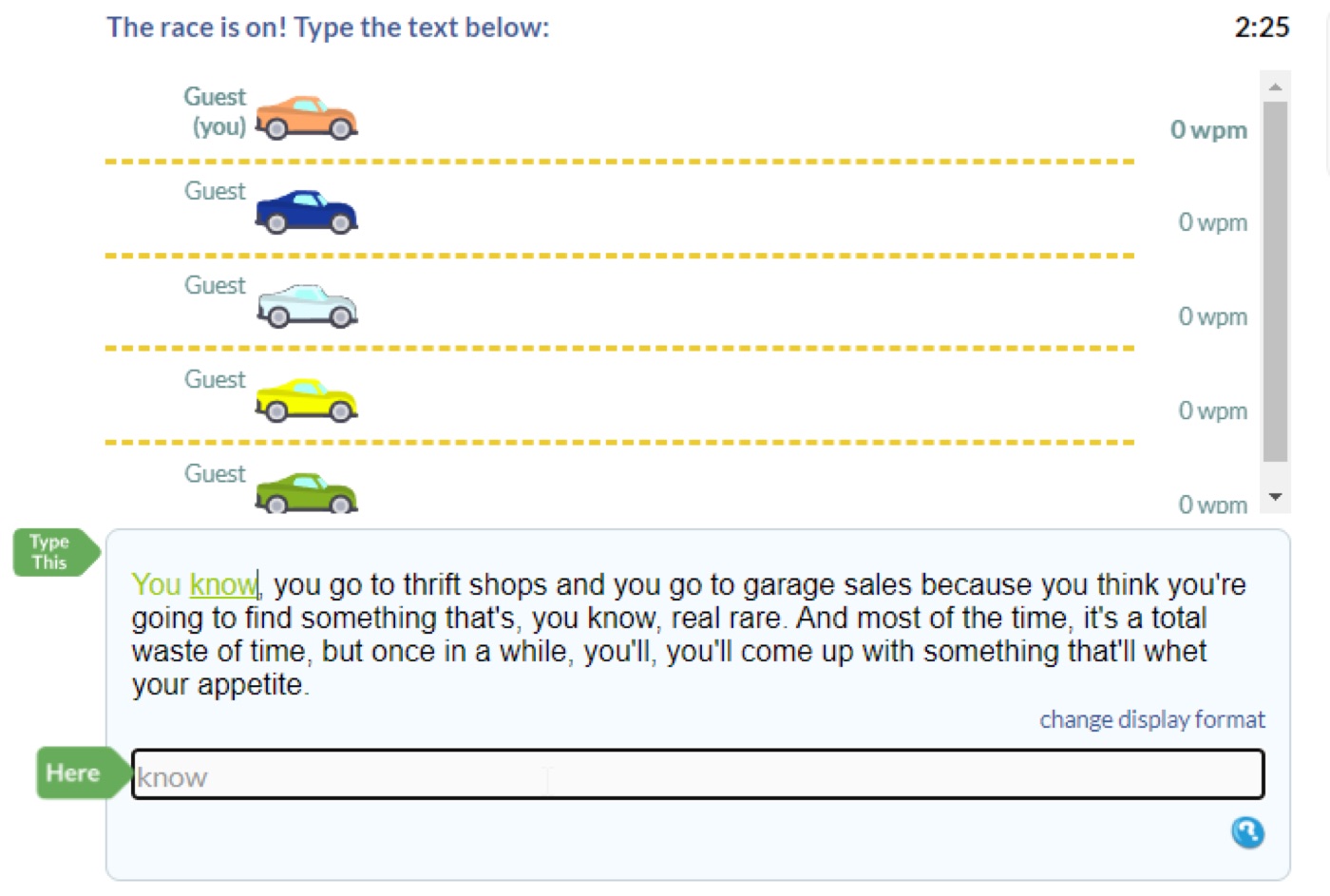
A browser typing race where you compete live against other players on quotes from books, movies, songs and anime.
Best forteens and adults who want live races against real opponents
- Capabilities
- 9.0
- Ease of setup
- 9.0
- Value
- 9.1
Price$1 per month, billed $12 a year
Free with ads; Core removes ads for $12 a year, Premium $19 a year, Ultimate $79 a year
Quoted from the TypeRacer pricing page on November 26, 2026:
$12.00 USD / Year
Multiplayer racingLive races with random opponents or private racetracks
Plus
- +Racing against random opponents and creating racetracks are free
- +Core removes ads for $12 a year, as of November 2026
- +School Edition promises that no advertisements will ever be shown to students
Minus
- −The free plan shows ads
- −Free accounts save 10 races a day and 1 save per text per day
- −Custom typing texts need the $79 a year Ultimate plan
- Free plan
- Yes, with ads
- Ad-free price
- $12 a year (Core)
- Private racetrack size
- 10 players free, up to 500 on Ultimate
- Classroom option
- TypeRacer School Edition
Full notes on TypeRacer
TypeRacer is the closest match to Nitro Type for older students and adults, and it ranks first here. Every race puts you against live opponents, and the texts are quotes from books, movies, songs and anime rather than random words, so practice feels like real writing. The free plan covers public races and private racetracks of up to 10 players, which is enough for a group of friends. The Core plan costs $12 a year and removes ads, lets you choose curated text lists and saves practice scores and ghost races. Premium at $19 a year adds avatars and profile photos, and Ultimate at $79 a year adds custom typing texts, 500-player racetracks and the highest API limit. For schools, TypeRacer School Edition gives students a private environment with no ads. The tradeoff is that it has no lessons, so beginners should learn the keys elsewhere first. We compared documented features and published prices only.
- No. 28.9 / 10Typing.com
A free, standards-aligned typing curriculum with lessons, tests, games and a teacher portal, from the team behind Nitro Type.
Best forteachers who want lessons, games and grading in one place
- Capabilities
- 9.1
- Ease of setup
- 8.6
- Value
- 9.0
PriceFree
Free edition with a free teacher portal; ad-free PLUS edition priced by quote, 30-day free trial
Quoted from the Typing.com pricing page on November 26, 2026:
Typing.com's teacher portal is FREE!
Multiplayer racingNo live races; typing games and lessons
Plus
- +Typing.com says its teacher portal is free for unlimited students and classes
- +Students never need an email address, per Typing.com
- +PLUS can be tried free for 30 days
Minus
- −The free edition keeps data for 70 days and is not ad-free
- −PLUS pricing is by quote, not published
- −It teaches typing but has no live multiplayer race like Nitro Type
- Free plan
- Yes, with ads and 70-day data retention
- Ad-free option
- PLUS edition, quote-based
- PLUS trial
- 30 days
- Students
- 38,916,000+, per Typing.com
Full notes on Typing.com
Typing.com comes from the same company as Nitro Type, and Nitro Type's own site says Typing.com teaches students how to type while Nitro Type builds speed. That makes it the natural companion, or replacement, for a classroom. The free edition includes grade-based lessons, tests and games, and the teacher portal is free for unlimited students, classes, teachers and schools. Sign-on and roster syncing work with Google Classroom, Clever, ClassLink, Microsoft Education and Schoology, and students never need an email address. The PLUS edition makes the experience 100% ad-free, keeps data without the free edition's 70-day limit, and adds assignable lessons, auto grading thresholds and priority phone support. PLUS is priced by quote, with a 30-day free trial. The main gap for Nitro Type fans is the lack of live races against classmates, so it works best paired with a racing game. We compared documented features and published prices only.
- No. 38.8 / 10Keybr
An adaptive touch typing trainer that builds lessons around your slowest keys, with a multiplayer car race.
Best foradults who want adaptive practice plus a quick race
- Capabilities
- 8.7
- Ease of setup
- 8.9
- Value
- 8.8
PriceFree plan
Free with ads; one-time premium account removes ads and trackers (USD check pending)
No US price was listed when we checked. See the Keybr pricing page.
Multiplayer racingOnline car race against other players
Plus
- +The full trainer and multiplayer race are free
- +Premium is a single payment for lifetime access, not a subscription
- +Typing data can stay on your computer without an account
Minus
- −Free use shows ads and trackers
- −The premium price is shown in local currency, so we could not confirm a USD price from Poland
- −No teacher portal or class rosters are published
- Free plan
- Yes, with ads
- Premium
- One-time payment, lifetime access
- Multiplayer
- Yes, car race
- Account
- Optional
Full notes on Keybr
Keybr combines two things Nitro Type players want: a reason to get faster and a race to test it. The main trainer generates practice words around the keys you have not mastered yet and tracks speed and accuracy for each key, with a daily goal. Its multiplayer mode is a car race against other players, and Keybr says the faster you type, the faster your car goes. Everything above is free with ads. A premium account removes ads and trackers, and Keybr states it is a single payment for lifetime access rather than a recurring subscription. You can practice without an account, in which case your data stays on your computer, or sign in with Google, Microsoft, Facebook or an email link. The price showed in Polish zloty from our location, so the USD price is pending. Keybr does not publish classroom tools. We compared documented features and published prices only.
- No. 48.8 / 10Monkeytype
A minimalistic, customizable typing test with many test modes, themes and detailed speed history.
Best forcompetitive typists who want a free test without forced ads
- Capabilities
- 8.0
- Ease of setup
- 9.2
- Value
- 9.6
PriceFree
Free; funded by donations, merch and ads that users can choose to enable
Quoted from the Monkeytype pricing page on November 26, 2026:
who helped financially by donating, enabling optional ads or buying merch
Multiplayer racingNot published; solo typing tests
Plus
- +Free, with ads that users opt into rather than forced ads
- +No account needed to take a test; an account saves history
- +Launched on May 15, 2020 and supported by donations and merch
Minus
- −Monkeytype does not publish a live multiplayer race mode
- −No lessons or finger placement guide for beginners
- −No teacher portal or class management tools
- Price
- Free
- Ads
- Optional, enabled by the user
- Launched
- May 15, 2020
- Classroom tools
- Not published
Full notes on Monkeytype
Monkeytype is the answer for typists who left Nitro Type because of ads. Its about page says the site is funded by people donating, buying merch or enabling optional ads, so ads are something you switch on rather than something you sit through. Monkeytype describes itself as a minimalistic and customizable typing test with many test modes, an account system that saves your speed history, and settings for themes, sounds and a smooth caret. It shows typos, speed and accuracy in real time and keeps leaderboards for timed tests, which gives competitive typists a target to chase. The site launched on May 15, 2020. The tradeoffs are clear: Monkeytype does not publish a live race mode, it has no lessons for beginners and it has no teacher tools, so it suits individuals rather than classes. We compared documented features and published prices only.
- No. 58.7 / 1010FastFingers
A free typing test site with live multiplayer races, 24-hour competitions and tests in dozens of languages.
Best formultilingual typists who want live races in their own language
- Capabilities
- 8.5
- Ease of setup
- 8.8
- Value
- 9.0
PriceFree
Free
Quoted from the 10FastFingers pricing page on November 26, 2026:
Improve your Typing speed with our free Typing Games
Multiplayer racingLive races for up to 20 players in 54 languages
Plus
- +Typing games and tests are free
- +Create a room and invite friends with a link
- +Points and levels track time spent typing
Minus
- −No lessons or finger placement guide
- −No published teacher portal or class rosters
- −Multiplayer races use the same 75 words, so practice text is less varied than quote-based races
- Price
- Free
- Race size
- Up to 20 players
- Race languages
- 54
- Relaunch
- April 2026
Full notes on 10FastFingers
10FastFingers is the best pick for live racing outside English. Its multiplayer test puts up to 20 real players in the same race, in 54 languages, and everyone types the same 75 words with each word counting only when typed correctly. You can use Quick Join for the next public race or create your own room and invite friends with a link, which makes informal class races possible. The site also runs 24-hour competitions, a 1-minute typing test in over 40 languages, a custom mode and free text practice. 10FastFingers says it relaunched in April 2026 and rebuilt its profile page in September, with points and levels based on time spent typing. There are no lessons and no published teacher dashboard, so teachers get rooms but not grading. We compared documented features and published prices only.
- No. 68.7 / 10TypingClub
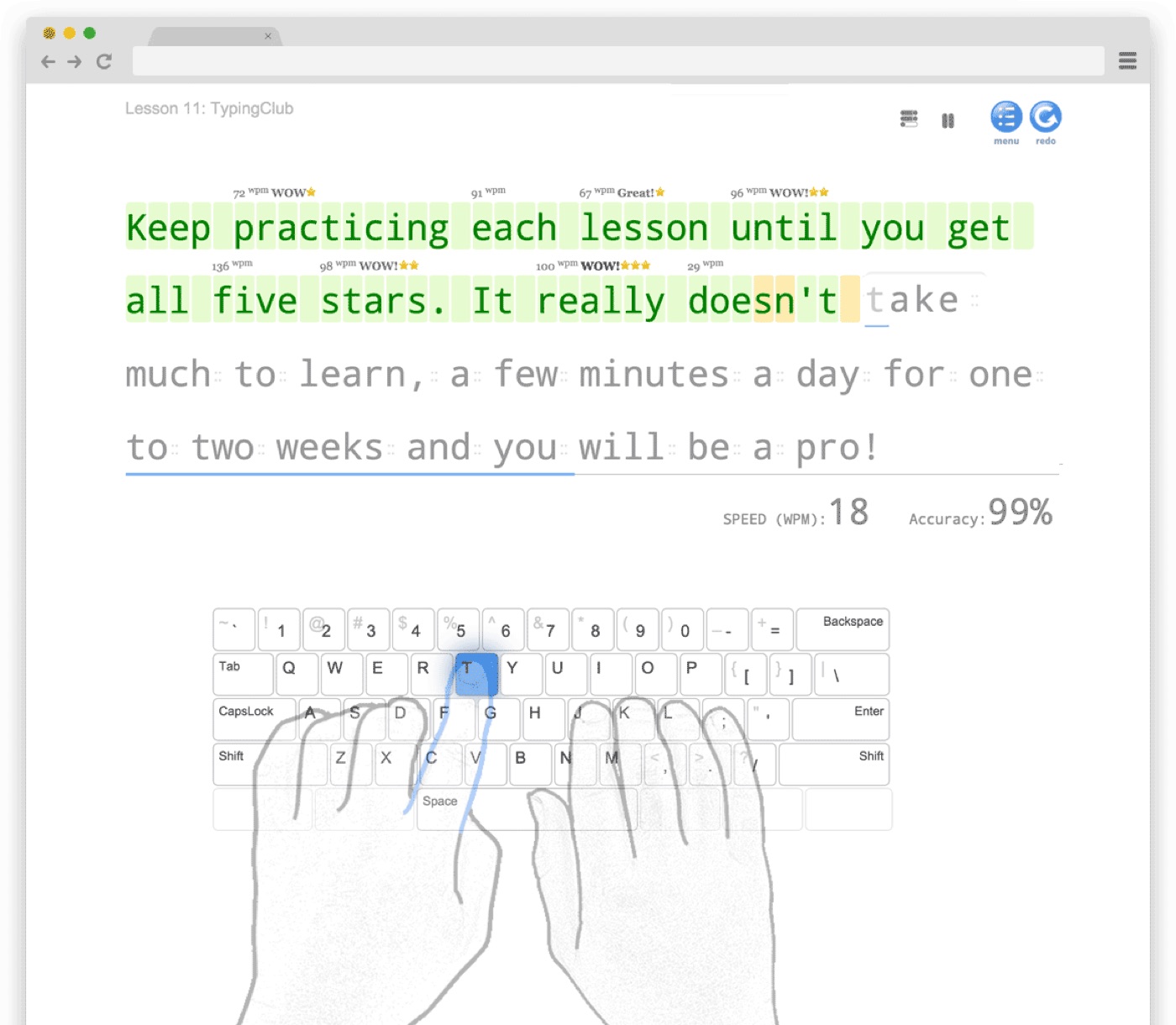
A free, web-based touch typing course with games, stars, badges and an optional paid school edition.
Best forbeginners and schools teaching touch typing from the first lesson
- Capabilities
- 8.2
- Ease of setup
- 9.0
- Value
- 9.0
PriceFree
Free for individuals and schools; optional paid School Edition
Quoted from the TypingClub pricing page on November 26, 2026:
TypingClub is (and will always be) free for both individuals and schools.
Multiplayer racingNo live races; lessons with games and stars
Plus
- +Free for individuals and schools, per TypingClub
- +No account needed; an optional profile saves progress
- +Voice over reads each word aloud as you type
Minus
- −No live multiplayer race
- −Advanced teacher tools sit in the paid School Edition
- −Lessons feel more like a course than a game for fast typists
- Price
- Free for individuals and schools
- Students
- 23 million+, per TypingClub
- Teachers
- 300,000+, per TypingClub
- Schools and districts
- 50,000+, per TypingClub
Full notes on TypingClub
TypingClub is the pick for students who should learn the keys before they race. It states that it is and will always be free for both individuals and schools, with an optional paid School Edition for teachers who want more control. Each lesson repeats until you earn all five stars, and a hand posture guide shows the right position on every key. Levels, badges, stars and animated story series such as Going Solo and Ava & the Rabbit keep younger students going. There are lesson plans for Dvorak, for one-handed typing and Jungle Junior for young kids, plus hundreds of lessons in Spanish, French and German. TypingClub is a Google for Education Partner and reports more than 23 million students and 300,000 teachers. It has no live race, so students who miss Nitro Type's competition will want a racing game alongside it. We compared documented features and published prices only.
- No. 78.5 / 10ZType
An arcade typing shooter where each letter you type fires at incoming enemy ships, in the browser and on iPhone and iPad.
Best forstudents who want an arcade game instead of a race
- Capabilities
- 7.6
- Ease of setup
- 9.2
- Value
- 9.0
Price$0.99 one-time in-app purchase
Free in the browser and on iOS; Remove Ads in-app purchase $0.99
Quoted from the ZType pricing page on November 26, 2026:
Remove Ads $0.99
Multiplayer racingNot published; single-player arcade
Plus
- +Free to play in a web browser
- +Ads can be removed on iOS for a one-time $0.99
- +Short waves suit a few minutes of practice
Minus
- −No multiplayer race
- −No teacher tools or progress reports
- −The web version shows ads
- Price
- Free; Remove Ads $0.99 on iOS
- Age rating
- 4+
- Developer
- PhobosLab (Dominic Szablewski)
- Platforms
- Web, iPhone, iPad
Full notes on ZType
ZType swaps Nitro Type's race track for a space shooter. Enemy ships fly toward you labeled with words, and each letter you type fires a plasma bullet at them, so speed and accuracy decide whether you survive the wave. EMP bombs clear nearby enemies when you fall behind. The game is free in a web browser and as an iPhone and iPad app from developer PhobosLab, where a Remove Ads in-app purchase costs $0.99 on the US App Store, as of November 2026. The app is rated 4+ and supports Game Center. ZType has no multiplayer mode, no lessons and no teacher dashboard, so it works as a fun warm-up or reward rather than a full replacement for Nitro Type in a classroom. We compared documented features and published prices only.
- No. 88.4 / 10Ratatype
An online typing tutor with lessons, a speed test, certificates and typing games including Ratarace.
Best forstudents and job seekers who want a typing certificate
- Capabilities
- 8.2
- Ease of setup
- 8.5
- Value
- 8.4
Price$9.99 per month
Free typing practice; Ratatype Plus $9.99 a month or $49.99 a year
Quoted from the Ratatype pricing page on November 26, 2026:
$9.99 per month (payment once a month)
Multiplayer racingRatarace typing game
Plus
- +Ratatype says teaching students with it is absolutely free
- +Classes and students sync with Google Classroom
- +Plus is $49.99 a year, about $4.17 a month
Minus
- −Free use has limited exercises and shows ads
- −Monthly Plus at $9.99 is the priciest plan in this list
- −Ratarace is a game mode, not a published live multiplayer race
- Free plan
- Yes, with ads and limited exercises
- Plus
- $9.99 a month or $49.99 a year
- Classroom
- Free classes with Google Classroom sync
- Certificates
- Typing speed certificates
Full notes on Ratatype
Ratatype is a typing tutor first, with games on the side. Learners work through lessons, take an online speed test and can earn a typing certificate to show teachers or employers. Its typing games are Ratarace and Ratashooter. For teachers, Ratatype says it is absolutely free to teach students touch typing and that classes and students sync with Google Classroom. The free tier has limits: Ratatype Plus adds unlimited exercises, no ads, speed certificates, dark mode and faster page loads. Plus costs $9.99 a month or $49.99 a year, which works out to $4.17 a month, as of November 2026. That makes the monthly plan the most expensive paid option here, so families should choose the annual plan or stay on the free tier. Ratatype does not publish a live race against other players. We compared documented features and published prices only.
- No. 98.3 / 10Dance Mat Typing
A free BBC Bitesize touch typing game where children type through ten story worlds to reach a talent show.
Best forprimary school children who are too young for racing games
- Capabilities
- 7.0
- Ease of setup
- 9.0
- Value
- 9.2
PriceFree
Free on BBC Bitesize
Quoted from the Dance Mat Typing pricing page on November 26, 2026:
Play the brand-new Dance Mat Typing game to practise your touch-typing!
Multiplayer racingNot published; single-player story game
Plus
- +Free to play on BBC Bitesize
- +Built as a KS2 Computing game for primary pupils
- +Teaches finger placement row by row
Minus
- −No multiplayer race
- −No teacher dashboard or progress reports
- −Aimed at young children, so older students may find it too simple
- Price
- Free
- Publisher
- BBC Bitesize
- Level
- KS2 Computing
- Structure
- 10 worlds, 4 levels each
Full notes on Dance Mat Typing
Dance Mat Typing is the BBC's free touch typing game for primary pupils, listed as a KS2 Computing game on BBC Bitesize. In the new version, children help a character called Billie travel through time and space to build a dance group for the Mega Talent Show. There are ten worlds, each with four levels, and new characters in each world show the correct way to type each key. Learners start with the home keys and move to the top and bottom rows once the home row is mastered. The original Dance Mat Typing levels are still playable on the same page. It has no multiplayer mode and no teacher reports, so it fits younger classes that are not ready for Nitro Type's races. We compared documented features and published prices only.
Before you decide
Checklist
- 1
Decide if you need live races
Only TypeRacer, Keybr and 10FastFingers publish live multiplayer races. TypeRacer uses quotes, Keybr uses a car race, and 10FastFingers races hold up to 20 players in 54 languages. Monkeytype, TypingClub, Typing.com, ZType, Ratatype and Dance Mat Typing are solo.
- 2
Check how ads are handled
Monkeytype ads are optional and switched on by the user. TypeRacer removes ads for $12 a year, ZType for $0.99 on iOS, and Keybr with a one-time premium payment. Typing.com's PLUS edition and TypeRacer School Edition are ad-free for students.
- 3
For classrooms, look at rosters and reports
Typing.com has a free teacher portal with Google Classroom, Clever, ClassLink, Microsoft Education and Schoology sync. Ratatype offers free classes with Google Classroom sync, and TypingClub has an optional paid School Edition. TypeRacer sells a School Edition with a private environment.
- 4
Teach the keys before speed
Racing rewards speed, not finger placement. Students who still look at the keyboard should use TypingClub, Typing.com, Keybr or Dance Mat Typing before moving to races.
- 5
Match the game to the age
Dance Mat Typing is a KS2 game for primary pupils, and TypingClub has the Jungle Junior plan for young kids. TypeRacer, Monkeytype and 10FastFingers suit teens and adults.
Asked and answered
Questions readers ask
- QWhat games are like Nitro Type?
- ATypeRacer is the game most like Nitro Type, because it runs live typing races against real opponents. Keybr and 10FastFingers also have live multiplayer races, and 10FastFingers supports up to 20 players in 54 languages.
- QIs TypeRacer better than Nitro Type?
- AYes for teens and adults, no for younger classes. TypeRacer races use quotes from books, movies and songs and cost $12 a year to make ad-free, while Nitro Type is built for schools with no real names and no chat, plus a Teacher Portal.
- QWhich Nitro Type alternative is free without ads?
- AMonkeytype is the best free alternative without forced ads, since its ads are optional and users choose to enable them. TypingClub and BBC Dance Mat Typing are also free. TypeRacer, Keybr and ZType are free with ads and sell ad removal.
- QWhat typing race game works for a classroom?
- ATypeRacer School Edition is the racing option built for schools, with a private environment and no ads shown to students. For free class management, Typing.com's teacher portal covers unlimited students and syncs with Google Classroom, Clever and ClassLink.
- QIs there a free typing race game with multiplayer?
- AYes. TypeRacer, Keybr and 10FastFingers all offer free live races. TypeRacer also lets free users create private racetracks for up to 10 players.
- QHow much does it cost to remove ads from typing games?
- ATypeRacer Core costs $12 a year and ZType's iOS Remove Ads purchase costs $0.99, as of November 2026. Ratatype Plus, which also removes ads, costs $9.99 a month or $49.99 a year, and Keybr sells a one-time premium account.
How the call is made
Three dials, same weights for every product
Every entry gets a 0 to 10 rating on each criterion, and the order follows the weighted total. Ratings rest on documented features and published prices on each maker's own pages, never hands-on testing.
- 40%Capabilities
- 30%Ease of setup
- 30%Value
Spotted an error or a price change? Write to editorial@dbotmaker.io. How we work is in our editorial policy. Makers change prices and terms often, so check the price on their site before you buy.
Sources and price checks
- TypeRacer, price quoted, checked November 26, 2026data.typeracer.com/pit/upgrade_account
- Typing.com, price quoted, checked November 26, 2026typing.com
- Keybr, price not listed, checked November 26, 2026keybr.com/account
- Monkeytype, price quoted, checked November 26, 2026monkeytype.com/about
- 10FastFingers, price quoted, checked November 26, 202610fastfingers.com
- TypingClub, price quoted, checked November 26, 2026typingclub.com
- ZType, price quoted, checked November 26, 2026apps.apple.com/us/app/ztype/id1003744339
- Ratatype, price quoted, checked November 26, 2026ratatype.com/ratatype-plus
- Dance Mat Typing, price quoted, checked November 26, 2026bbc.co.uk/bitesize/topics/zf2f9j6/articles/z3c6tfr
Cite this page
DBotMaker. 9 Best Nitro Type Alternatives of 2026. Updated November 26, 2026. https://dbotmaker.io/best/best-nitro-type-alternatives
Related decisions