Decision no. 73621 · Gaming & entertainment
8 Best Cloud Gaming PCs of 2026
DBotMaker research desk · Updated November 27, 2026 · Next review January 11, 2027 · 8 compared
The decision
THE DECISION
NO. 73621 · NOVEMBER 27, 2026
QUESTION
Best Cloud Gaming PCs?
WINNER
Shadow PC
SCORE8.8 / 10
PRICE$29.99 PER MONTH
FREE PLANNO
WHY
Shadow PC is the best choice for regular players who want a permanent Windows gaming PC because every plan is a full Windows 11 machine from $29.99 a month with no commitment. Pick an hourly service instead if you play only a few hours a month.
- 2AIRGPU........................................8.6
- 3VAGON........................................8.4
- 4MAXIMUM SETTINGS........................................8.3
- 5CLOUDDECK........................................7.9
Short answer
Shadow PC is the cloud PC to pick if you play every week: a Windows 11 RTX machine from $29.99 a month, with 120 to 210 hours of play a month and storage expandable to 5 TB. AirGPU and Vagon are better for a few sessions a month, from $0.65 and $0.99 an hour, and Vagon's $0.99 trial is the cheapest way to test latency. Maximum Settings has the best monthly price and a bare metal RX 7900 XTX plan, and CloudDeck has no monthly hour cap, but both run Linux and rely on Proton. TensorDock, Amazon EC2 G4 and Vultr rent the raw hardware for technical users who will install Windows, drivers and streaming software themselves.
Shadow PC is worth it in 2026 and is the best cloud gaming PC for people who play several hours a week, because every plan is a full Windows 11 RTX machine where you install your own games, from $29.99 a month with no commitment. AirGPU is the best pay-as-you-go option at $0.65 an hour with no subscription, and Maximum Settings is the cheapest monthly rig at about $7.25 USD, though it runs Linux by default. Prices were checked in USD as of November 2026; if you only want to stream games you own without managing a PC, GeForce NOW is a different kind of service.
At a glance
| Rank | Product | Best for | Verified price | Score |
|---|---|---|---|---|
| 1 | Shadow PC | players who game several hours a week and want a permanent Windows PC | $29.99 per month | 8.8 |
| 2 | AirGPU | occasional players who want to pay only for the hours they use | $0.65 per hour | 8.6 |
| 3 | Vagon | players who want to try a cloud PC for $0.99 before committing | $7.99 per month plus usage | 8.4 |
| 4 | Maximum Settings | budget players whose games run on Linux through Proton | $7.25 per month | 8.3 |
| 5 | CloudDeck | Steam players in Europe or North America who want no monthly hour limit | Price not listed | 7.9 |
| 6 | TensorDock | technical players who want an RTX 4090 by the hour and can set up streaming themselves | $0.35 per hour | 7.7 |
| 7 | Amazon EC2 G4 instances | people who already use AWS and want to build their own cloud gaming rig | $0.38 per hour (Linux, US East) | 6.9 |
| 8 | Vultr Cloud GPU | developers who want a GPU desktop VM billed hourly without a hyperscaler account | $0.47 per hour | 6.6 |
Decision facts
- The call
- Shadow PC, 8.8 out of 10
- 0.2 points ahead of AirGPU (8.6)
- Products compared
- 8
- Scores run from 6.6 to 8.8
- Lowest verified starting price
- $0.35 per hour
- TensorDock, quoted from its pricing page
- Free plans
- 0 of 8
- None of the products lists a free plan
- Prices quoted word for word
- 7 of 8
- Last checked November 27, 2026
- Top capabilities score
- Shadow PC, 9.3
- Capabilities carries 40% of the total
- Top ease of setup score
- Shadow PC, 9.0
- Ease of setup carries 30% of the total
- Top value score
- Maximum Settings, 9.0
- Value carries 30% of the total
Every fact above is computed from the ranking and the vendor prices on this page.
Decision tree
If this, then that
The winner fits most people. If one of these is true for you, take the branch instead.
This list is for gamers without a strong PC who want to rent a whole computer in the cloud and bring their own games, rather than pick from a streaming catalog. It covers eight services: managed cloud PCs (Shadow PC, AirGPU, Vagon, Maximum Settings and CloudDeck) and raw GPU clouds you set up yourself (TensorDock, Amazon EC2 G4 and Vultr Cloud GPU). We compared documented features and published prices on each vendor's own pages and scored capabilities at 40%, ease of setup at 30% and value at 30%. Prices were checked in USD on November 27, 2026; where a page showed only euros from our location, the price is marked pending. Paperspace is not ranked because DigitalOcean deprecated its Windows templates for new users on July 1, 2024.
IfYou want the best all-round pick
 PickShadow PCHighest weighted score, 8.8 out of 10
IfYou need the most capabilities
PickShadow PCCapabilities 9.3, top score hereIfYou want the fastest setup
PickShadow PCEase of setup 9.0, top score hereIfYou want the most for your money
 PickMaximum SettingsValue 9.0, top score here
IfYou want the lowest paid price
 PickTensorDockFrom $0.35 per hour
By situation
Ifoccasional players who want to pay only for the hours they use
 PickAirGPUNo. 2, 8.6 out of 10
Ifplayers who want to try a cloud PC for $0.99 before committing
 PickVagonNo. 3, 8.4 out of 10
IfSteam players in Europe or North America who want no monthly hour limit
 PickCloudDeckNo. 5, 7.9 out of 10
Ifpeople who already use AWS and want to build their own cloud gaming rig
 PickAmazon EC2 G4 instancesNo. 7, 6.9 out of 10
Ifdevelopers who want a GPU desktop VM billed hourly without a hyperscaler account
 PickVultr Cloud GPUNo. 8, 6.6 out of 10
Spec sheet
Vendor-documented specs. Click a column to sort.
| Product | Free plan or trial | Setup | GPU | |||||
|---|---|---|---|---|---|---|---|---|
| 1 | Shadow PC | 8.8 | $29.99 | No | Windows, macOS, Linux, Android, Android TV, iOS, tvOS, Browser | Steam, Epic, Battle.net and any Windows app you install | Self-serve | NVIDIA RTX, up to 20GB VRAM on Power tiers |
| 2 | AirGPU | 8.6 | $0.65 | No | Windows, Linux, macOS, Android, ChromeOS | Steam, Epic Games Launcher and other stores; streams over Parsec or Moonlight | Self-serve | Tesla T4, L4, A10G, L40S or RTX A4000 to A5000 |
| 3 | Vagon | 8.4 | $7.99 | No | Browser, Desktop app, iPad and tablet | Gaming support on the Personal plan | Self-serve | NVIDIA Tesla T4 16GB or A10G 24GB |
| 4 | Maximum Settings | 8.3 | $7.25 | No | PC, Mac, Linux, Phone, Tablet, Handheld, TV | Steam, Epic Games, GOG, Ubisoft Connect, EA app, Itch.io | Self-serve | AMD RX 580 (Starter) to RX 7900 XTX (Bare Metal) |
| 5 | CloudDeck | 7.9 | Check price | No | Windows, macOS, Linux, Android, ChromeOS | Steam, Epic, GOG and other Linux-compatible launchers | Self-serve | RTX 3060 or RX 6600 or similar |
| 6 | TensorDock | 7.7 | $0.35 | No | Windows 10 VMs, Linux VMs | API; Docker included on all VM templates | Self-serve | 45 GPU models, including RTX 4090 |
| 7 | Amazon EC2 G4 instances | 6.9 | $0.38 | No | Windows instances, Linux instances | NVIDIA RTX and Gaming drivers at no extra cost on G4dn | Self-serve | NVIDIA T4 (G4dn) or AMD Radeon Pro V520 (G4ad) |
| 8 | Vultr Cloud GPU | 6.6 | $0.47 | No | Windows instances, Linux instances | Not published | Self-serve | NVIDIA A16 16 GB (virtual desktop GPU) |
Data on file
- 3.7 billionNewzoo forecasts 3.7 billion video game players worldwide in 2026, up 4.4% from 2025.Source: Newzoo
- 212.3 millionMore than 212.3 million Americans play video games regularly, according to the ESA's 2026 survey.Source: Entertainment Software Association
- 138 millionRoblox averaged 138 million daily active users in the third quarter of 2026.Source: Roblox Corporation
- 70%70% of US players aged 8 and older play video games with other people, online or offline.Source: Entertainment Software Association
- 58%58% of US players who communicate online have used platform or in-game text chat.Source: Entertainment Software Association
- 8.6 billionViewers watched more than 8.6 billion hours of gaming content on Twitch between January 1 and September 1, 2026.Source: Twitch
All 8 scored
The contenders
- No. 1 · The call8.8 / 10Shadow PC
A full Windows 11 PC with an NVIDIA RTX GPU, hosted in Shadow's data centers and streamed to your devices.
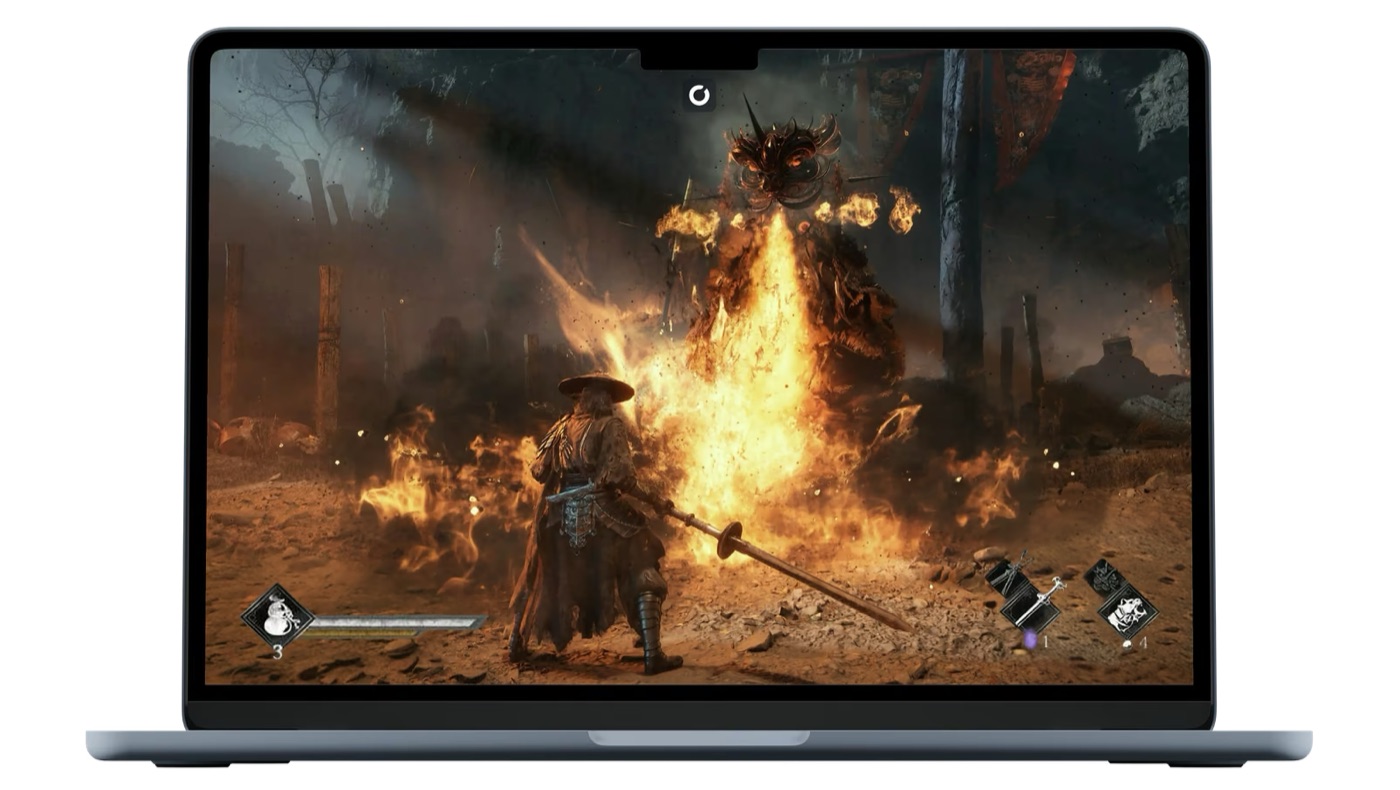
Best forplayers who game several hours a week and want a permanent Windows PC
- Capabilities
- 9.3
- Ease of setup
- 9.0
- Value
- 8.0
Price$29.99 per month
Shadow PC Lite (Neo Lite) from $29.99 per month with no commitment; Shadow PC (Neo) $37.99 per month, or $24.69 per month on a 1-year plan
Quoted from the Shadow PC pricing page on November 27, 2026:
Neo Lite $29.99 per month Perfect for occasional gaming in 1440p with RTX
GPUNVIDIA RTX, up to 20GB VRAM on Power tiers
Plus
- +Monthly plans with no commitment, starting at $29.99
- +Full Windows access, so launchers, mods and non-gaming software all work
- +Apps for Windows, macOS, Linux, Android, Android TV, iOS and tvOS plus a browser client
Minus
- −Fair use caps of 120 or 210 hours a month, with sessions limited to 4, 6 or 8 hours
- −The exact GPU model is not published on the offers page
- −The lowest effective price, $24.69 a month, needs a 1-year commitment
- Operating system
- Windows 11
- Lite limits
- 120 hours a month, 4 hour sessions, 1440p at 60 Hz
- Standard limits
- 210 hours a month, 6 hour sessions, up to 5K at 240 Hz
- Storage
- 256 GB to 512 GB SSD, expandable to 5 TB
- Power tiers
- 28GB RAM and 20GB VRAM
Full notes on Shadow PC
Shadow PC ranks first because it is the most complete answer to renting a gaming PC: you get a Windows 11 machine with an NVIDIA RTX GPU and install anything, from Steam and Epic to Battle.net and mods. The entry Shadow PC Lite plan costs $29.99 a month with no commitment and streams at up to 1440p at 60 Hz, with up to 120 hours of play a month and sessions of up to 4 hours. The standard Shadow PC plan raises that to 210 hours, 6 hour sessions, two monitors and up to 5K at 240 Hz, and costs $37.99 a month, or $24.69 a month on a 1-year plan. Storage starts at 256 GB and can grow to 5 TB on every tier. The limits are real: hours reset each month under a fair use rule, idle machines shut down after 30 minutes on most tiers, and Shadow does not name the exact GPU on its offers page. We compared documented features and published prices; we did not run benchmarks.
- No. 28.6 / 10AirGPU
A pay-as-you-go cloud PC with NVIDIA datacenter or RTX GPUs, streamed through Parsec or Moonlight.
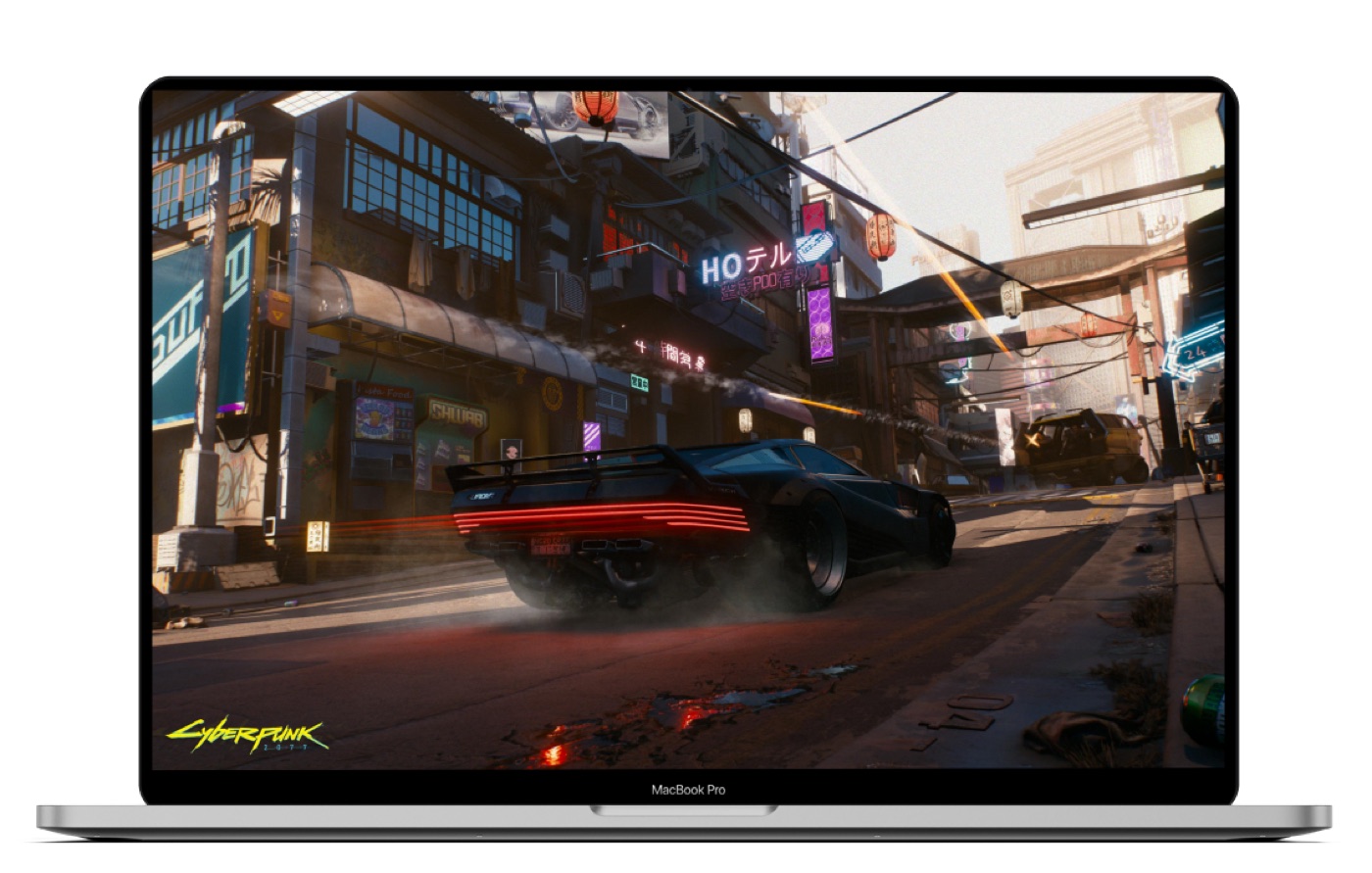
Best foroccasional players who want to pay only for the hours they use
- Capabilities
- 8.5
- Ease of setup
- 8.4
- Value
- 8.8
Price$0.65 per hour
From $0.65 per hour on an NVIDIA Tesla T4 or Quadro RTX 4000 machine, prepaid credit with no subscription; storage $3.50 per month per 50 GB, excluding VAT
Quoted from the AirGPU pricing page on November 27, 2026:
Nvidia Tesla T4 similar to Nvidia GeForce GTX 1080 from 4 vCPUs from 16 GB RAM from $ 0.65 per hour
GPUTesla T4, L4, A10G, L40S or RTX A4000 to A5000
Plus
- +The lowest documented hourly entry price among the managed services here, $0.65 an hour
- +GPU choice up to an L40S, which AirGPU compares to a GeForce RTX 4080
- +No monthly subscription for compute
Minus
- −No free trial
- −Some multiplayer games with anti-cheat block cloud PCs, and AirGPU keeps a list of known issues
- −Prices exclude VAT and storage is billed separately
- Entry GPU
- NVIDIA Tesla T4, similar to a GeForce GTX 1080
- Top GPU
- NVIDIA L40S, similar to a GeForce RTX 4080, from $1.20 an hour
- Storage
- $3.50 a month per 50 GB, from 100 GB
- Streaming
- Parsec or Moonlight, up to 4K
- Free trial
- No
Full notes on AirGPU
AirGPU suits players who game in bursts. You buy credit, start a cloud PC and pay by the hour: a Tesla T4 machine, which AirGPU compares to a GeForce GTX 1080, costs from $0.65 an hour, an L4 from $0.90, an A10G from $1.05 and an L40S from $1.20. In North America it also offers RTX series machines, with a Quadro RTX 4000 at $0.65 and an RTX A5000 at $1.55 an hour. You install games from Steam, Epic Games Launcher or other stores and stream them through Parsec or Moonlight at up to 4K. The costs to plan for are storage, at $3.50 a month per 50 GB from 100 GB, and VAT, which is not included in the listed prices. There is no free trial, and AirGPU warns that some multiplayer games with anti-cheat software block cloud PCs. For a few sessions a month it costs far less than a monthly plan.
- No. 38.4 / 10Vagon
A cloud computer billed by the minute, with a small monthly storage plan that keeps your files and installs.
Best forplayers who want to try a cloud PC for $0.99 before committing
- Capabilities
- 8.4
- Ease of setup
- 8.8
- Value
- 8.0
Price$7.99 per month plus usage
Personal storage plan $7.99 per month with 75 GB, plus usage from $0.99 per hour on a Tesla T4 machine; $0.99 trial
Quoted from the Vagon pricing page on November 27, 2026:
Personal $7.99 per month For your own projects Disk storage 75 GB
GPUNVIDIA Tesla T4 16GB or A10G 24GB
Plus
- +The cheapest documented trial here, $0.99
- +Change GPU size per session and keep the same disk
- +Opens in a browser with no setup
Minus
- −The monthly storage fee applies even in months you do not play
- −Rates vary by region, and Windows rates are the ones shown
- −Data sent out of Vagon costs $1.50 per 10 GB after the first 10 GB a month
- Entry GPU tier
- Planet: 4 cores, Tesla T4 16GB, 16GB RAM, $0.99 an hour
- RTX tier
- Spark: A10G 24GB, $1.67 an hour
- Storage plan
- $7.99 a month, 75 GB disk
- Max disk
- 525 GB per computer
- Trial
- $0.99 for 1 hour plus 7 days of storage
Full notes on Vagon
Vagon splits the cost of a cloud PC into two parts. The Personal plan, at $7.99 a month, keeps a 75 GB disk with your installed games and files, and lists gaming support. On top of that you pay per minute for the performance you choose: Planet, with 4 cores, an NVIDIA Tesla T4 and 16GB of RAM, costs $0.99 an hour, while Spark and Flame use an RTX-enabled A10G with 24GB of GPU memory at $1.67 and $2.27 an hour. You can switch tiers between sessions without reinstalling anything, and extra disk costs $5 per 50 GB up to 525 GB. Vagon's own estimate puts one hour of Planet plus storage at $8.98 for a month. The trial costs $0.99 for one hour and seven days of storage. Watch two extras: rates vary by region, and outbound data costs $1.50 per 10 GB after the first 10 GB each month.
- No. 48.3 / 10Maximum Settings
Dedicated cloud gaming rigs in a privately owned Canadian facility, including a bare metal RX 7900 XTX plan.
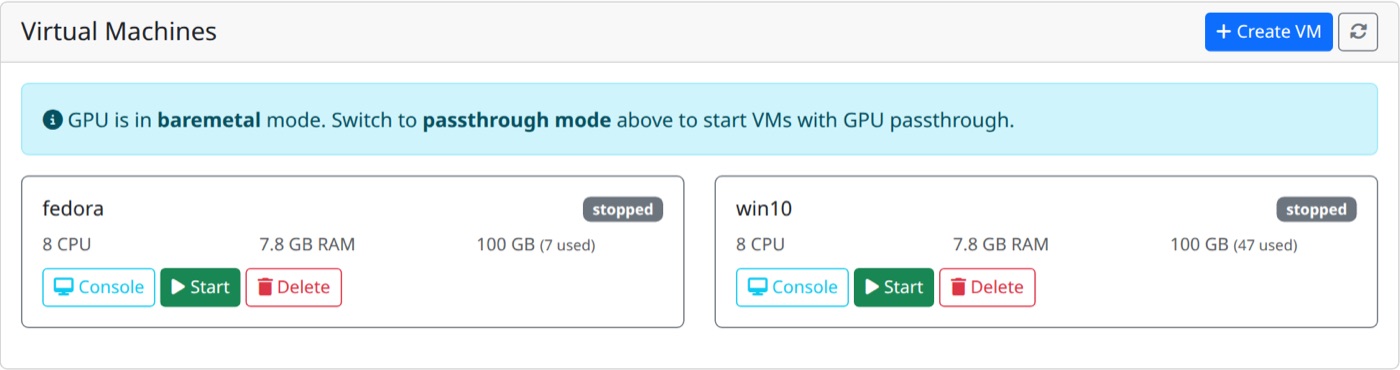
Best forbudget players whose games run on Linux through Proton
- Capabilities
- 8.3
- Ease of setup
- 7.6
- Value
- 9.0
Price$7.25 per month
Starter $9.95 CAD per month, about $7.25 USD; Bare Metal $29.95 CAD, about $21.75 USD; billed in CAD
Quoted from the Maximum Settings pricing page on November 27, 2026:
$ 9.95 CAD/mo ≈ $7.25 USD/mo
GPUAMD RX 580 (Starter) to RX 7900 XTX (Bare Metal)
Plus
- +The cheapest monthly plan here, about $7.25 USD
- +Large storage on every plan, from 1TB of HDD on Starter
- +Bare Metal runs directly on the hardware with no hypervisor
Minus
- −Rigs run Linux Mint by default; Windows needs your own ISO and licence in a VM on the Bare Metal plan
- −Daily time limits split into peak and off-peak hours
- −Billed in Canadian dollars, so the USD price is approximate
- Default OS
- Linux Mint
- Starter
- RX 580, Ryzen 1400, 1080p, about $7.25 USD a month
- Enthusiast
- RX 6800 XT or 6700, 1440p, about $14.50 USD a month
- Bare Metal
- RX 7900 XTX, up to 4K at 120 FPS, about $21.75 USD a month
- Inactivity
- Image deleted after 60 days without use
Full notes on Maximum Settings
Maximum Settings offers the most hardware per dollar on this list, with one big caveat for Windows players: its rigs run Linux Mint by default and play Windows games through Proton. The Starter plan, at $9.95 CAD or about $7.25 USD a month, gives you an AMD RX 580 with a Ryzen 1400, 150GB of SSD and 1TB of HDD, and 2 peak plus 4 off-peak hours a day. Enthusiast steps up to an RX 6800 XT or 6700 for 1440p at about $14.50 USD, and Bare Metal puts you on a dedicated RX 7900 XTX with a Ryzen 9 X3D chip, 750GB SSD and 4TB HDD for about $21.75 USD, streaming at up to 4K at 120 FPS. On Bare Metal you can install your own operating system in a VM with GPU passthrough, but you supply the ISO and licence. The company says most Steam titles work through Proton, while some games with aggressive anti-cheat do not, and images are deleted after 60 days of inactivity.
- No. 57.9 / 10CloudDeck
A SteamOS-based gaming PC in the cloud that boots into a console-style interface and streams over Moonlight.
Best forSteam players in Europe or North America who want no monthly hour limit
- Capabilities
- 7.6
- Ease of setup
- 8.2
- Value
- 8.0
PriceCheck price
See vendor pricing (USD check pending)
No US price was listed when we checked. See the CloudDeck pricing page.
GPURTX 3060 or RX 6600 or similar
Plus
- +No monthly playtime limit
- +More than 25,000 games that run on Linux or Proton
- +Refund if you used the service for less than 4 hours
Minus
- −SteamOS, not Windows, so games that do not run on Proton will not work
- −Only five server locations: Amsterdam, Frankfurt, Charlotte, Detroit and San Jose
- −Price showed only in euros from our location, so the USD price is pending
- Operating system
- SteamOS experience
- Hardware
- 4 cores, 8 threads, RTX 3060 or RX 6600 class, 16 GB RAM
- Storage
- 250 GB SSD, up to 1 TB
- Streaming
- Up to 1440p at 60 FPS via Moonlight
- Regions
- Europe, United States and Canada
Full notes on CloudDeck
CloudDeck gives you your own gaming PC in the cloud, but it runs a SteamOS experience rather than Windows. It boots into a console-style interface, and you can switch to desktop mode to install games from Steam, Epic or GOG and add mods. The single Launch plan lists 4 CPU cores with 8 threads, an NVIDIA RTX 3060 or AMD Radeon RX 6600 class GPU, 16 GB RAM and a 250 GB SSD that can grow to 1 TB. Streaming runs through the free Moonlight app at up to 1440p at 60 FPS. The appeal is the lack of limits: no queues, sessions up to 6 hours and no monthly time cap. CloudDeck says over 25,000 games run on Linux or Proton, but some do not, and some anti-cheat systems block cloud machines, so it fits single-player and non-competitive games best. Servers are in five cities, and the pricing page showed euros from our location.
- No. 67.7 / 10TensorDock
A marketplace of GPU virtual machines from vetted hosts, with Windows 10 support and pay-as-you-go billing.
Best fortechnical players who want an RTX 4090 by the hour and can set up streaming themselves
- Capabilities
- 7.8
- Ease of setup
- 6.4
- Value
- 8.8
Price$0.35 per hour
RTX 4090 virtual machines from $0.35 per hour, pay as you go from a prepaid balance; prices vary by host
Quoted from the TensorDock pricing page on November 27, 2026:
RTX 4090 From $0.35/hr
GPU45 GPU models, including RTX 4090
Plus
- +RTX 4090 from $0.35 an hour, the lowest documented price for that class of GPU here
- +Full OS control and your own drivers
- +AirGPU itself uses TensorDock's API to deploy Windows VMs for cloud gamers
Minus
- −Built for AI and rendering; there is no gaming client, so you set up Parsec, Moonlight or similar yourself
- −Servers are deleted automatically when your balance reaches $0
- −Prices differ by host because it is a marketplace
- GPU models
- 45
- RTX 4090
- From $0.35 an hour
- Minimum deposit
- $5
- Billing
- Continuous deduction from a prepaid balance
- Uptime standard
- 99.99% for hosts
Full notes on TensorDock
TensorDock is not a gaming service, but it rents the hardware gamers want. It is a marketplace of independent, vetted hosts, so prices vary, and its home page lists RTX 4090 machines from $0.35 an hour, which it pitches for gaming, image processing and rendering. You get KVM virtual machines with root access, a dedicated GPU and Windows 10 support, and you can start with a $5 deposit. TensorDock also notes that AirGPU uses its API to deploy Windows VMs for cloud gamers, which shows the hardware path works. The trade-off is effort: you install the GPU driver, a streaming host such as Parsec or Moonlight and your games yourself, and you manage storage and shutdowns. Billing deducts your balance continuously while a server is deployed, and servers are deleted when the balance hits $0, so keep it topped up or you lose your installs.
- No. 76.9 / 10Amazon EC2 G4 instances
AWS GPU virtual machines with NVIDIA T4 or AMD Radeon Pro V520 GPUs, which AWS lists for game streaming.
Best forpeople who already use AWS and want to build their own cloud gaming rig
- Capabilities
- 7.8
- Ease of setup
- 5.6
- Value
- 7.0
Price$0.38 per hour (Linux, US East)
G4ad on-demand from $0.379 per hour (g4ad.xlarge, US East, Linux rate); Windows instances cost more
Quoted from the Amazon EC2 G4 instances pricing page on November 27, 2026:
$0.379 $0.541 $0.867
GPUNVIDIA T4 (G4dn) or AMD Radeon Pro V520 (G4ad)
Plus
- +AWS names game streaming as a target workload for both G4dn and G4ad
- +Published on-demand prices with no subscription
- +Reserved pricing drops G4ad to $0.178 an hour on a 3-year term
Minus
- −You build the machine yourself: Windows image, drivers, streaming software and storage
- −The listed hourly prices are Linux rates; Windows licensing adds cost
- −Storage, data transfer and other AWS charges are billed separately
- G4ad entry
- g4ad.xlarge, 1 GPU, 4 vCPUs, 16 GiB, $0.379 an hour
- G4dn entry
- g4dn.xlarge, 1 T4 GPU, 4 vCPUs, 16 GiB, 125 GB NVMe
- Gaming driver
- Included on G4dn at no additional cost
- Price region
- US East (Northern Virginia)
- Billing
- On demand per hour, or 1 and 3 year reserved
Full notes on Amazon EC2 G4 instances
Amazon EC2 G4 instances are the do-it-yourself route used by many cloud gaming guides. AWS describes both G4dn, with NVIDIA T4 GPUs, and G4ad, with AMD Radeon Pro V520 GPUs, as suited to remote workstations and game streaming, and it offers an NVIDIA Gaming driver on G4dn at no additional cost that supports a single 4K display per GPU. The smallest G4ad size, g4ad.xlarge with 4 vCPUs and 16 GiB of memory, lists at $0.379 an hour on demand in US East, though that is the Linux rate and Windows instances cost more. You assemble everything yourself: a Windows image, GPU drivers, a streaming host such as Parsec or Moonlight, and enough block storage for your games, each billed on your AWS account alongside data transfer. It rewards people who already know AWS; for everyone else, AirGPU and Vagon run similar GPUs with the setup done for you.
- No. 86.6 / 10Vultr Cloud GPU
On-demand GPU virtual machines, including NVIDIA A16 instances that Vultr markets for virtual desktops.
Best fordevelopers who want a GPU desktop VM billed hourly without a hyperscaler account
- Capabilities
- 6.8
- Ease of setup
- 5.8
- Value
- 7.0
Price$0.47 per hour
NVIDIA A16 virtual machines from $0.471 per hour on demand; prices can vary by data center location
Quoted from the Vultr Cloud GPU pricing page on November 27, 2026:
1 16 GB 6 vCPUs 60 GB 350 GB 6 TB $0.471 /hr
GPUNVIDIA A16 16 GB (virtual desktop GPU)
Plus
- +A published entry price of $0.471 an hour
- +350 GB of storage included in the entry A16 VM
- +Vultr markets the A16 for virtual desktops and workstations
Minus
- −No gaming documentation, client or driver guidance for players
- −Windows license cost is listed as a separate pricing question
- −Per-hour prices can differ by data center location
- Entry GPU VM
- 1 NVIDIA A16, 16 GB GPU RAM
- CPU and RAM
- 6 vCPUs, 60 GB RAM
- Storage
- 350 GB
- Bandwidth
- 6 TB
- Price
- $0.471 an hour on demand
Full notes on Vultr Cloud GPU
Vultr Cloud GPU is the most generic option on this list and ranks last for gamers. Its pricing page lists NVIDIA A16 virtual machines, a GPU Vultr pitches for virtual desktops and workstations, from $0.471 an hour on demand with 16 GB of GPU memory, 6 vCPUs, 60 GB of RAM, 350 GB of storage and 6 TB of bandwidth. That is more storage than most hourly gaming services include, and billing is hourly with no subscription. But Vultr offers nothing aimed at players: no client, no gaming driver guidance and no game compatibility notes, so you set up Windows, drivers and a streaming host yourself, and the pricing FAQ treats the Windows license as a separate question. Vultr also says per-hour prices can differ by data center. It is a fallback for developers already on Vultr rather than a first stop for gamers.
Before you decide
Checklist
- 1
Decide between a cloud PC and a game streaming service
A cloud PC is a whole computer: you install Steam, Epic, mods and any other software, and your files stay between sessions. Services such as GeForce NOW stream supported games you own without giving you a desktop. Pick a cloud PC if your games or mods are not on a streaming service's supported list.
- 2
Check whether the machine runs Windows
Shadow PC, AirGPU and Vagon give you Windows. Maximum Settings runs Linux Mint by default and CloudDeck runs a SteamOS experience, so games that do not work under Proton will not run there. On GPU clouds such as AWS and Vultr, Windows licensing can add to the hourly price.
- 3
Count your hours before choosing hourly or monthly
At $0.65 an hour, AirGPU costs about $13 for 20 hours plus storage, while Shadow PC Lite is $29.99 a month for up to 120 hours. Hourly billing wins for a few sessions a month; a monthly plan wins once you play most days.
- 4
Add storage to the real price
Hourly services charge separately for the disk that keeps your games installed: AirGPU charges $3.50 a month per 50 GB from 100 GB, and Vagon $7.99 a month for 75 GB. Modern games often need 100 GB or more, so price the disk you need, not just the GPU hour.
- 5
Expect anti-cheat problems in some online games
AirGPU, CloudDeck and Maximum Settings all warn that some multiplayer games with anti-cheat block cloud or Linux machines. Check each service's known issues list for the games you play most before you pay.
Asked and answered
Questions readers ask
- QIs Shadow PC worth it in 2026?
- AYes, if you play several hours a week: Shadow PC gives you a full Windows 11 PC with an NVIDIA RTX GPU from $29.99 a month with no commitment. The Lite plan allows 120 hours a month in sessions of up to 4 hours at 1440p, and the standard plan allows 210 hours at up to 5K, per Shadow's offers page.
- QHow much does AirGPU cost per hour?
- AAirGPU starts at $0.65 an hour for an NVIDIA Tesla T4 or Quadro RTX 4000 cloud PC and goes up to $1.55 an hour for an RTX A5000. Storage costs $3.50 a month per 50 GB, from 100 GB, and prices exclude VAT, per AirGPU's pricing page.
- QCan I install my own Steam games on a cloud PC?
- AYes. Shadow PC, AirGPU and Vagon are Windows machines where you install Steam, Epic or any other launcher yourself. Maximum Settings and CloudDeck also let you install your own Steam games, but they run Linux, so games must work through Proton.
- QCloud PC vs GeForce NOW: which is better for gaming?
- AGeForce NOW is simpler for games it supports, while a cloud PC is better for anything else. NVIDIA says Ultimate streams at up to 5K at 120 FPS and Install-to-Play adds 2,200+ more games you own, but you still play from its list; a cloud PC such as Shadow PC runs any Windows game, mod or app you install.
- QWhat is the cheapest cloud gaming PC?
- AMaximum Settings Starter is the cheapest monthly plan at about $7.25 USD a month, billed as $9.95 CAD, with an AMD RX 580. For pay-as-you-go play, AirGPU starts at $0.65 an hour and Vagon at $0.99 an hour plus $7.99 a month for storage.
- QCan I rent an RTX 4090 in the cloud for gaming?
- AYes, on a GPU marketplace: TensorDock lists RTX 4090 virtual machines from $0.35 an hour with Windows 10 support. You install the drivers, a streaming app such as Parsec or Moonlight and your games yourself, and billing stops when your prepaid balance reaches $0.
- QDoes Paperspace still offer Windows cloud gaming PCs?
- ANo, not for new users. DigitalOcean's Paperspace documentation says Windows-based templates were deprecated on July 1, 2024 and are unavailable to users who joined after that date.
How the call is made
Three dials, same weights for every product
Every entry gets a 0 to 10 rating on each criterion, and the order follows the weighted total. Ratings rest on documented features and published prices on each maker's own pages, never hands-on testing.
Sourced numbers behind this topic
- Gaming Community Statistics 51 figures
- 40%Capabilities
- 30%Ease of setup
- 30%Value
Spotted an error or a price change? Write to editorial@dbotmaker.io. How we work is in our editorial policy. Makers change prices and terms often, so check the price on their site before you buy.
Sources and price checks
- Shadow PC, price quoted, checked November 27, 2026shadow.tech/us/shadowpc/offers
- AirGPU, price quoted, checked November 27, 2026airgpu.com/pricing
- Vagon, price quoted, checked November 27, 2026vagon.io/pricing
- Maximum Settings, price quoted, checked November 27, 2026maximumsettings.com
- CloudDeck, price not listed, checked November 27, 2026clouddeck.app
- TensorDock, price quoted, checked November 27, 2026tensordock.com
- Amazon EC2 G4 instances, price quoted, checked November 27, 2026aws.amazon.com/ec2/instance-types/g4
- Vultr Cloud GPU, price quoted, checked November 27, 2026vultr.com/pricing
Cite this page
DBotMaker. 8 Best Cloud Gaming PCs of 2026. Updated November 27, 2026. https://dbotmaker.io/best/best-cloud-gaming-pcs
Related decisions